
Table of Contents
This guide will walk you through the process of managing access levels in BitKode, a software application. #
By following these instructions, you will learn how to configure access permissions for users within the system.
This guide details how to grant users access to bitKode core and outlines the different access levels available.Before proceeding, ensure that your users have been invited to bitKode.
For more information on inviting users, please refer to the training guide on how to invite a user to bitKode.
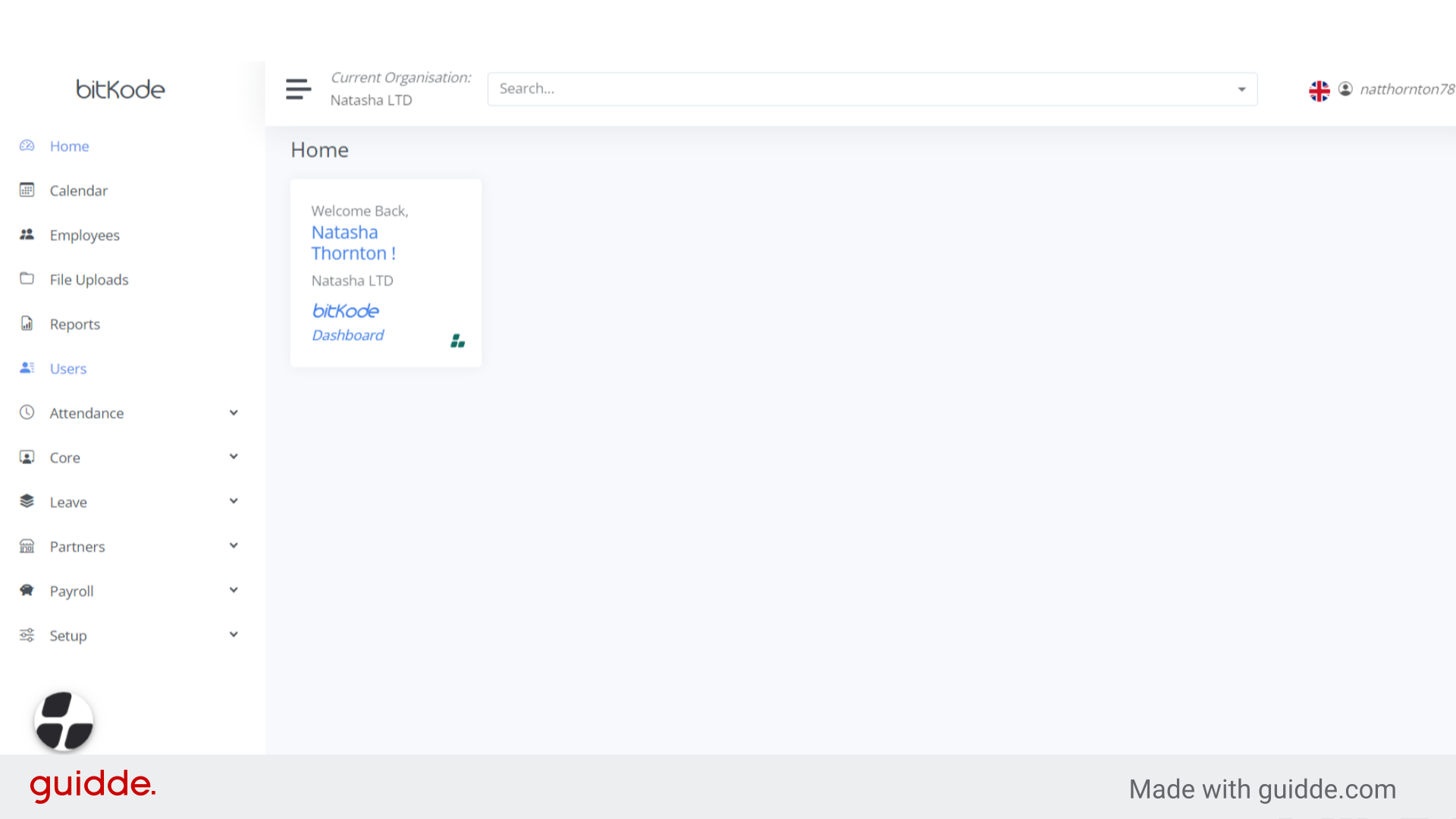
Step 1. Click Users #
In the main menu of bitKode, select Users.
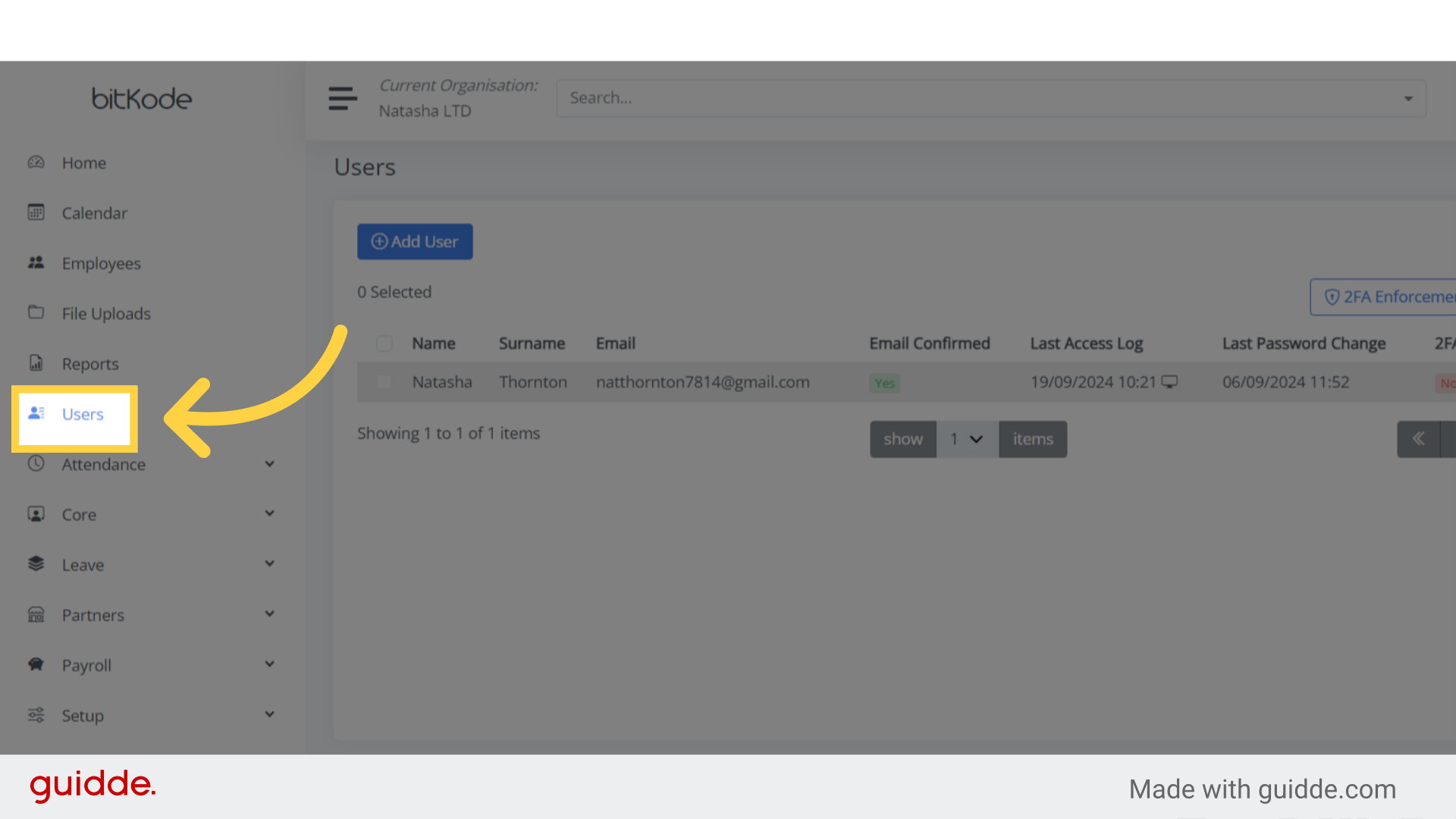
Step 2. Select the employee #
Choose the employee from the list.
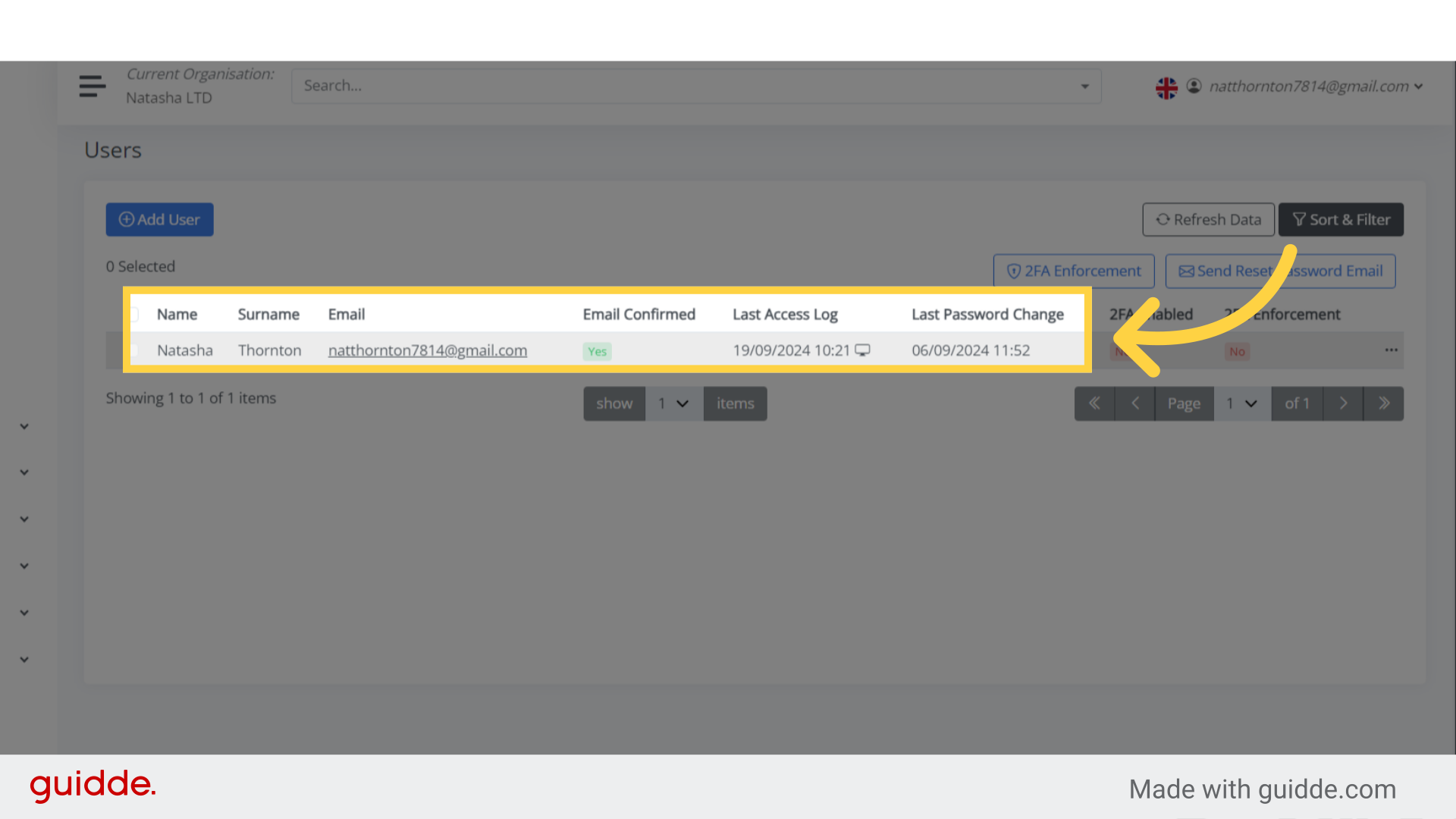
Step 3. Turn on toggle to provide permissions #
- Core Administrator: Can manage user accounts, view audits, update schedules.
- Core Invoices: can purchase subscriptions and view invoices.
- Core User: Can log in to bitKode with their credentials once invited by an administrator.
 This guide covered the steps to manage different levels of access in BitKode core.


