
Table of Contents
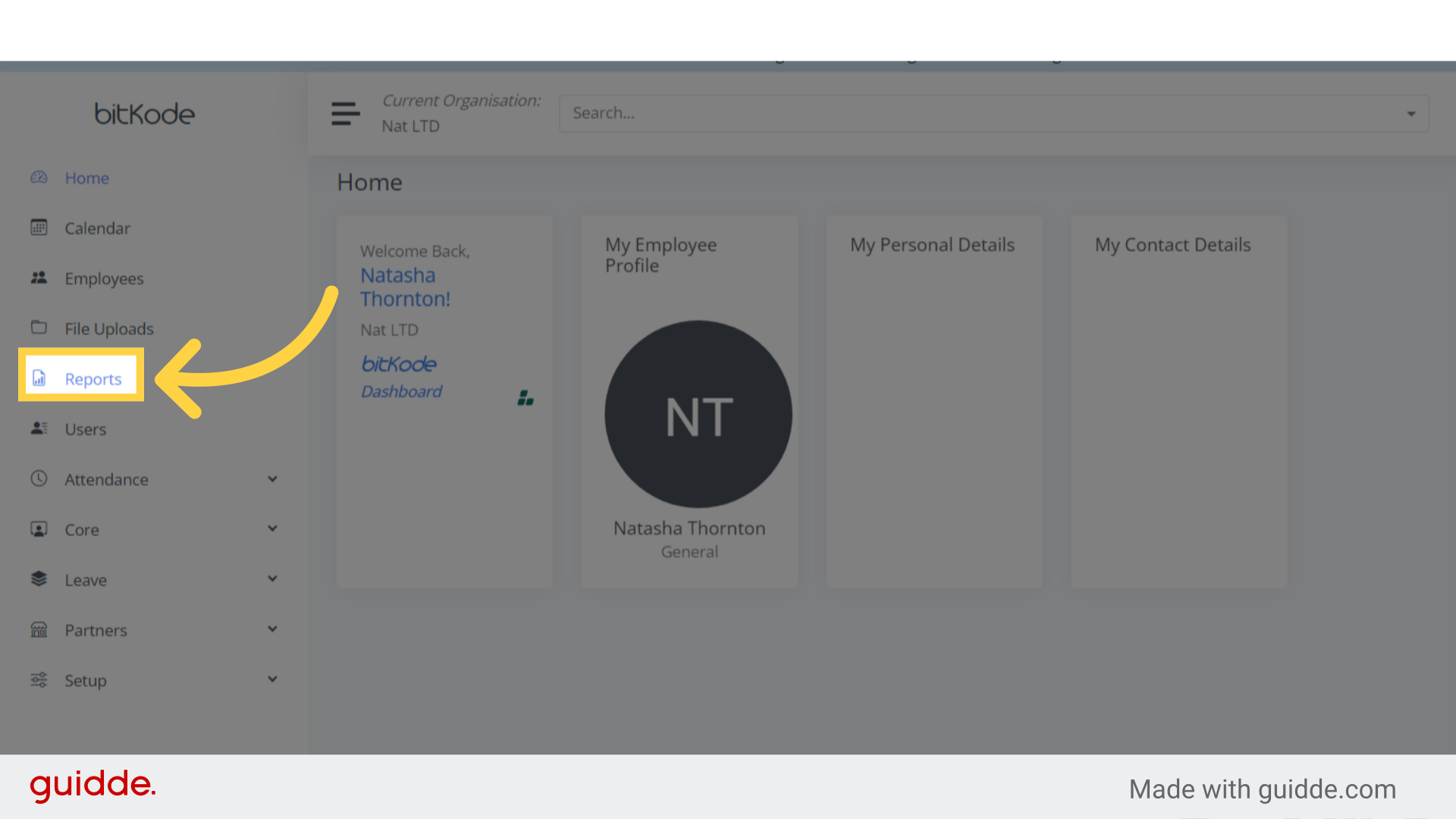
Step 1. Click “Reports” #
This guide provides general information to help you familiarize yourself with the types of reports you can generate from the HR Reports section: There are various related reports you can download in Excel or PDF formats. For more information on how to generate a report, please follow the training guide. Navigate to the Reports section.
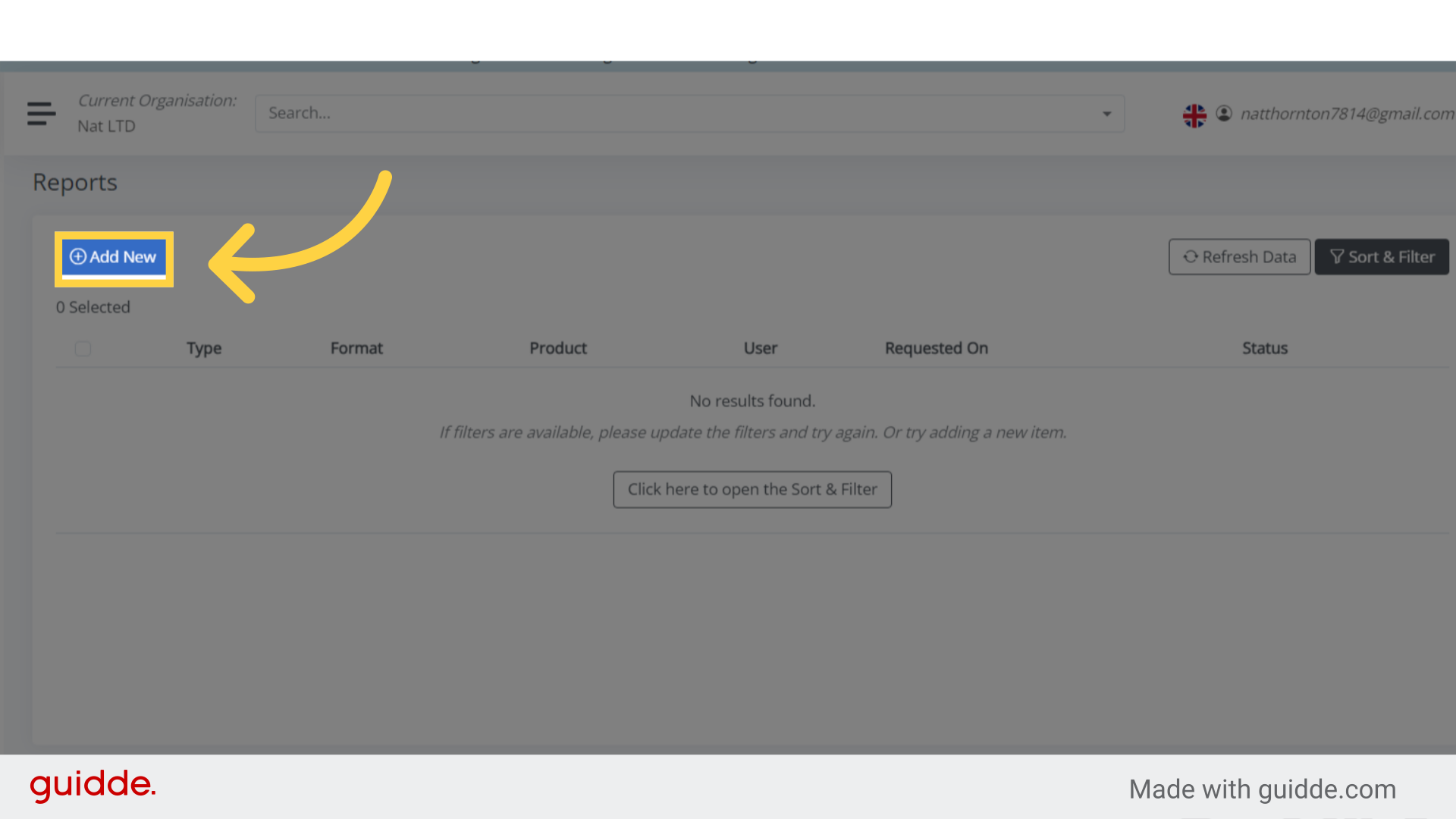
Step 2. Click “Add New” #
Select the option to Add a New report.
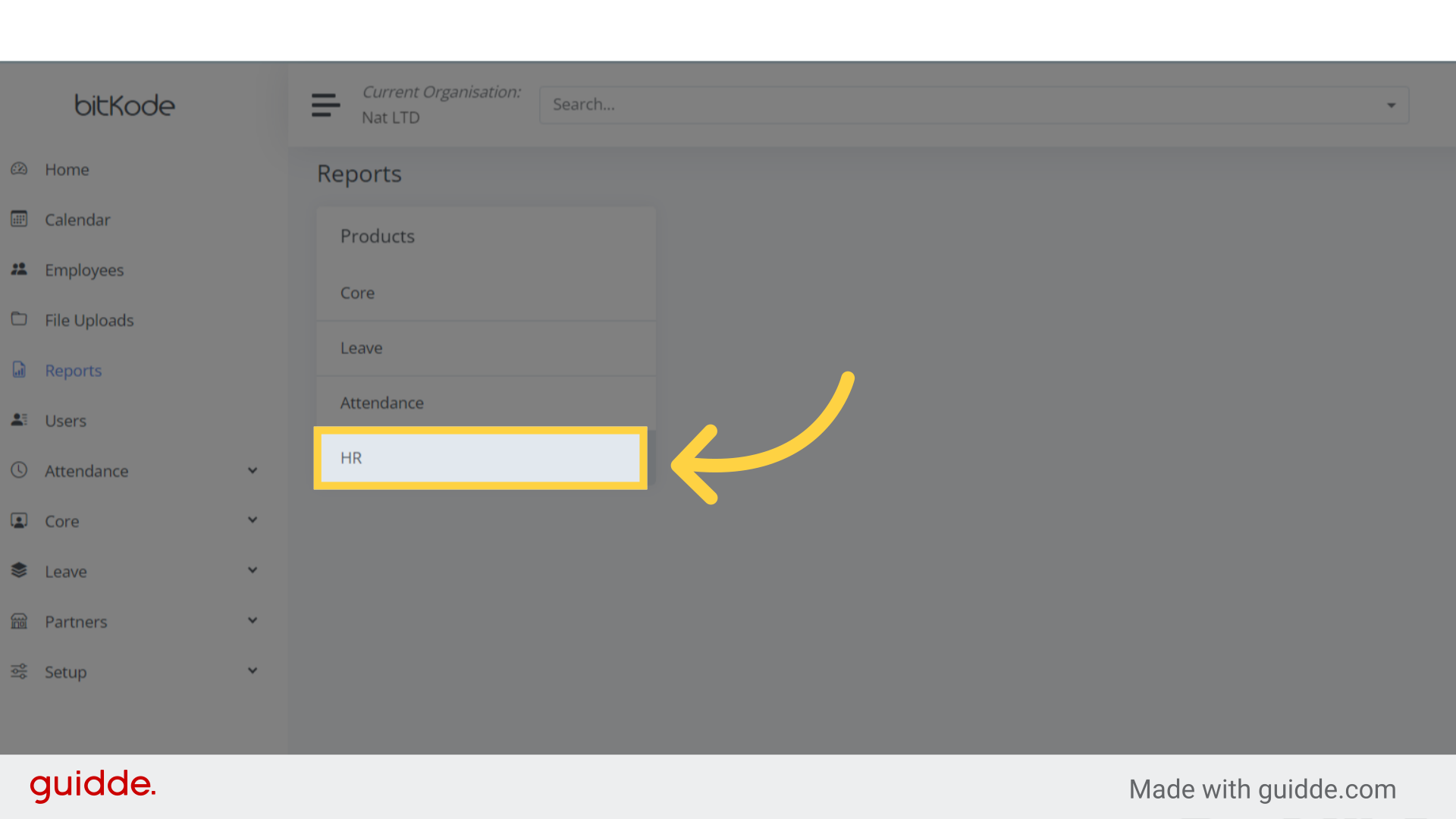
Step 3. Click “HR” #
Access the HR category.
Step 4. Click “Employee Export” #
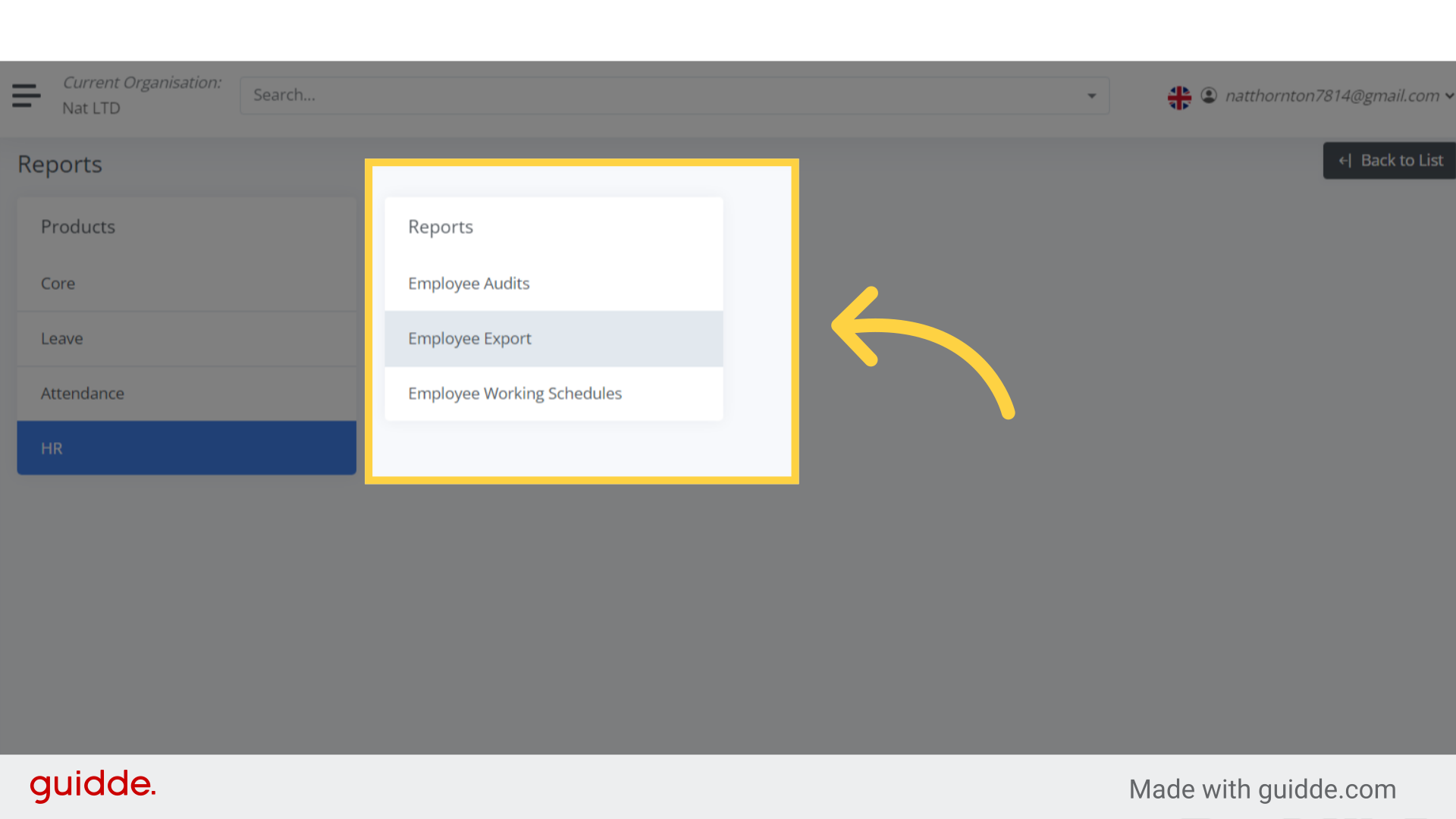 The guide covered what HR-related reports can be generated in Bitkode.


