Table of Contents
Step 1: Payroll section #
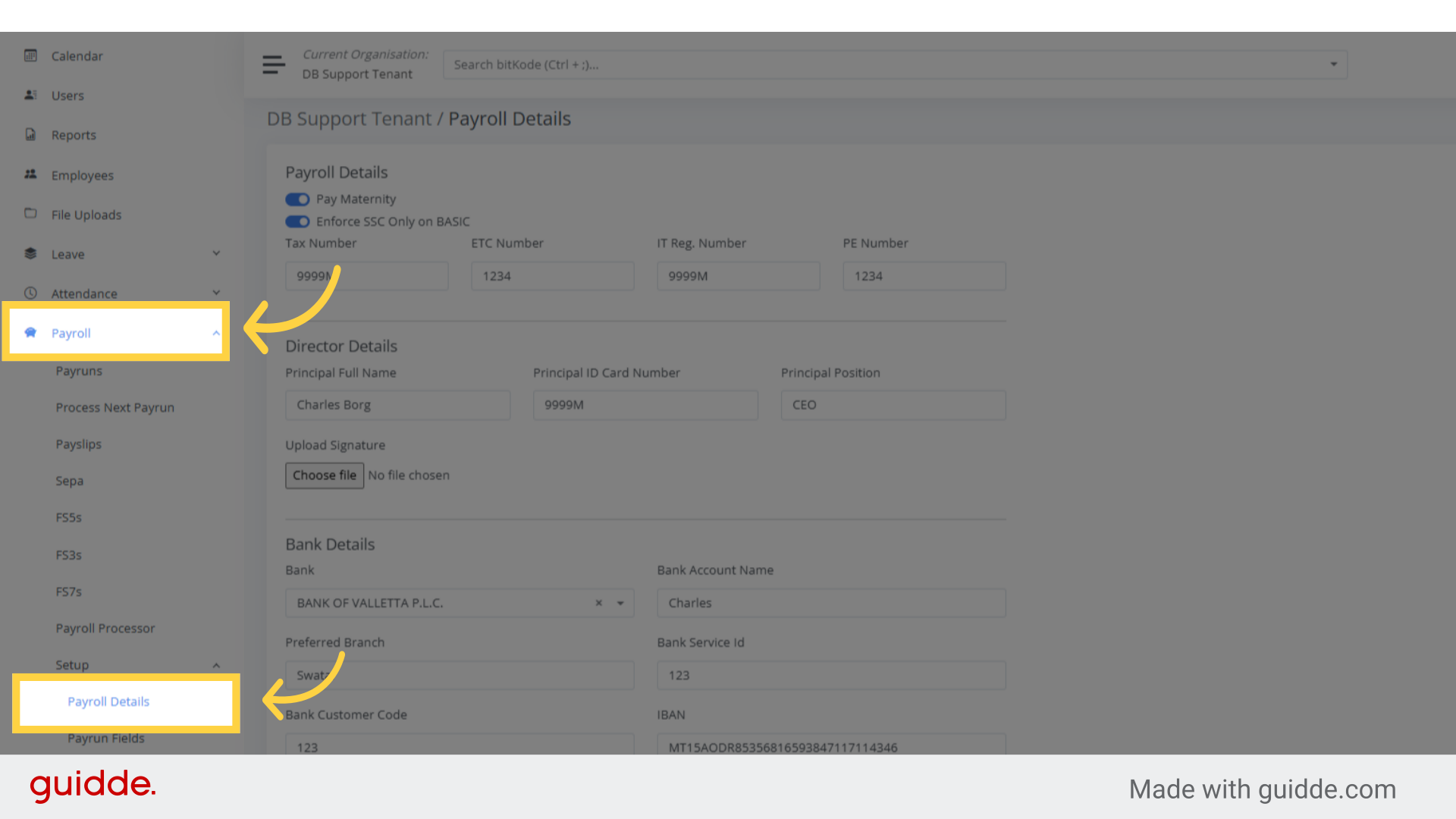
To upload the director’s signature, which will appear on the FS3 forms, navigate to the Payroll section.
A secondary menu will appear–select Payroll Details to access the page where the signature can be uploaded.
Step 2: Click “Upload Signature” #
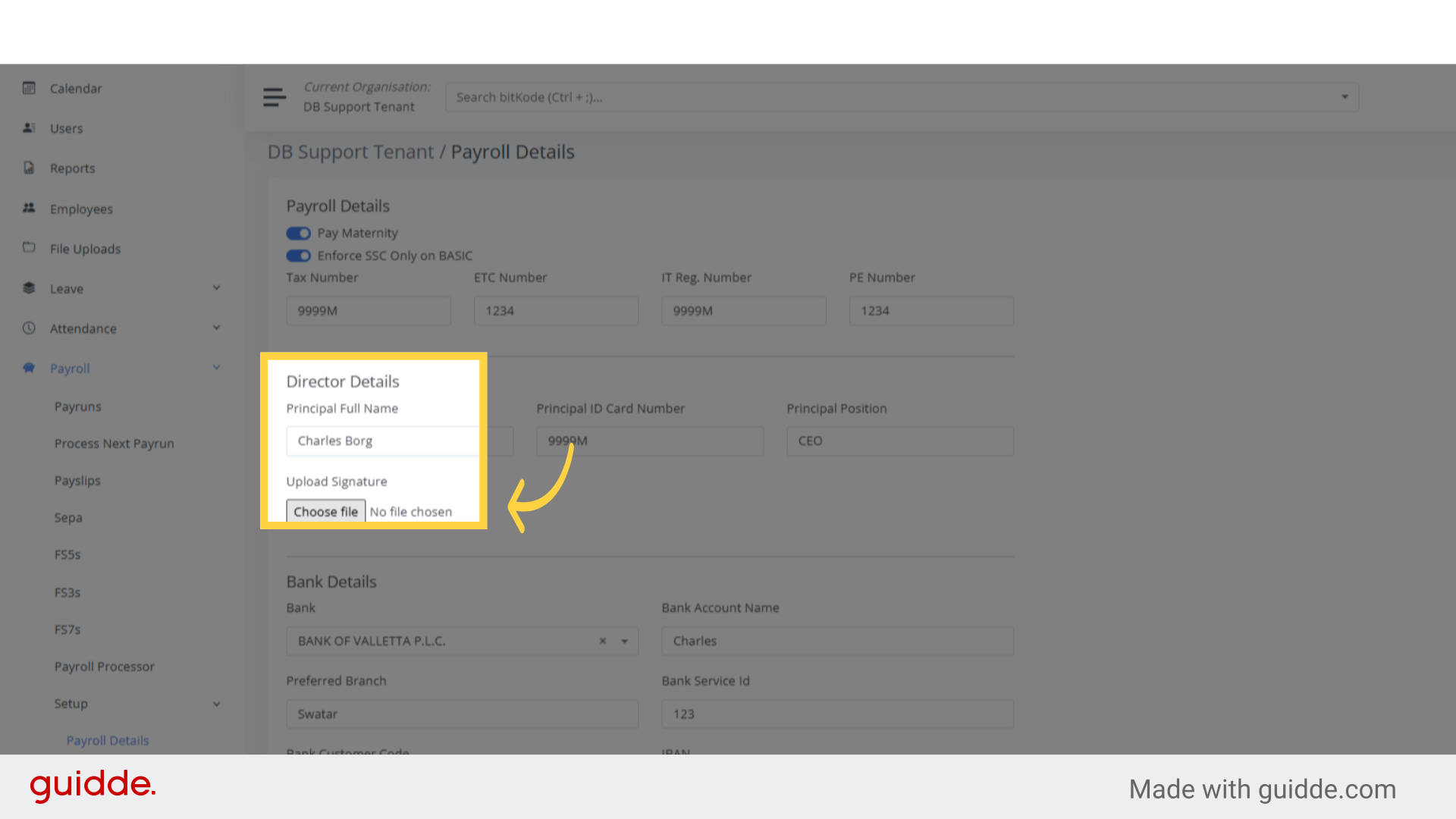
Proceed to upload the Director’s signature.
Step 3. Click “Save” #
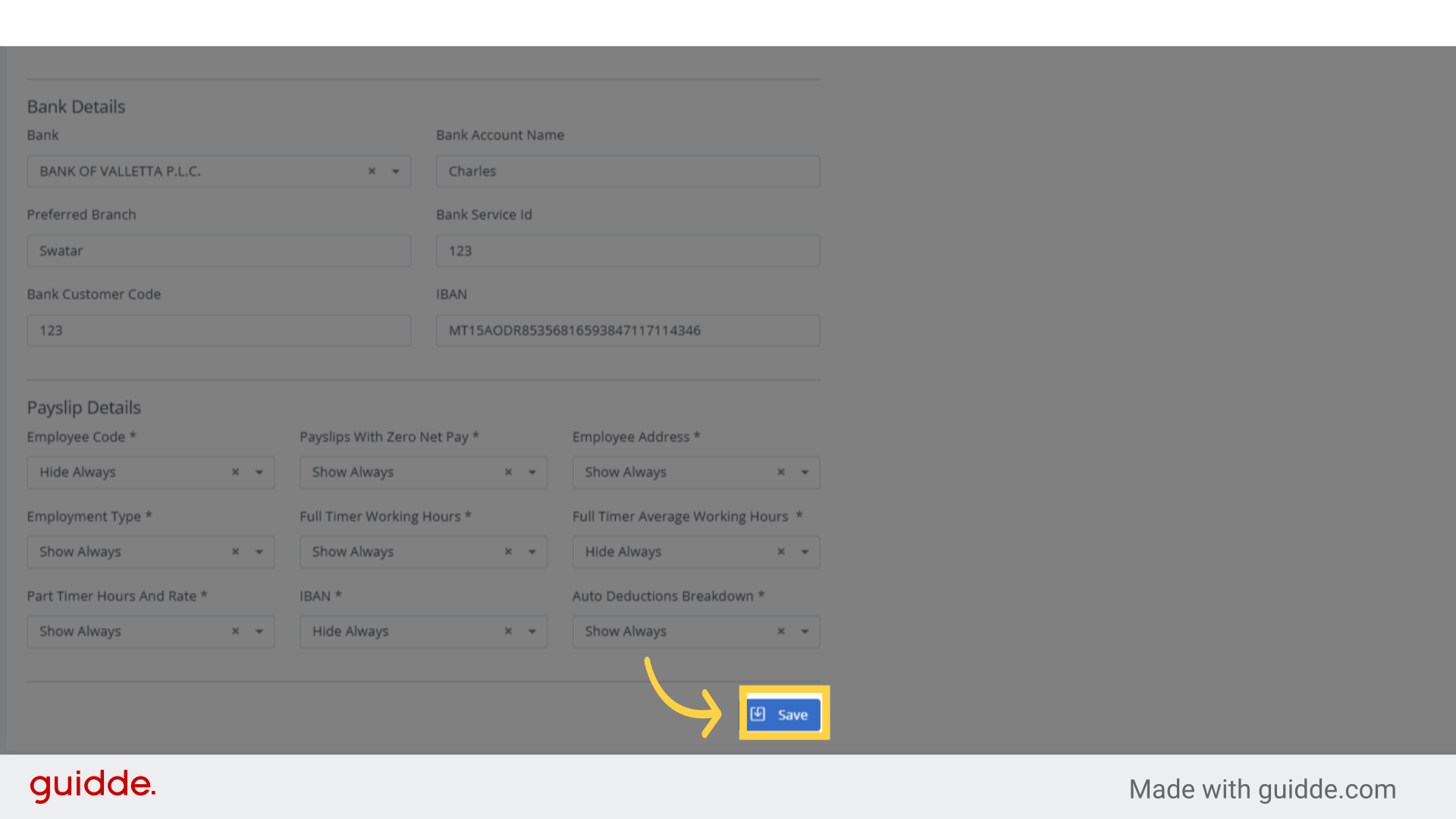
To save your changes, either click Save or simply press Enter on your keyboard.