Table of Contents
Learn how to efficiently store FS3s in your employees’ portals using Bitkode. #
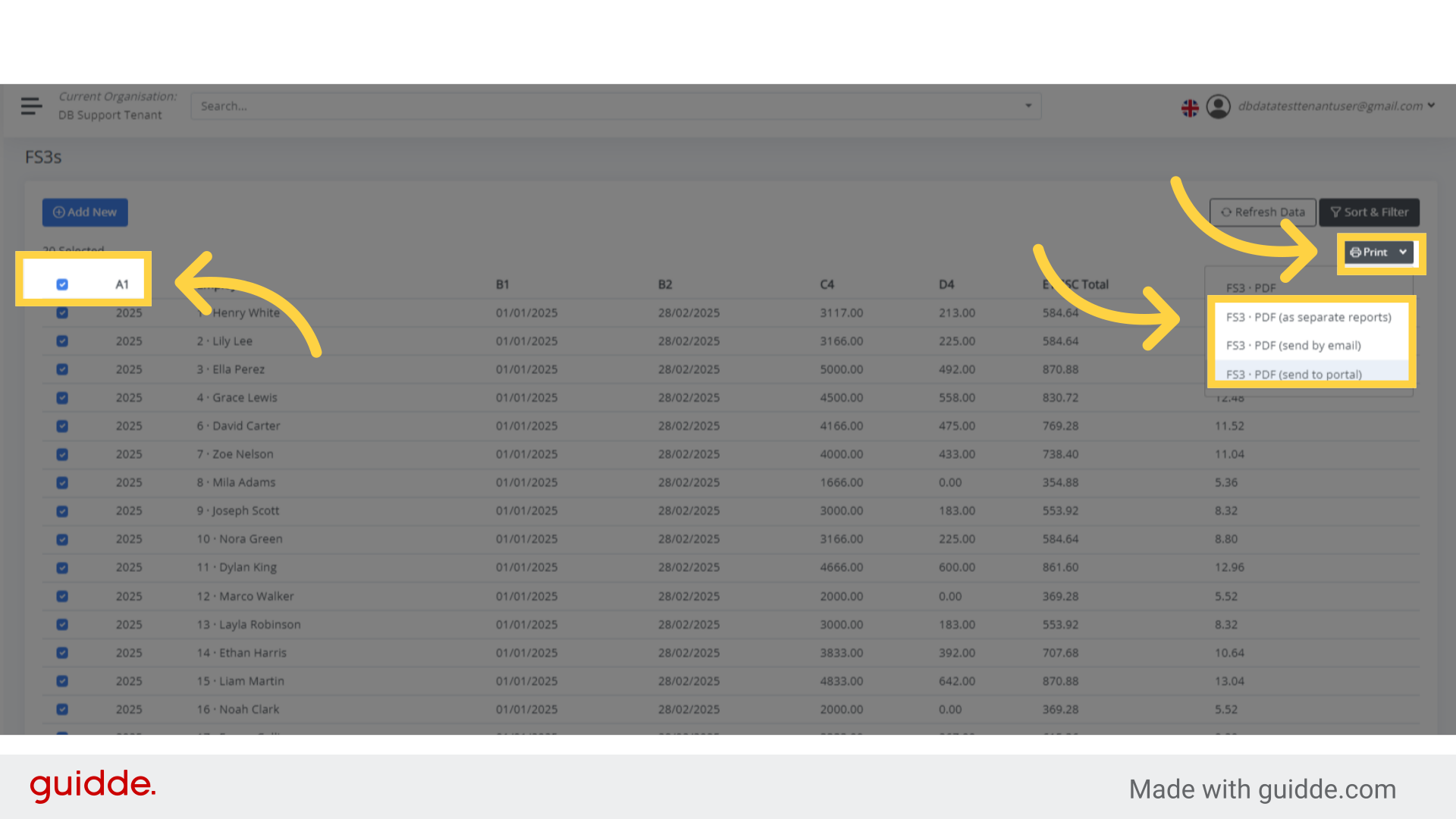
Step 1. Click “FS3 · PDF (send to portal)” #
The same procedure applies for generating an FS3: select all employees, click “Print,” and choose “FS3 PDF Send to Portal” where the user will have their FS3 stored.
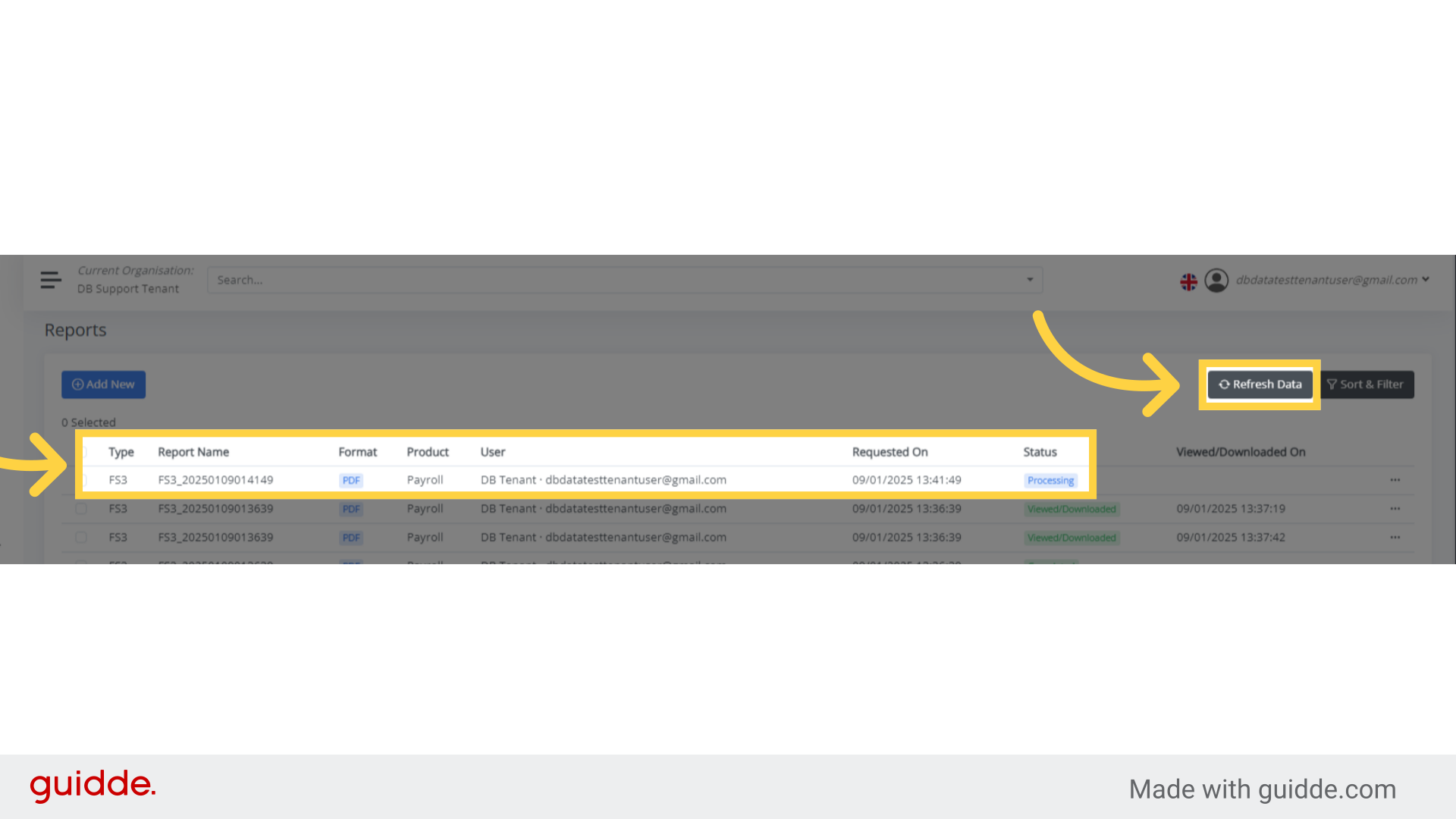
Step 2. Click “Refresh Data” #
Allow some time for it to process, and then click on “Refresh Data.”
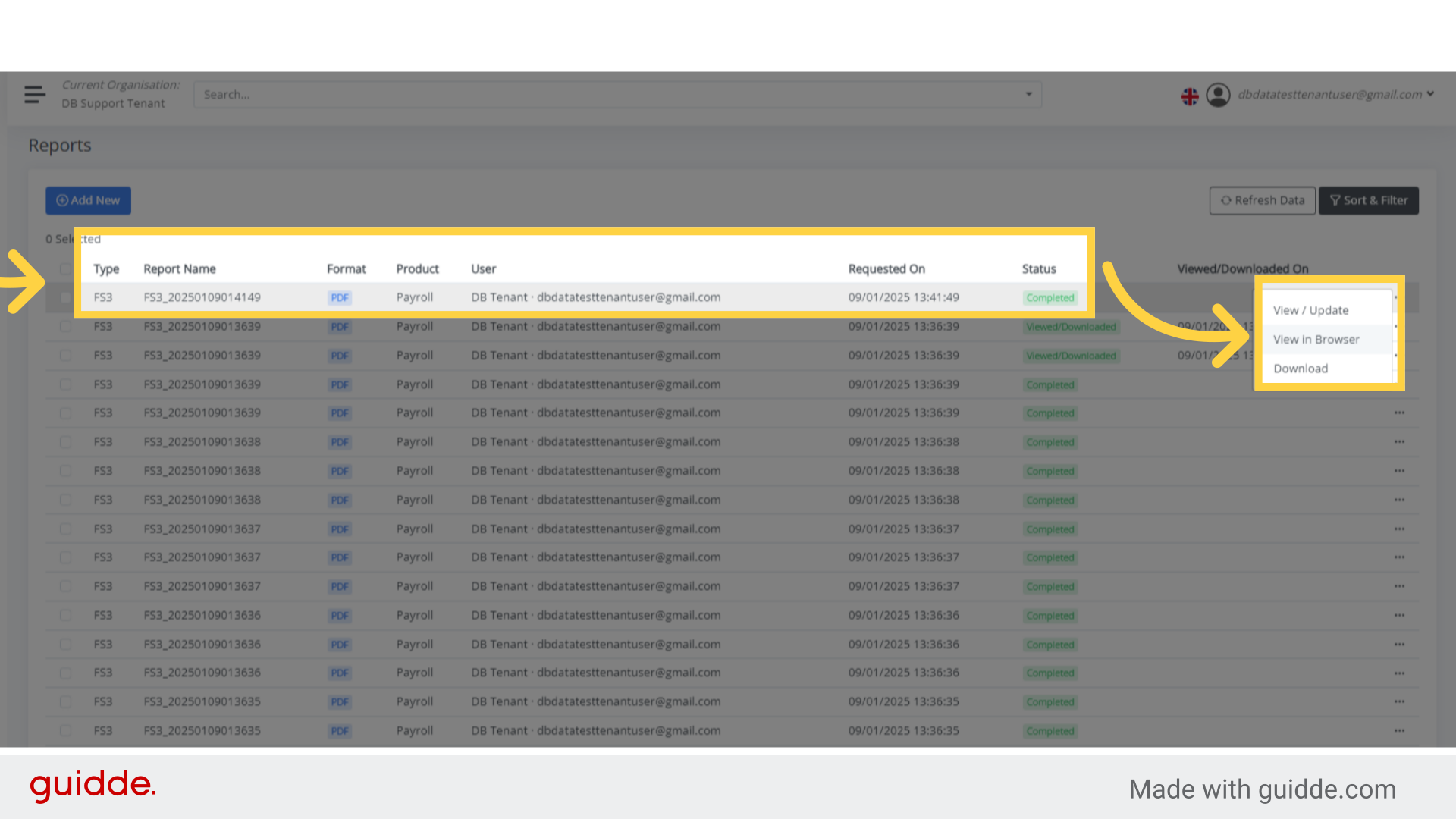
Step 3. Click “View in Browser” #
It has now been completed. Should you wish to view this in the browser, simply click on “View Browser” to see the FS3.