
📄 What Is an FS5 Form? #
The FS5 is a monthly tax form used in Malta to declare and submit income tax, social security contributions, and Maternity Fund contributions deducted from employees’ salaries.
It is a mandatory document for employers and must be submitted to the Commissioner for Revenue.
📄 How to Generate an FS5 Form in Bitkode #
The FS5 form can be quickly generated within Bitkode using the Payroll Producr.
Follow these steps to locate and create a new FS5 report:
✅ Steps to Generate an FS5 Form #
- Step 1: Navigate to the Payroll menu from the main dashboard.
- Step 2: Click on FS5s from the available options.
- Step 3: Select “Add New” to begin generating a new FS5 form.

🗓️ Step 4: Choose the Month #
- Select the month for which you want to generate the FS5 form.
- This action automatically updates the payroll period, ensuring that the FS5 report reflects the correct timeframe.
- It helps tailor the report to the specific month being processed, aligning all statutory deductions and contributions according

✅ Step 6: Tick the Checkbox #
- Select the checkbox to include all necessary payroll data in the FS5 report.
- This step ensures that the report captures accurate and complete information required for statutory documentation.
🖨️ Step 7: Generate the FS5 PDF #
- Click on the “FS5 · PDF” option to generate the FS5 form in PDF format.
- Saving the FS5 as a PDF makes it easy to share, submit, and archive, ensuring your records are secure and accessible.

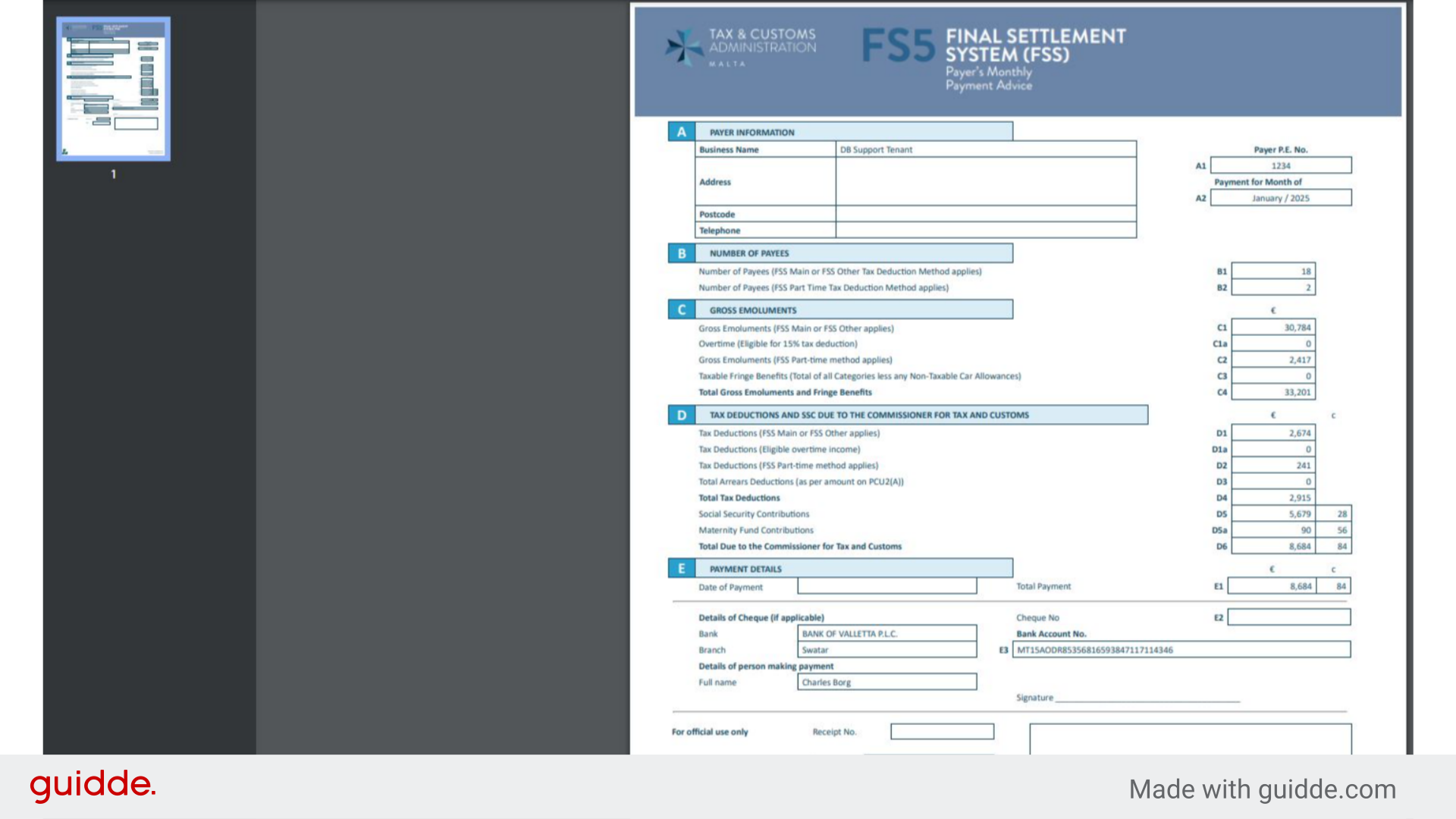
📄 FS5 PDF Generation Preview #
After clicking on the FS5 PDF option, the system will begin generating the document.
Once ready, the FS5 will be displayed on-screen, allowing you to review, download, or print as needed.
⚡ Generating FS5 Using Payroll Quick Actions #
The FS5 form can be quickly generated using the Payroll Quick Actions feature in Bitkode.
This allows you to issue the FS5 directly from the same Payrun that was processed, saving time and ensuring accuracy.


