Table of Contents
- This guide will walk you through processing Sickness and Injury Benefit Deductions in bitKode.
- Step 1.
- Step 2.
- Step 3.
- Step 4.
- Step 5. Click "Click here to go to process page."
- Step 6. Click "Approve Process"
- Step 7. Click "View / Update"
- Step 8. Auto Deduction
- Step 9. Click "View / Update"
- Step 10. Click "Amount"
This guide will walk you through processing Sickness and Injury Benefit Deductions in bitKode. #
In Payroll, you can process both Sickness and Injury Benefit deductions.
For these benefits to appear, the employee must have Sick or Injury Leave approved in the Leave section.
Although the Leave section is available for free with the Payroll section, if you are not using the Leave Management System, both Sickness and Injury Benefit deductions must be entered as manual adjustments.
The following steps outline how to deduct the Sickness Benefit and the Injury Benefit.
Step 1. #
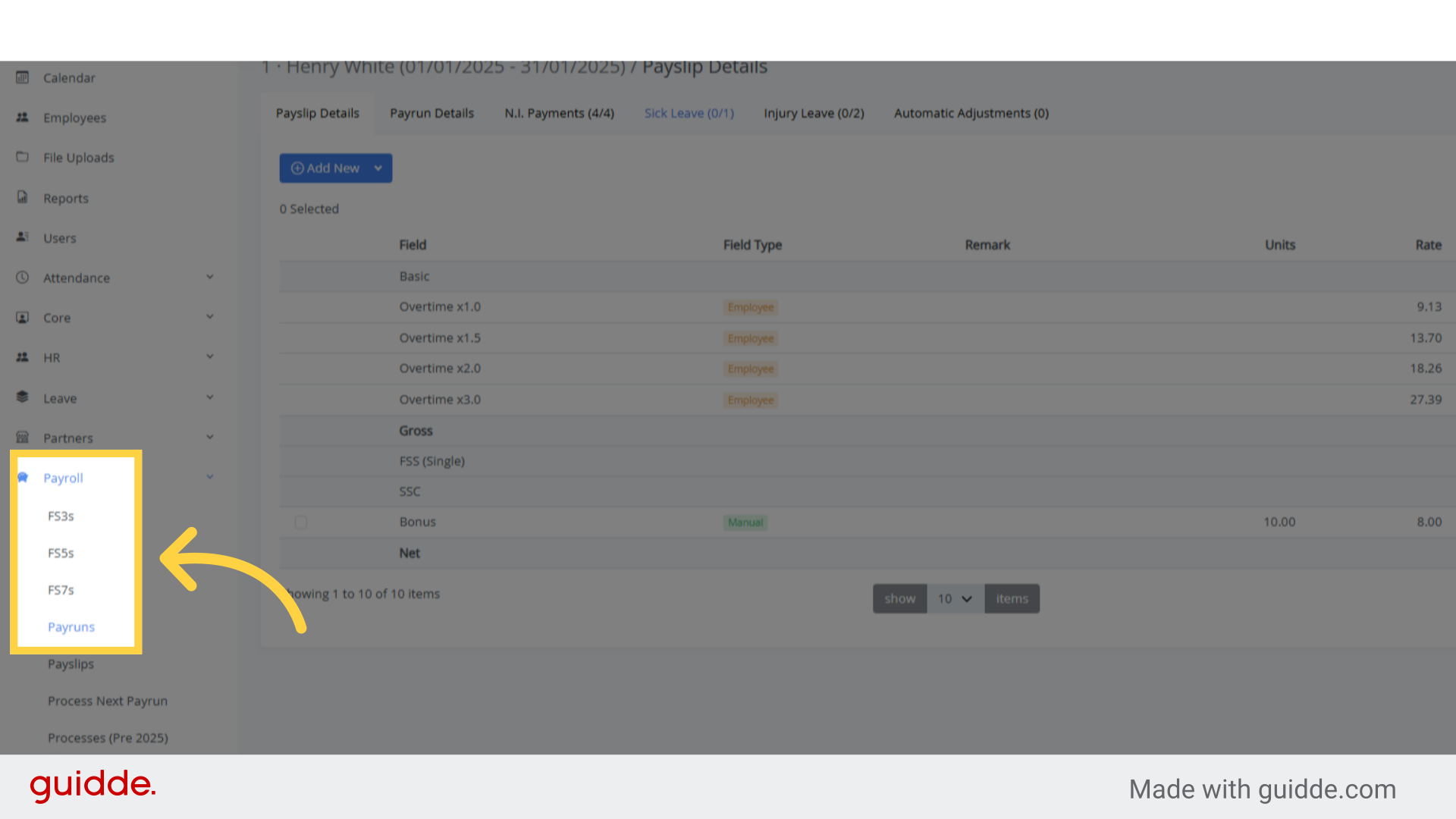
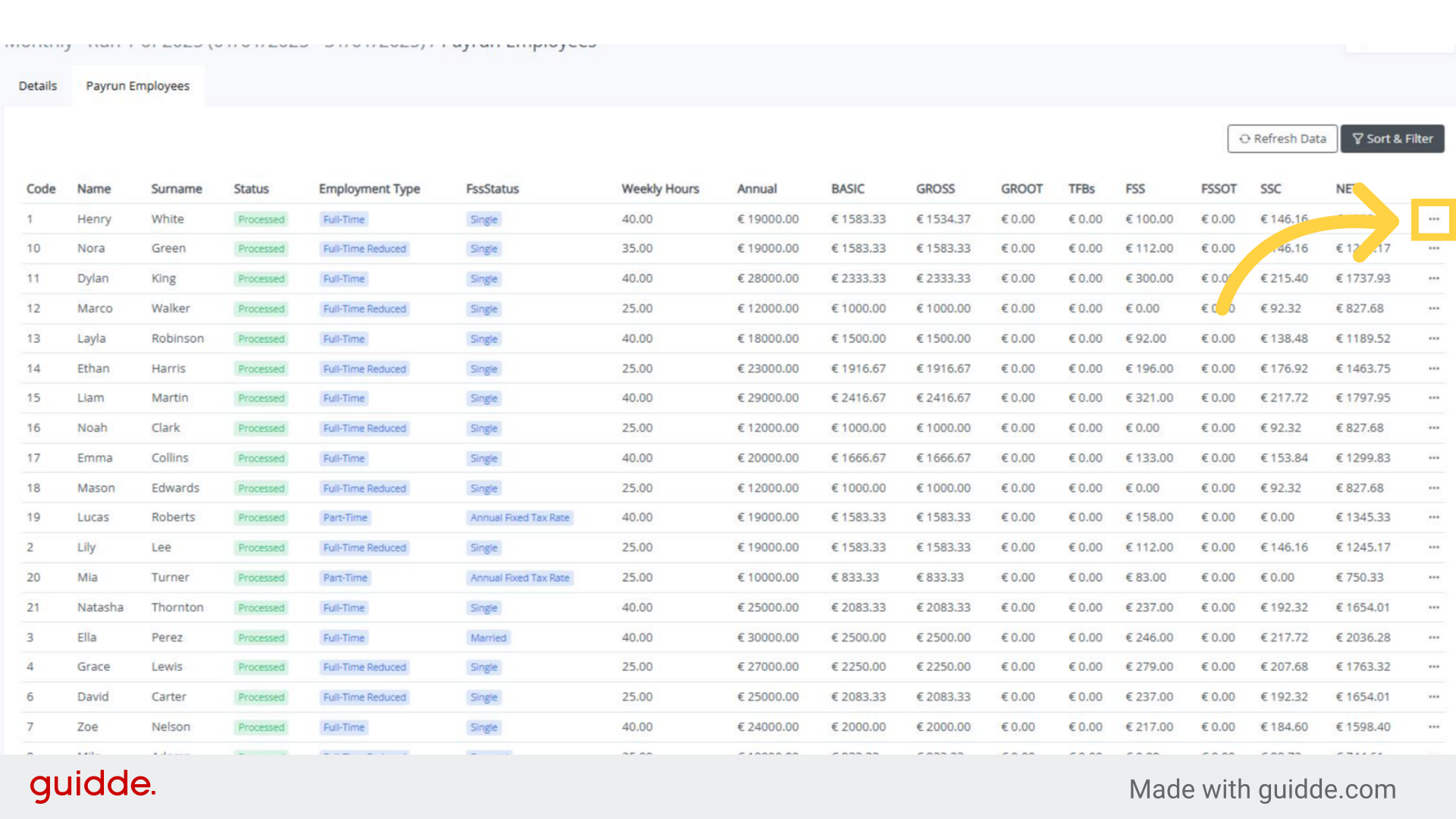
After processing your payroll, select the employee by clicking on the three dots next to their name, and then click on “View Update Fields.”
Step 2. #
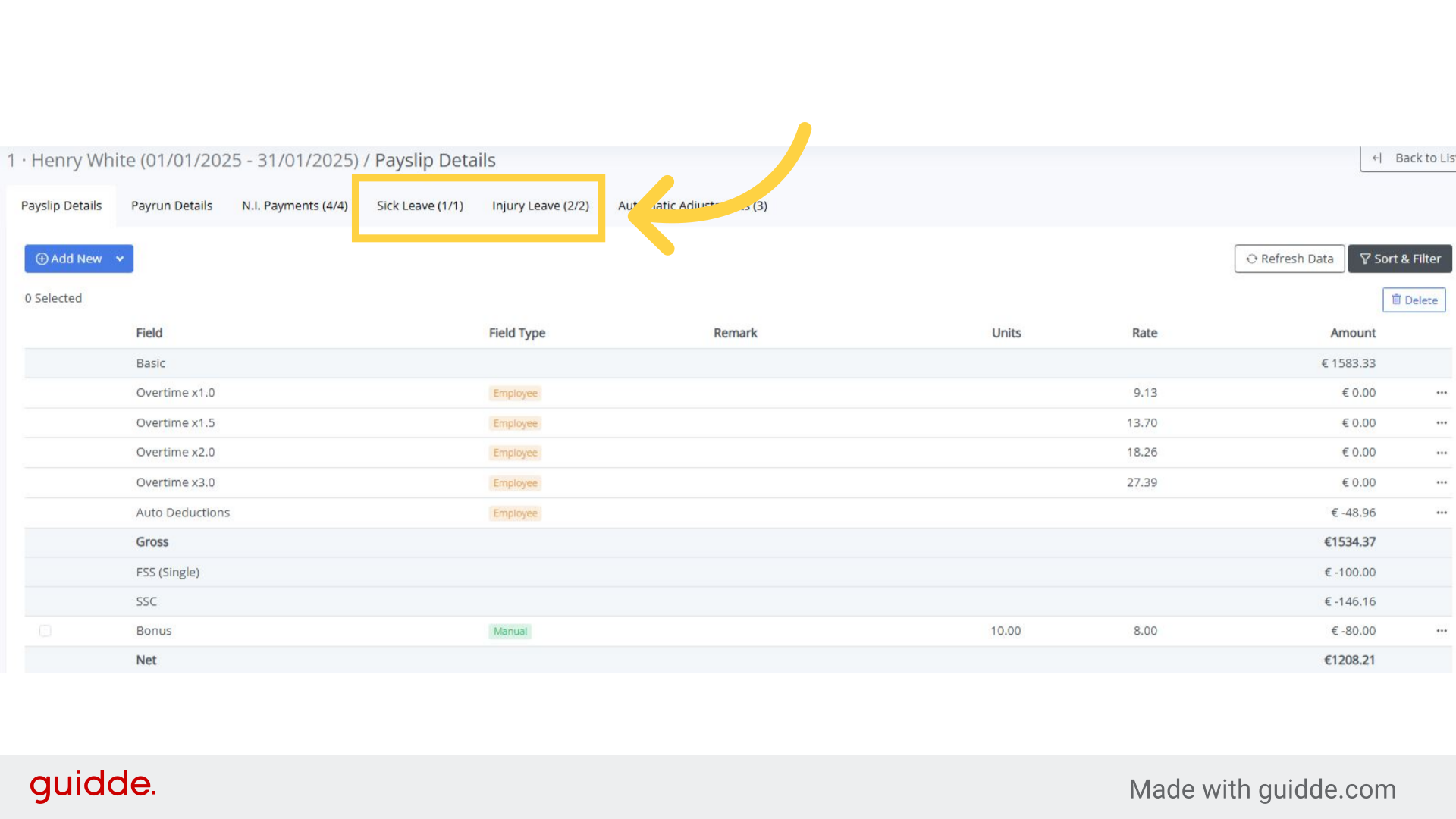
At this point, you are on the processed pay run for the employee.
As you can see, the employee has 1 day of sick leave approved and 2 days of injury leave approved
Step 3. #
Add or remove this day from the pay run by ticking the indicated box and selecting the desired option.
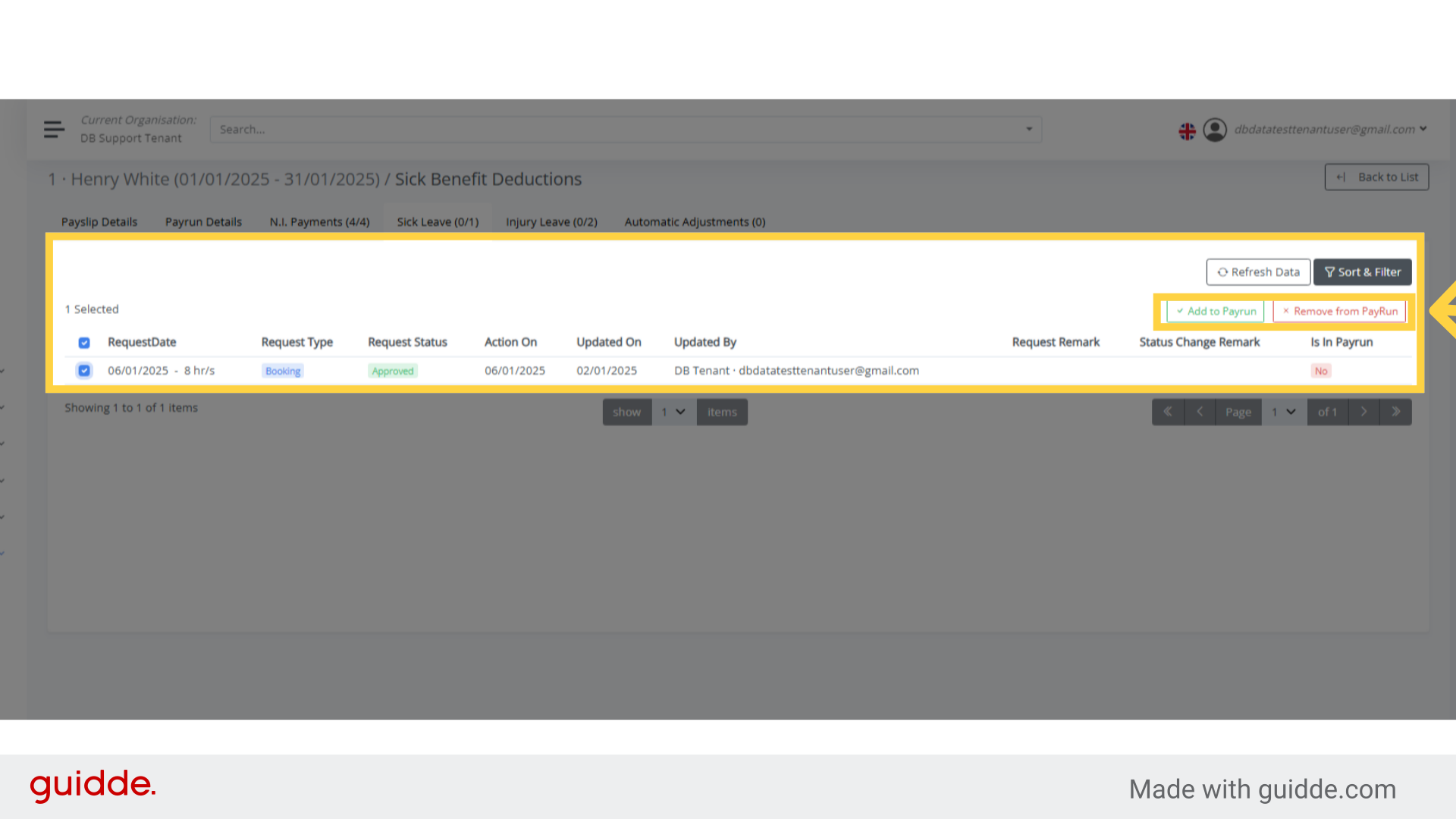
Step 4. #
The same process applies for injury leave.
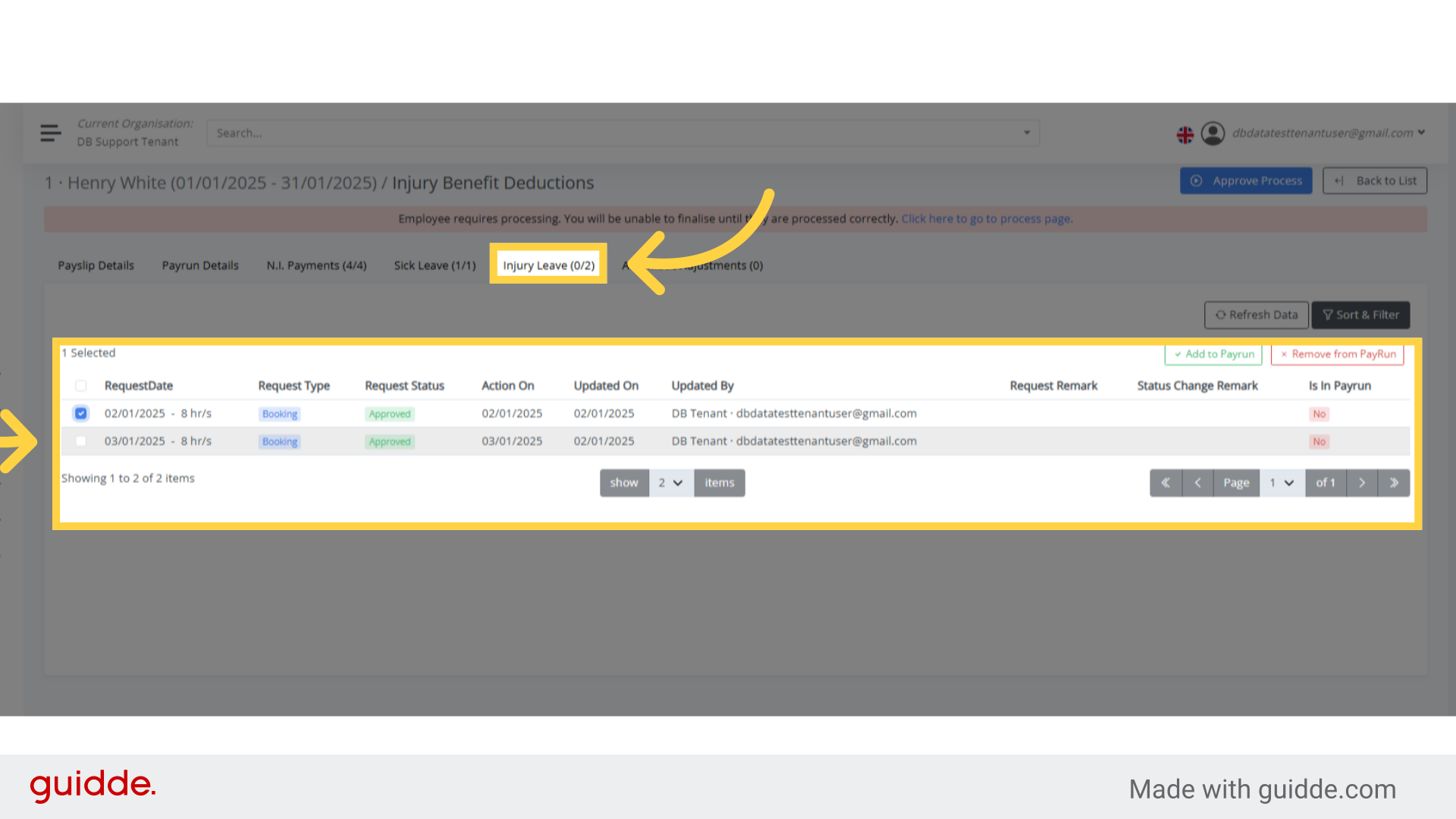
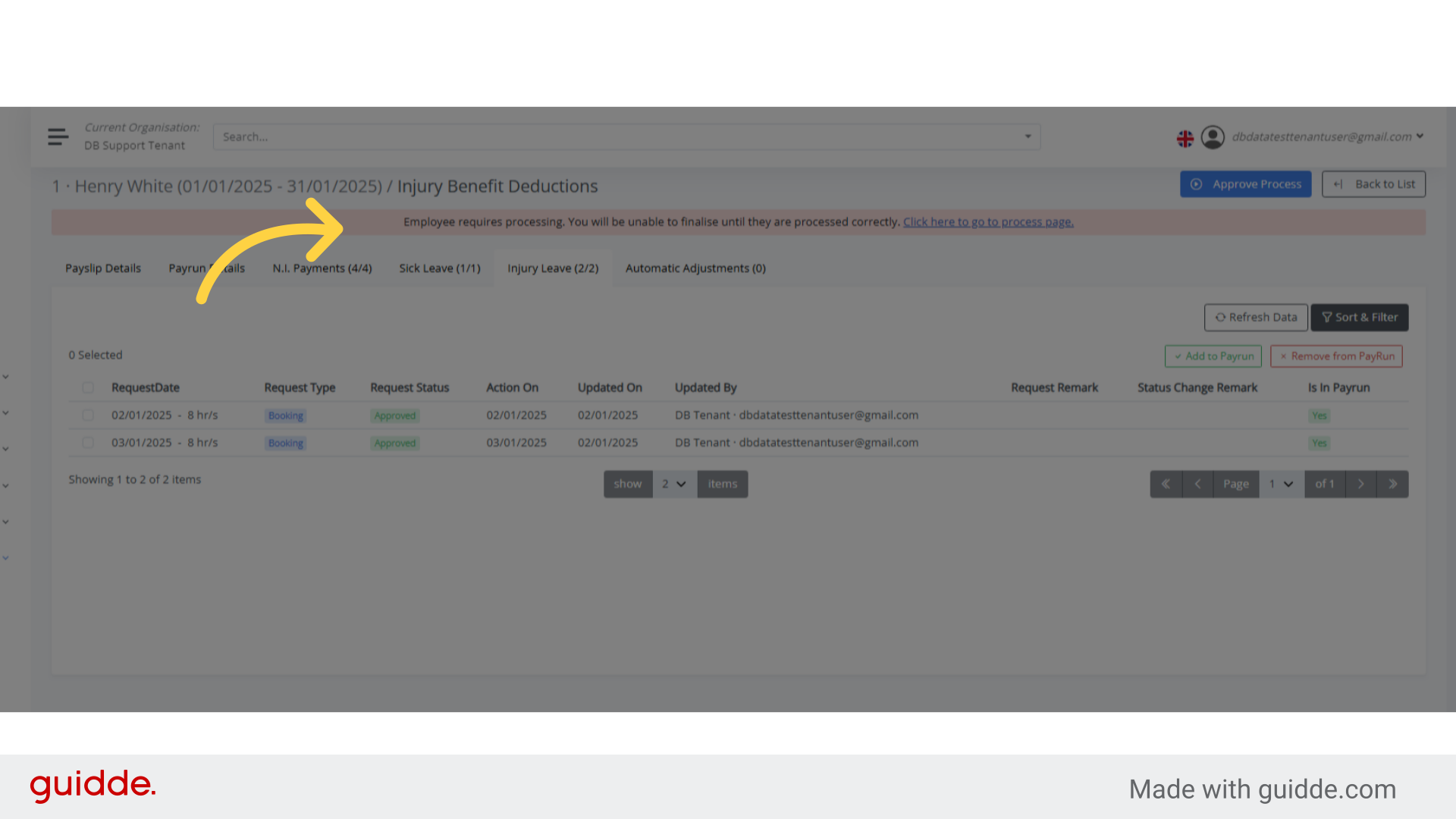
Step 5. Click “Click here to go to process page.” #
After these have been successfully added, you need to reprocess the pay run as indicated.
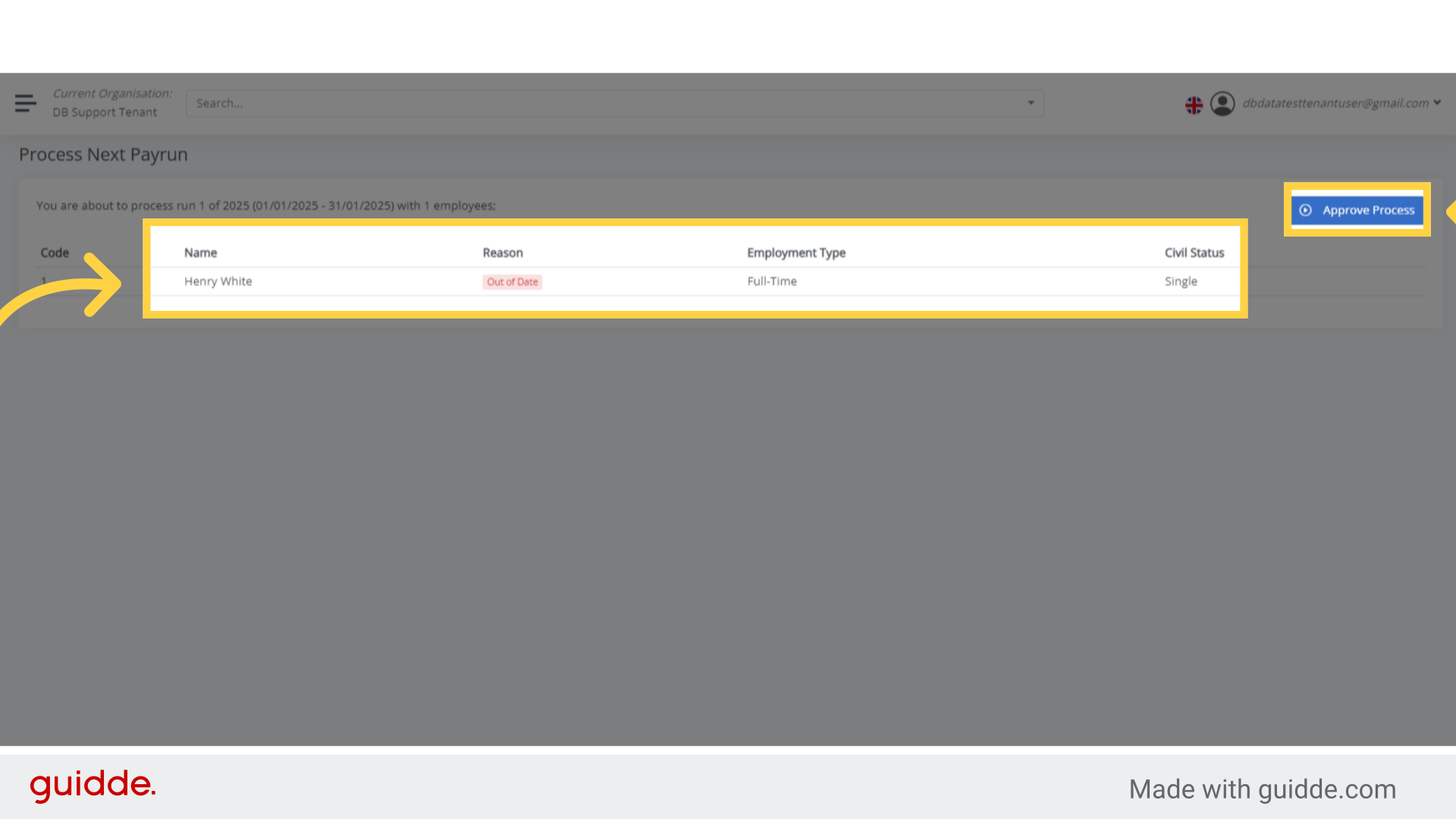
Step 6. Click “Approve Process” #
Approve the reprocessing for that employee.
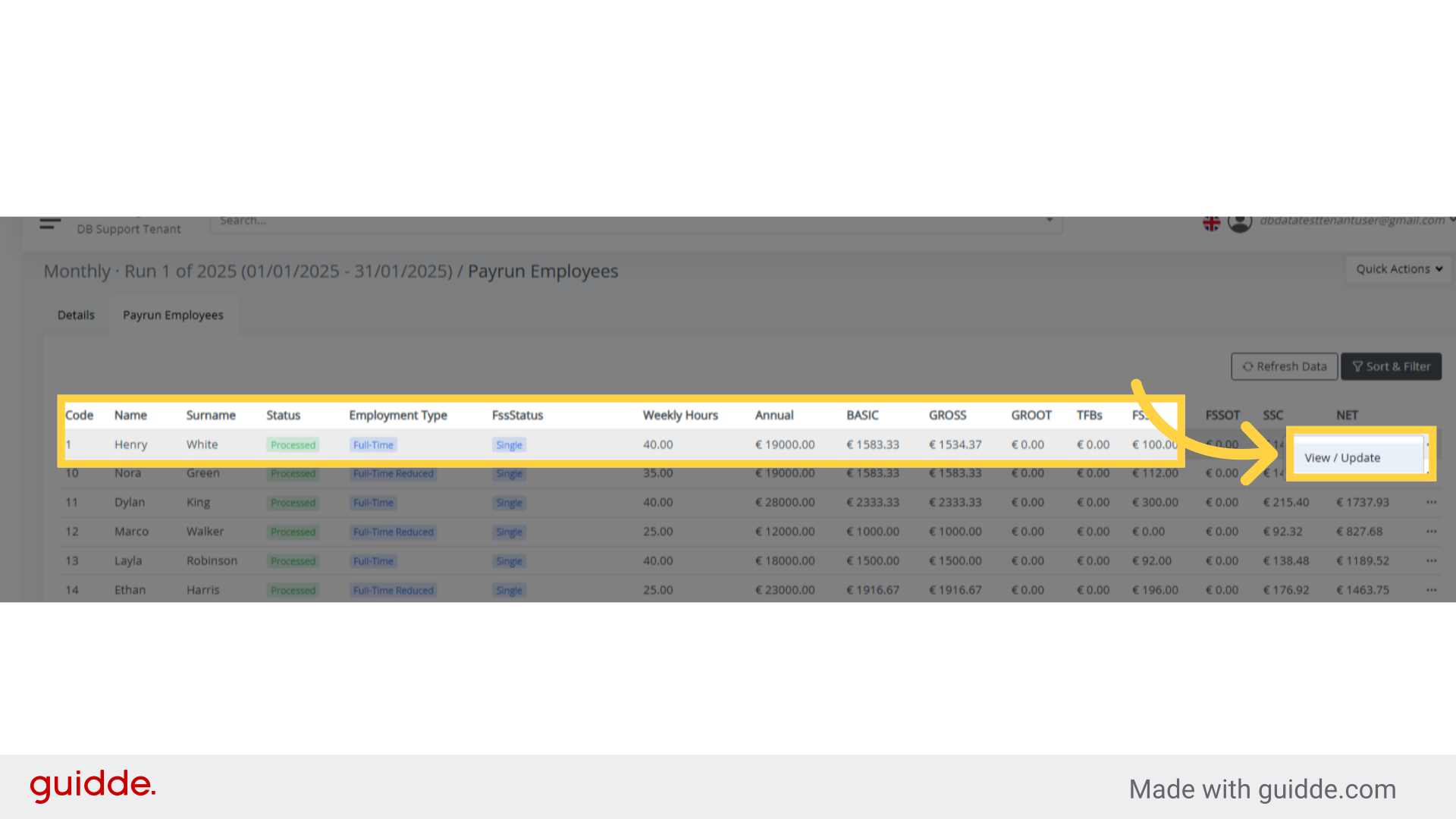
Step 7. Click “View / Update” #
To verify that this change has been reflected on the payslip, click on “View Update” next to the employee from the three dots.
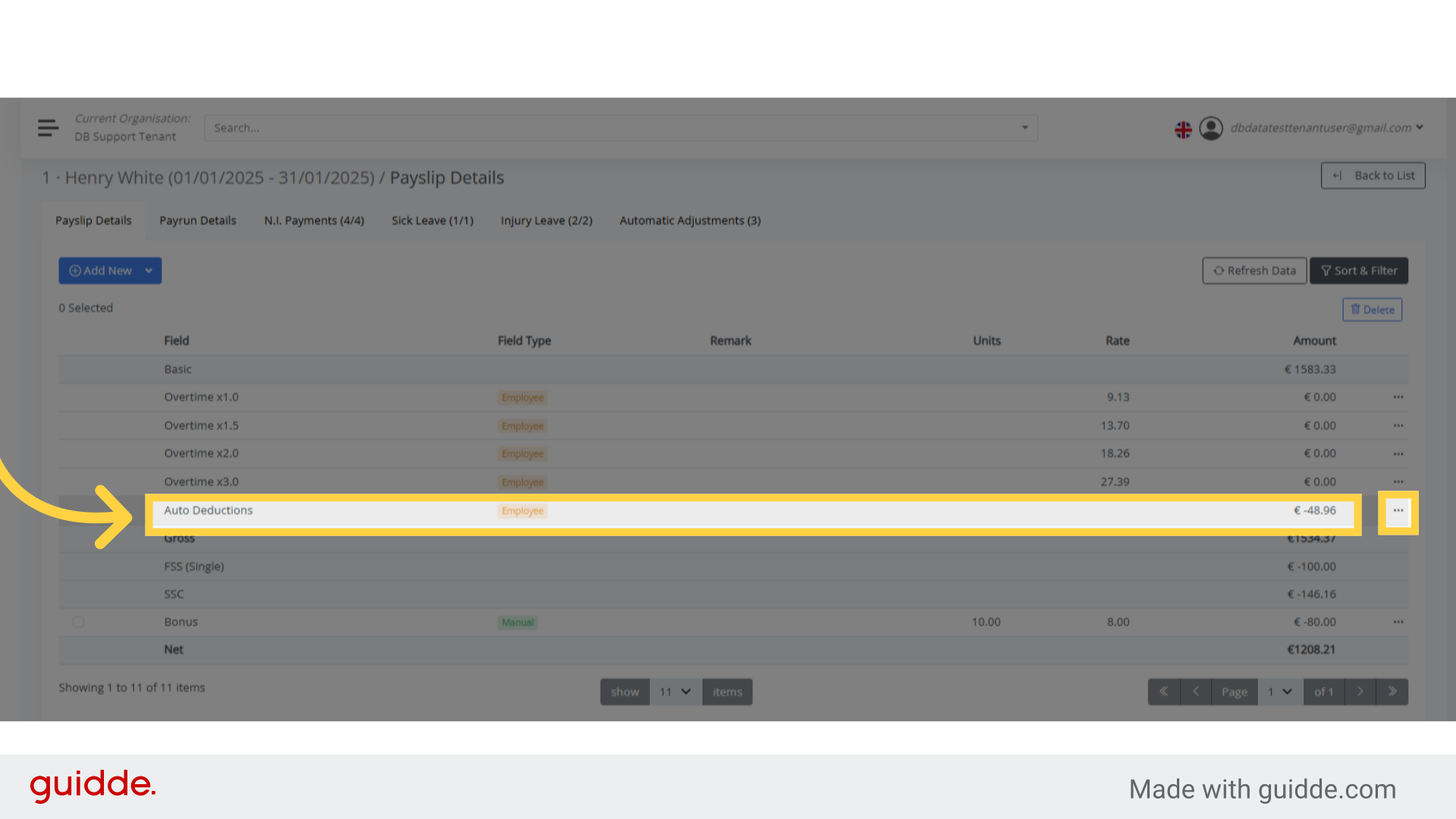
Step 8. Auto Deduction #
Click on the auto-deduction option by navigating to the three dots next to it.
A breakdown of the auto-deduction is also shown in the ‘Automatic Adjustments’ tab.
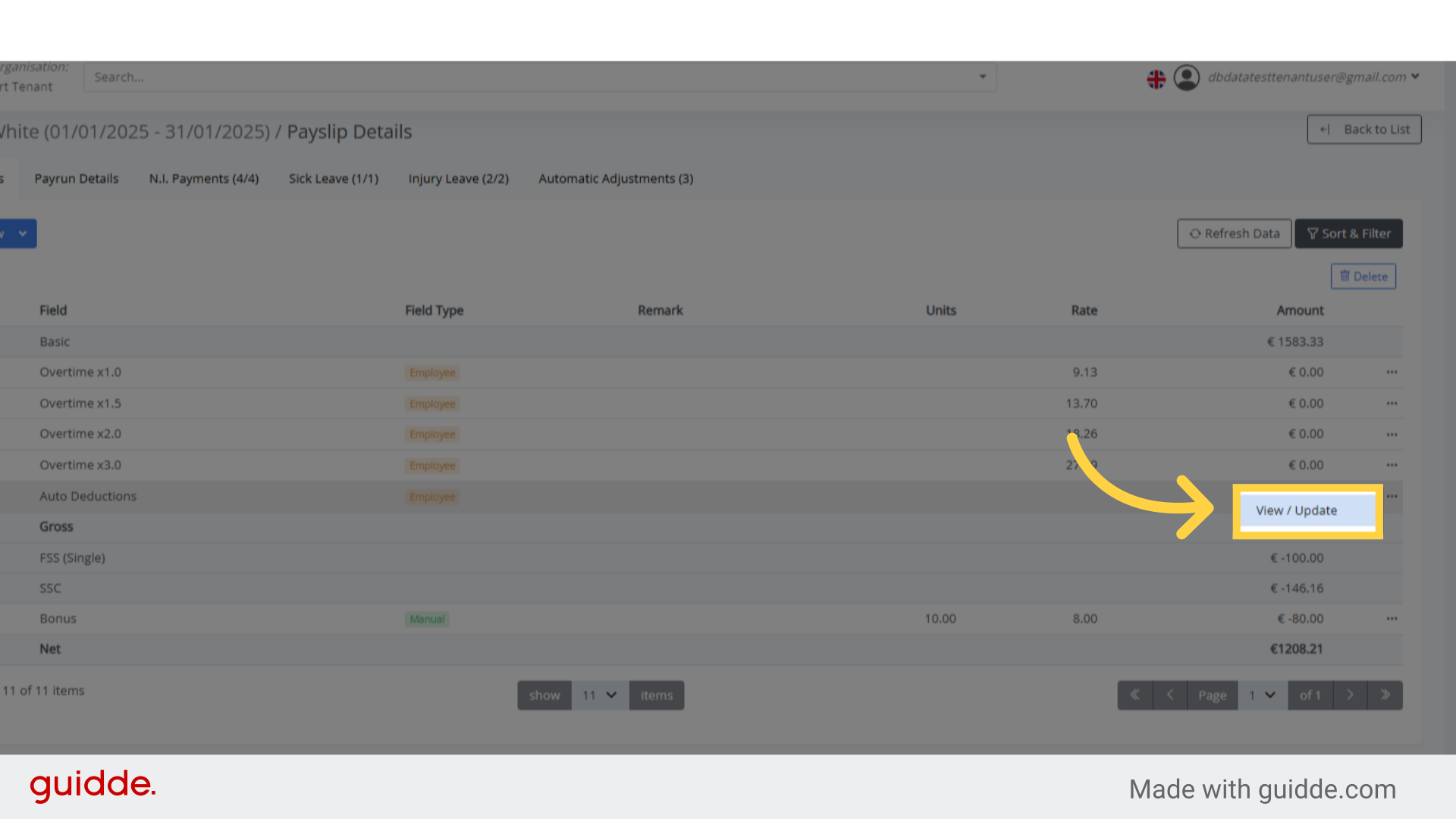
Step 9. Click “View / Update” #
Access the View/Update section.
Step 10. Click “Amount” #
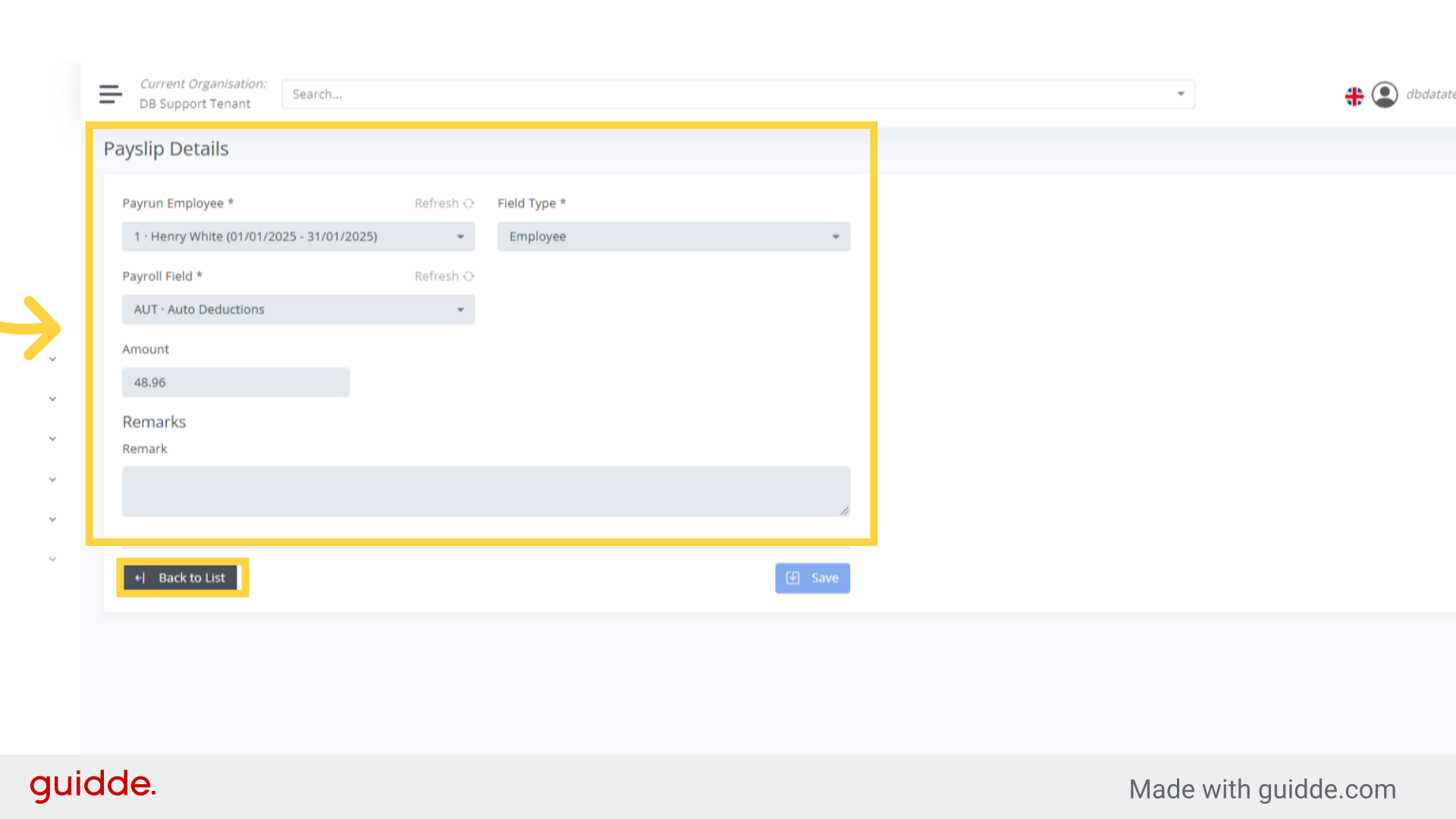
Once you click on the “View Update” option, you will be prompted with the amount as seen in the image.
Go back to the list and finalize the pay run.
For more information on how to finalize the pay run, follow the guide on “How do I finalize a pay run.”
For the breakdown to appear in the payslips, it must be enabled in the Payslip settings.