Table of Contents
This guide will walk you through the necessary steps to process payroll efficiently using bitKode. #
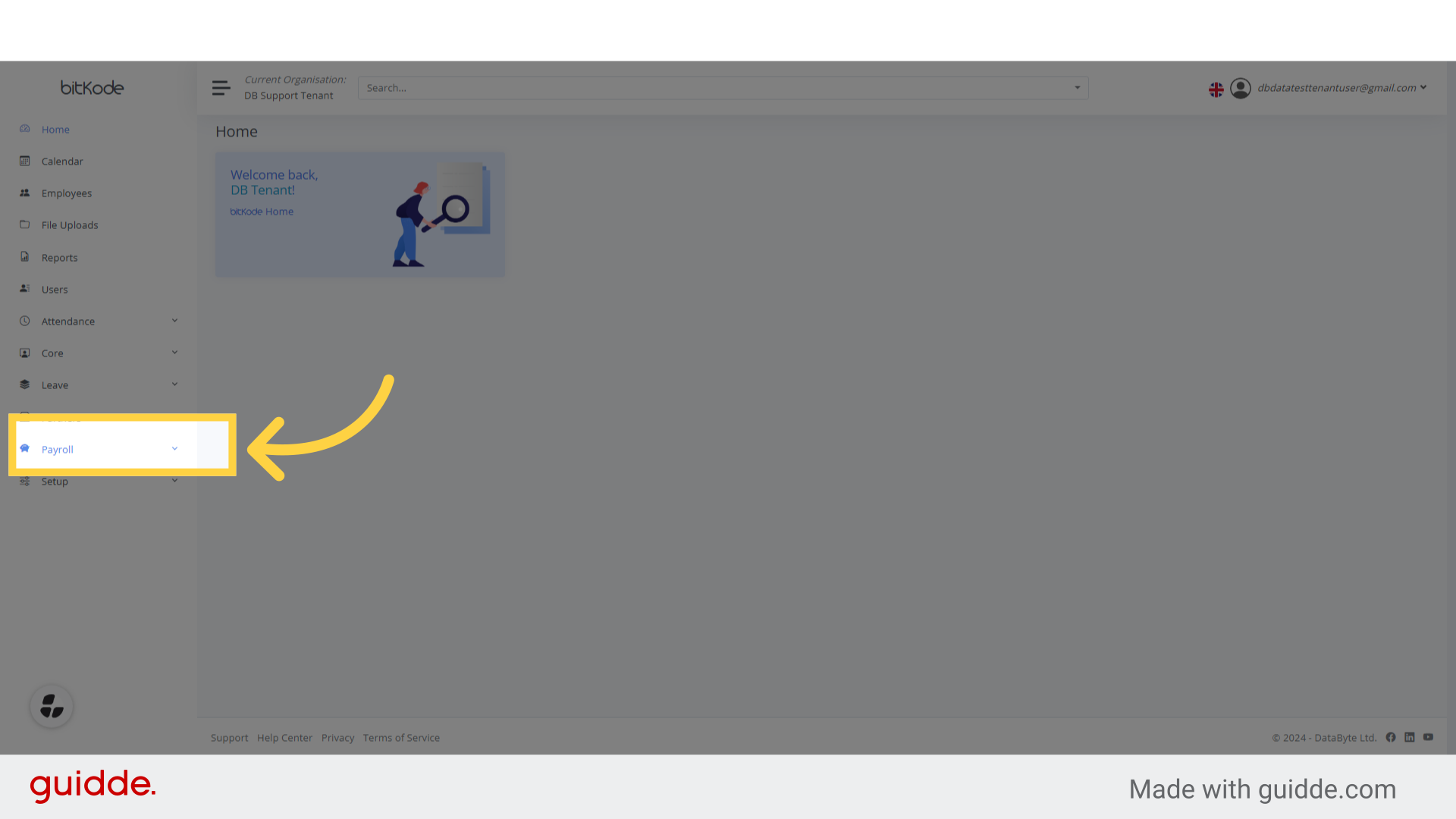
Step 1. Click “Payroll” #
Once you have;
- created your employees;
- linked them with the Payroll module;
- set up all your payroll settings, and;
- initialized your payroll year,
The next step is to begin processing the payroll.
Start by accessing the Payroll menu iteam.
Step 2. Click “Payruns” #
Navigate to the Payruns tab.

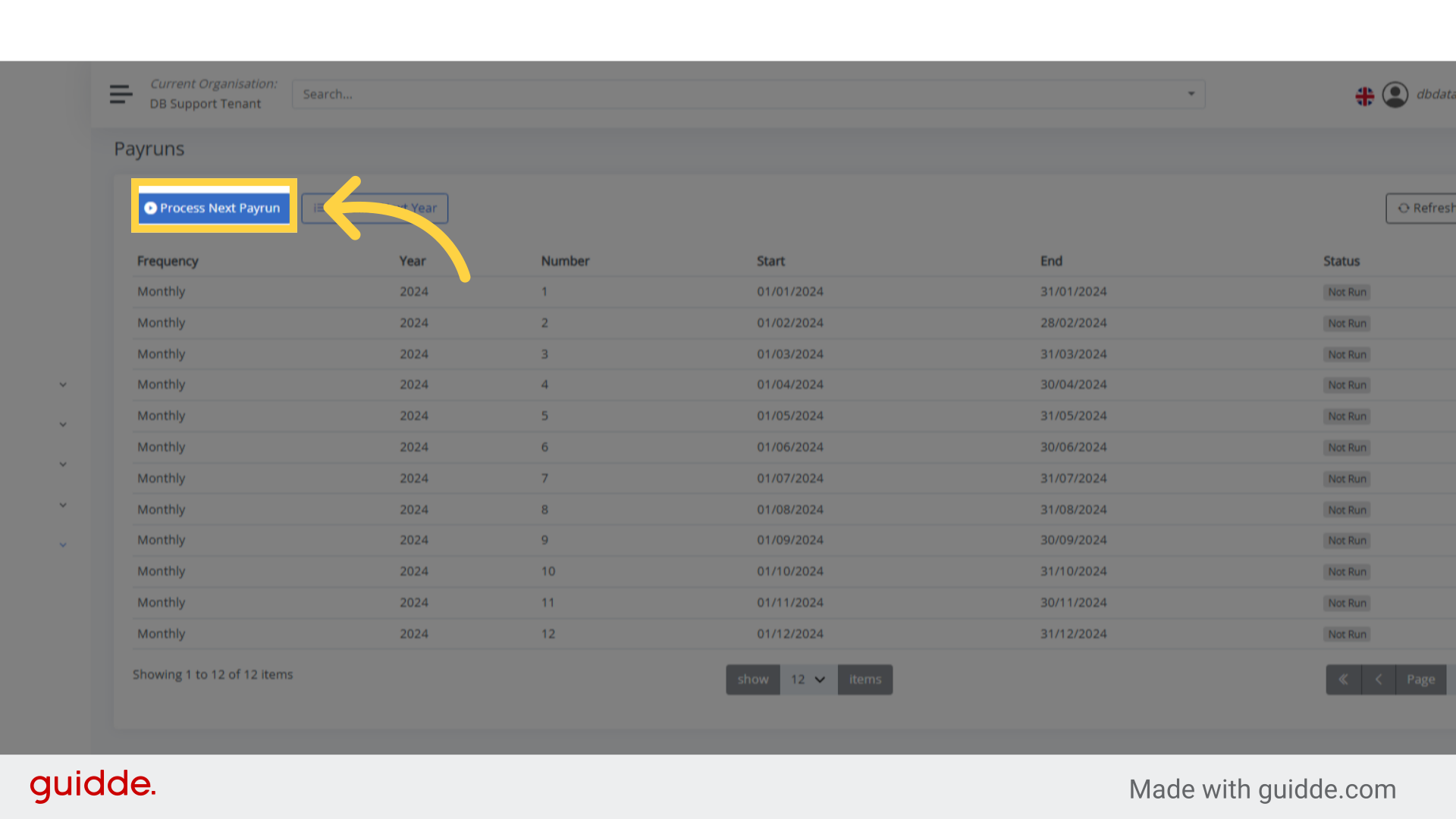
Step 3. Click “Process Next Payrun” #
Initiate the processing of the next payrun.
Step 4. Click “Approve Process” #
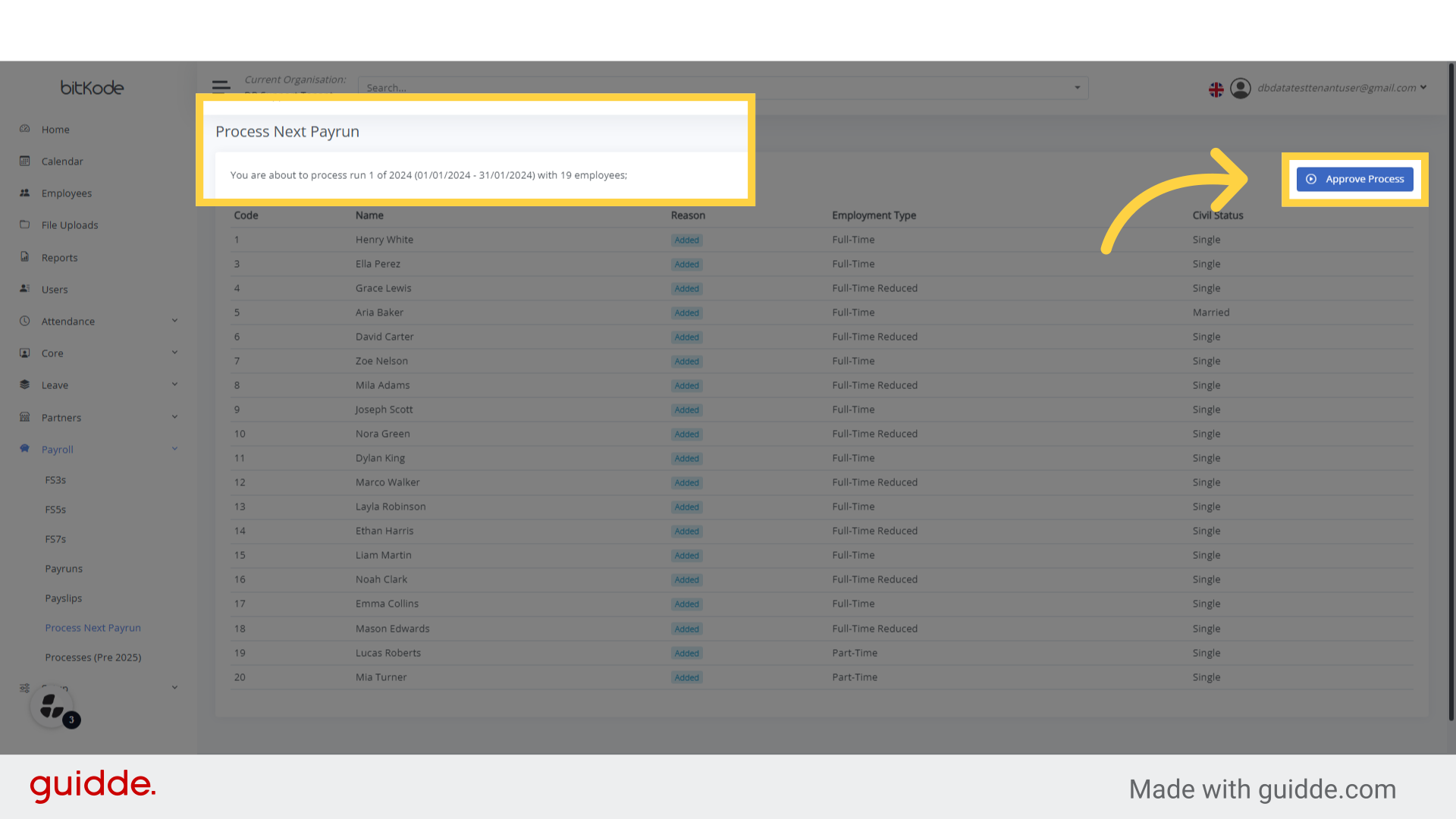
This page will show details about the payrun you processed, including the total number of employees, the year, the payrun number, and the date range.
Approve the payroll processing.
Step 5; #
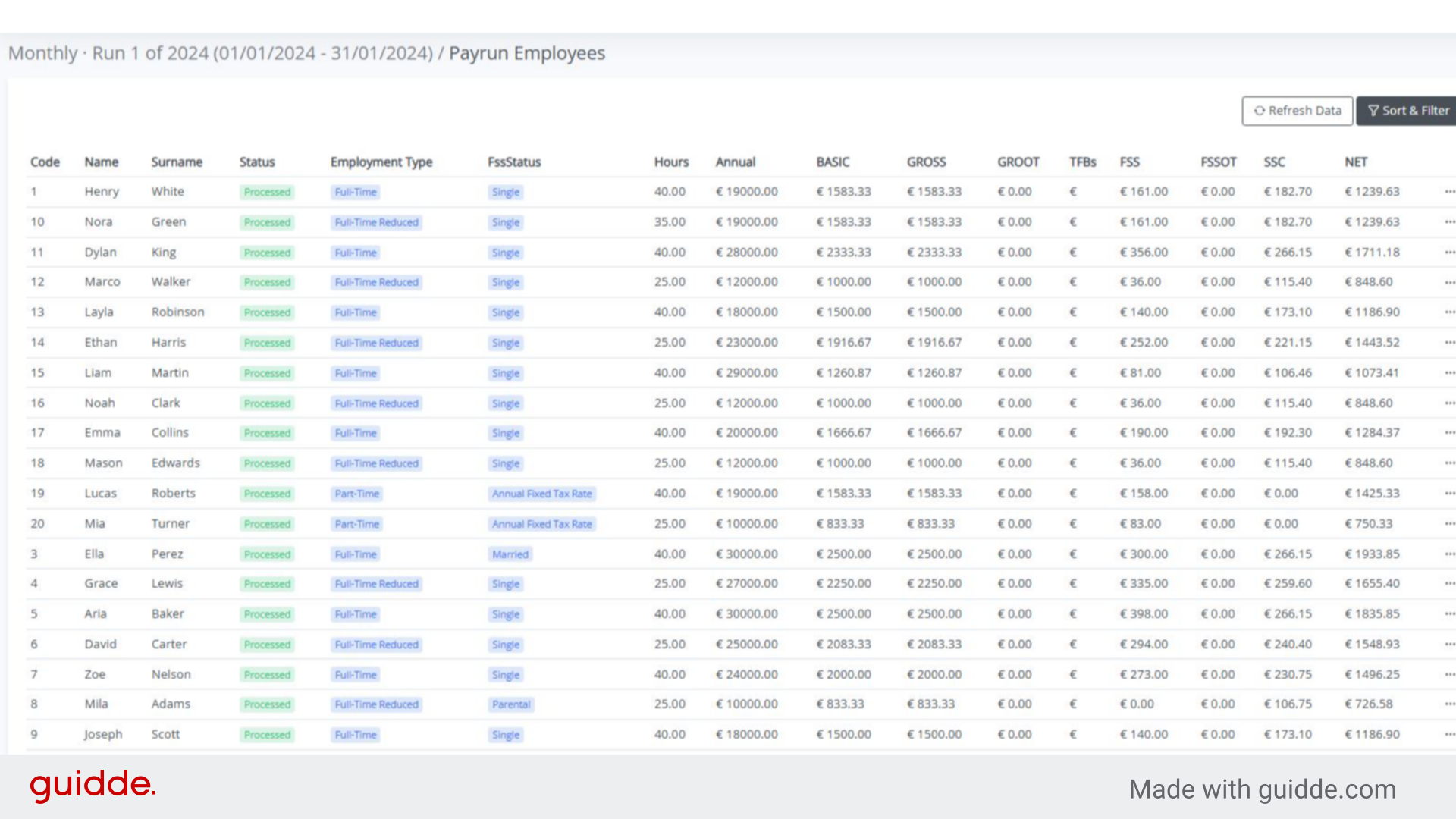
Once the payrun process has been approved, you will see a list of processed employees.
Step 6; #
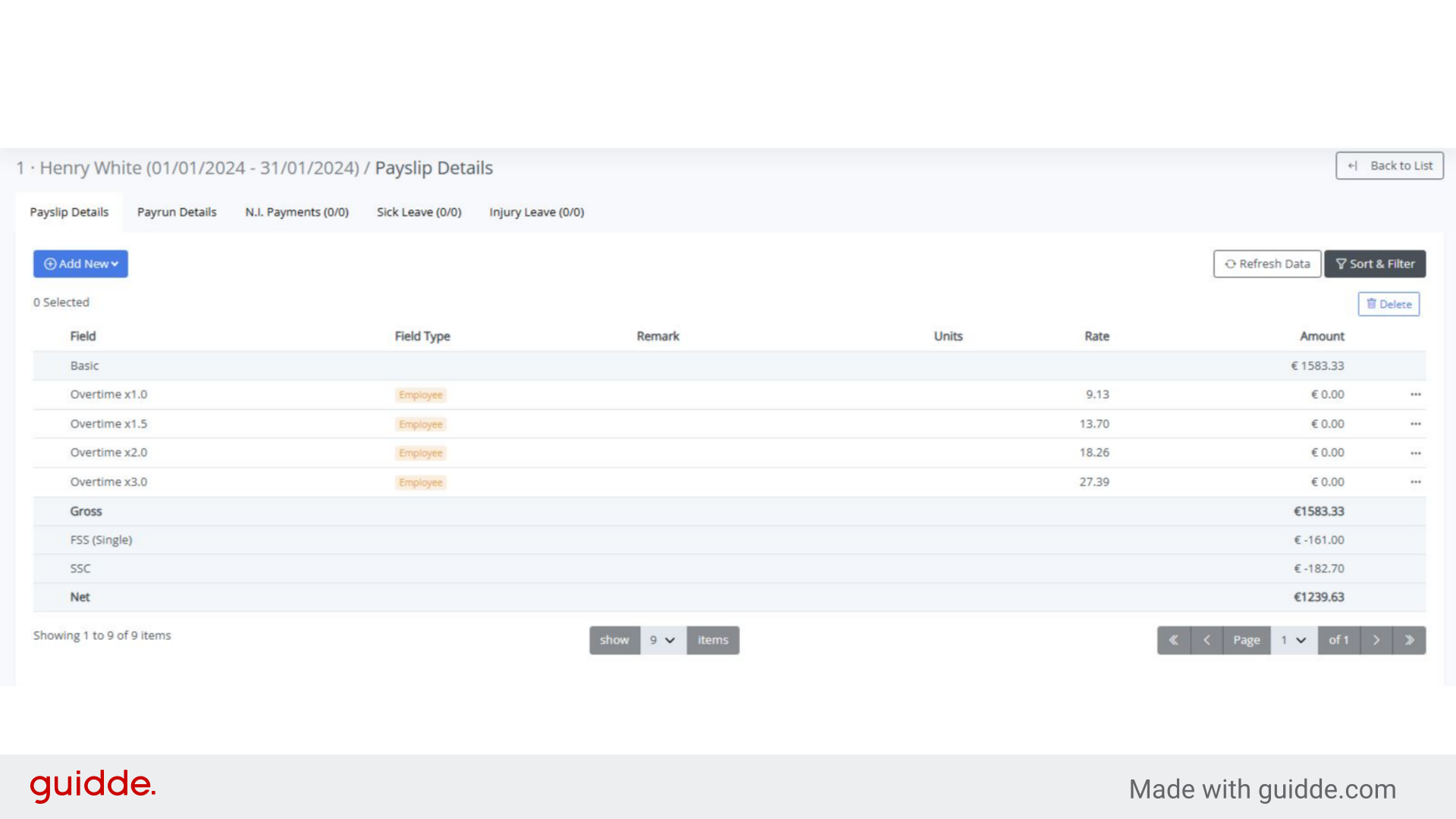
When you click on the employee’s name, you will be taken to the employee’s payslip details, as shown in the image.
Here, the payroll calculation from Basic Pay to Net Pay will be displayed on the right-hand side of the screen.