Table of Contents
This guide will walk you through the steps to open a finalized payrun in bitKode. #
Begin by navigating to the payroll section and selecting payruns.
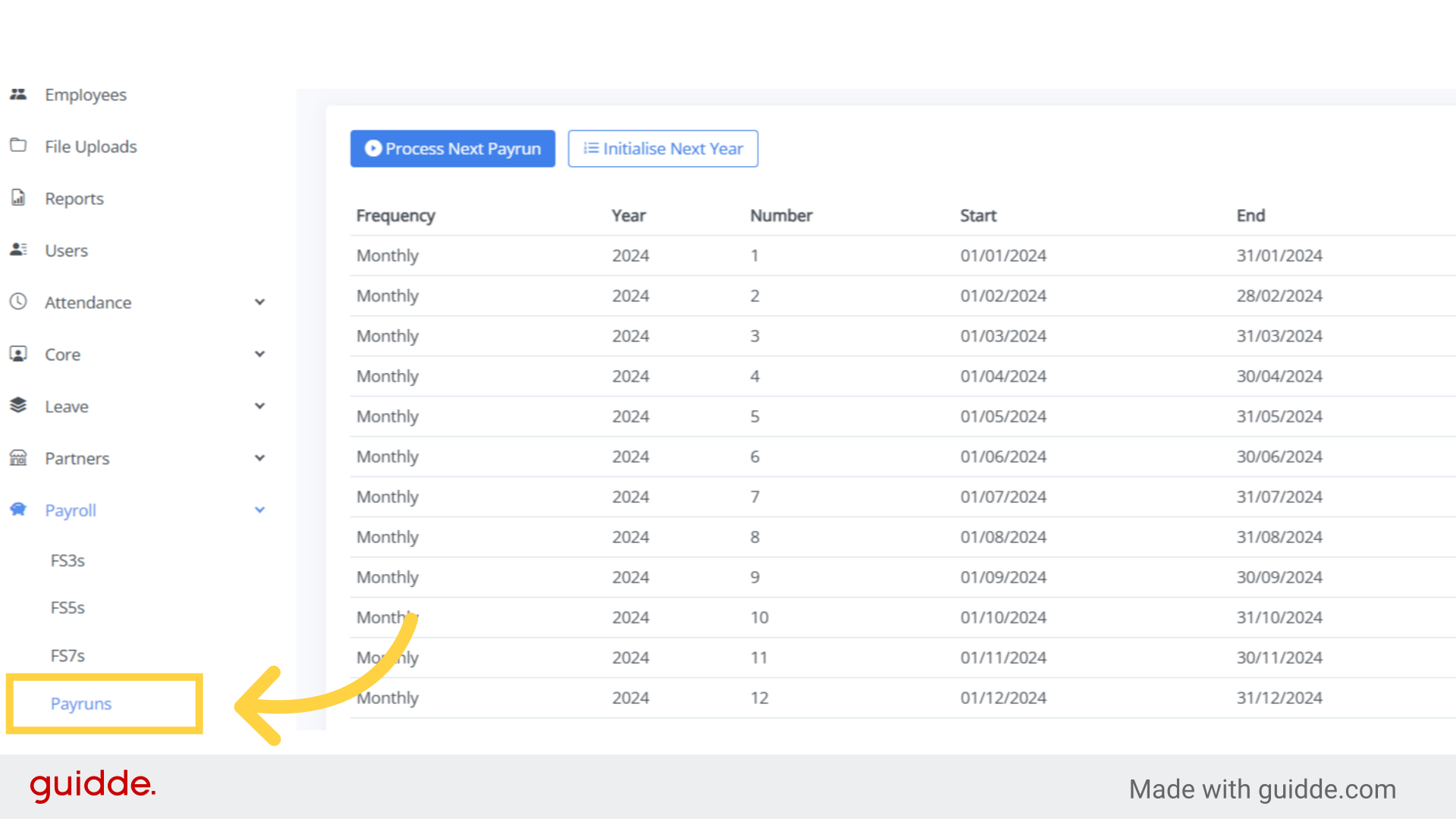
Step 1. Click on payrun #
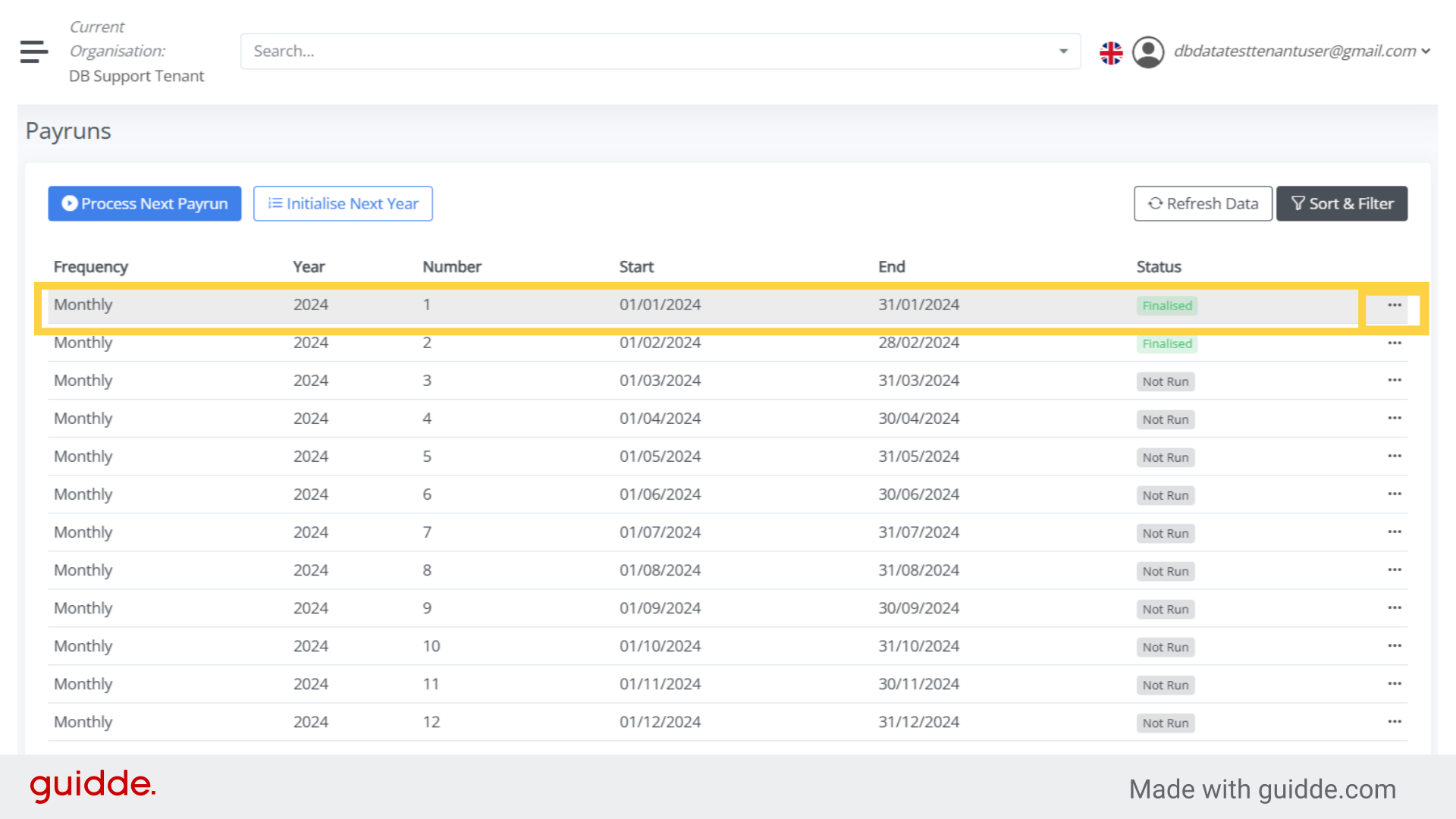
Find the payrun you want to reopen and click on the three dots.
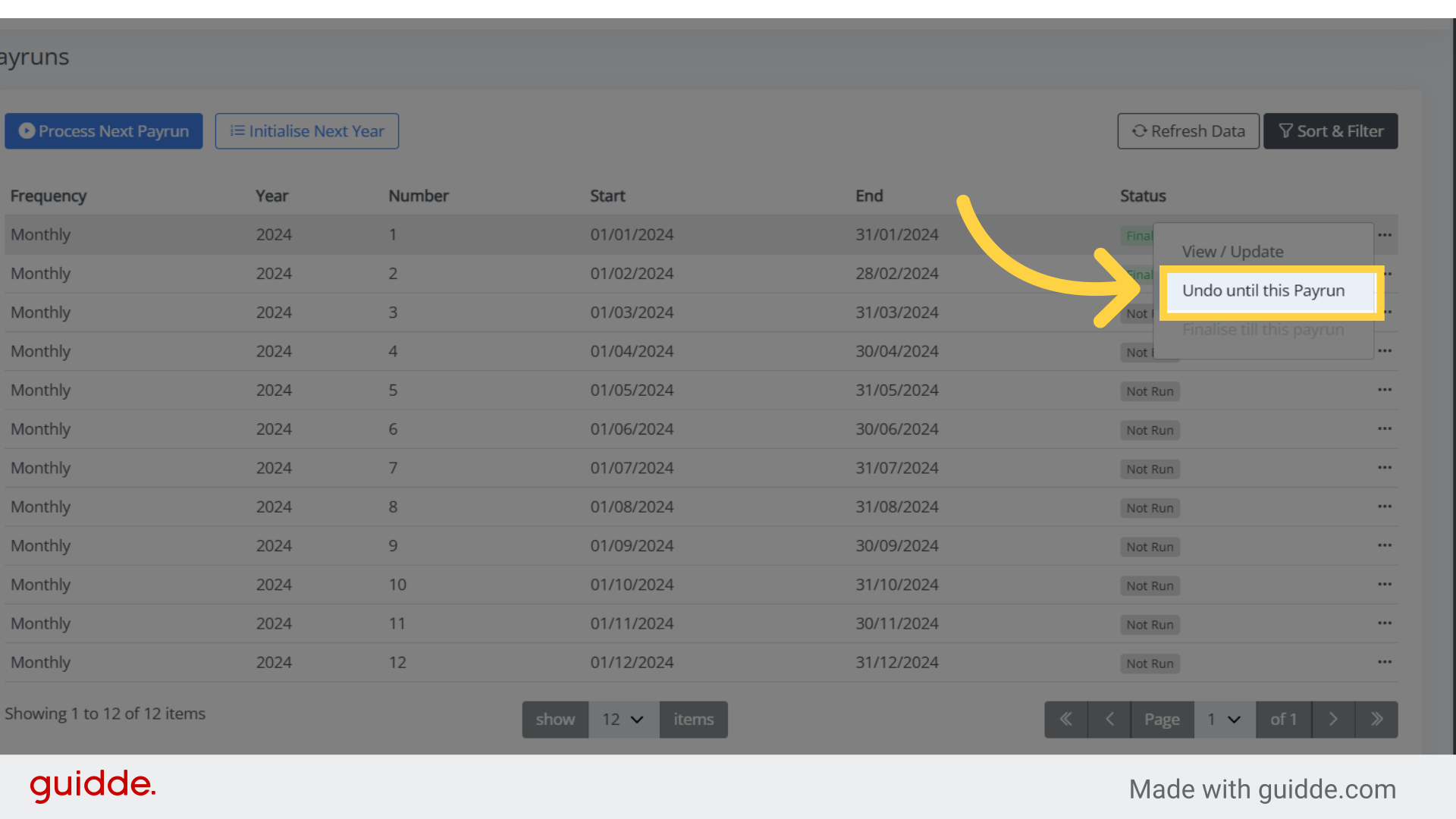
Step 2. Click “Undo until this Payrun” #
Choose the ‘Undo until this Payrun’ option.
If you want to reopen five payruns at once, simply go to the top where the payrun to date will be displayed.