Table of Contents
Step 1. Click “View / Update” #
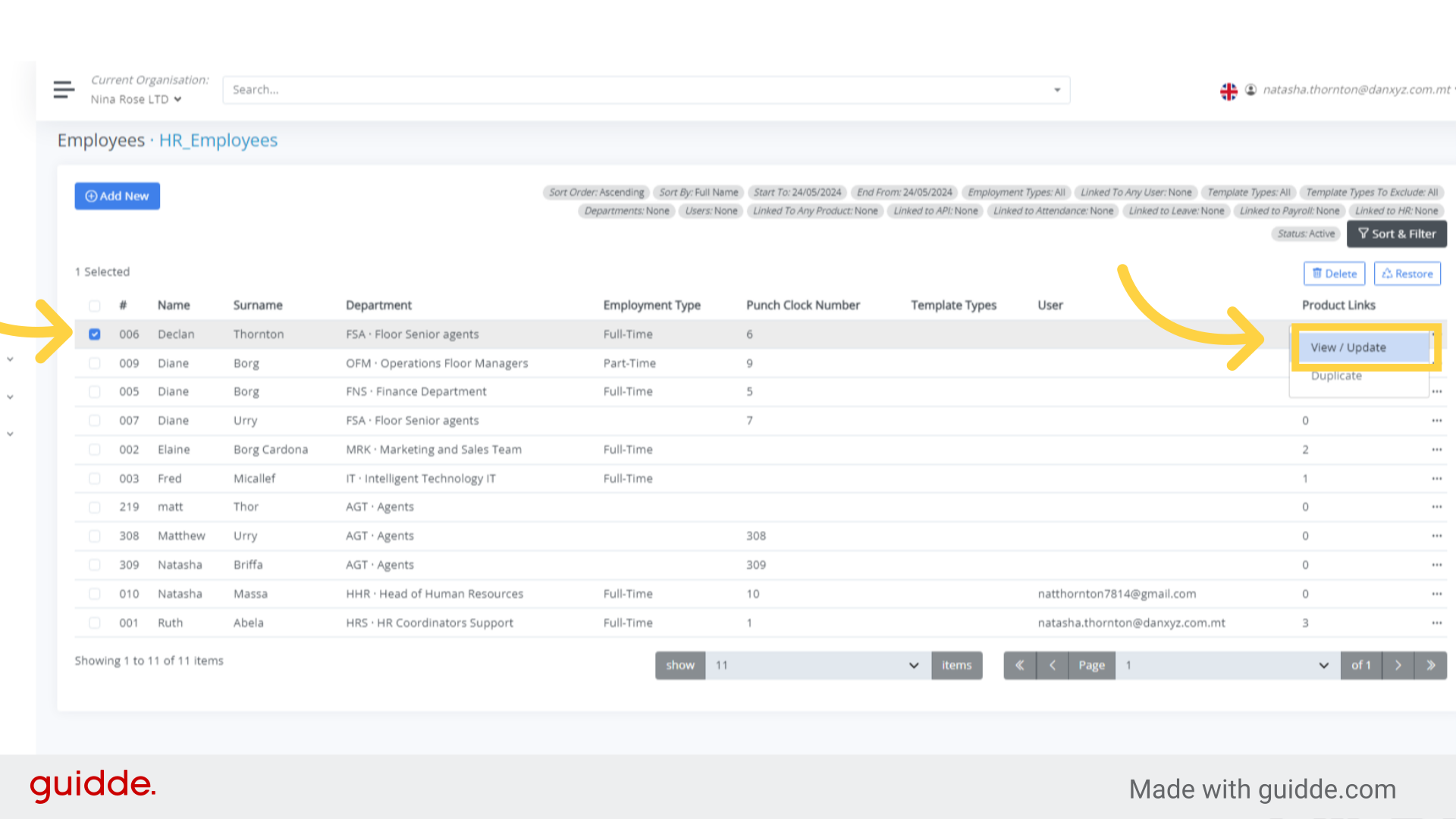
Begin by navigating to the Employee list in bitKode or using the global search by entering the employee’s name. After selecting the employee, click on the “View/Update” option to access and review their profile, or simply click on the employee’s name to access their profile.
Step 2. Turn on “toggle” #
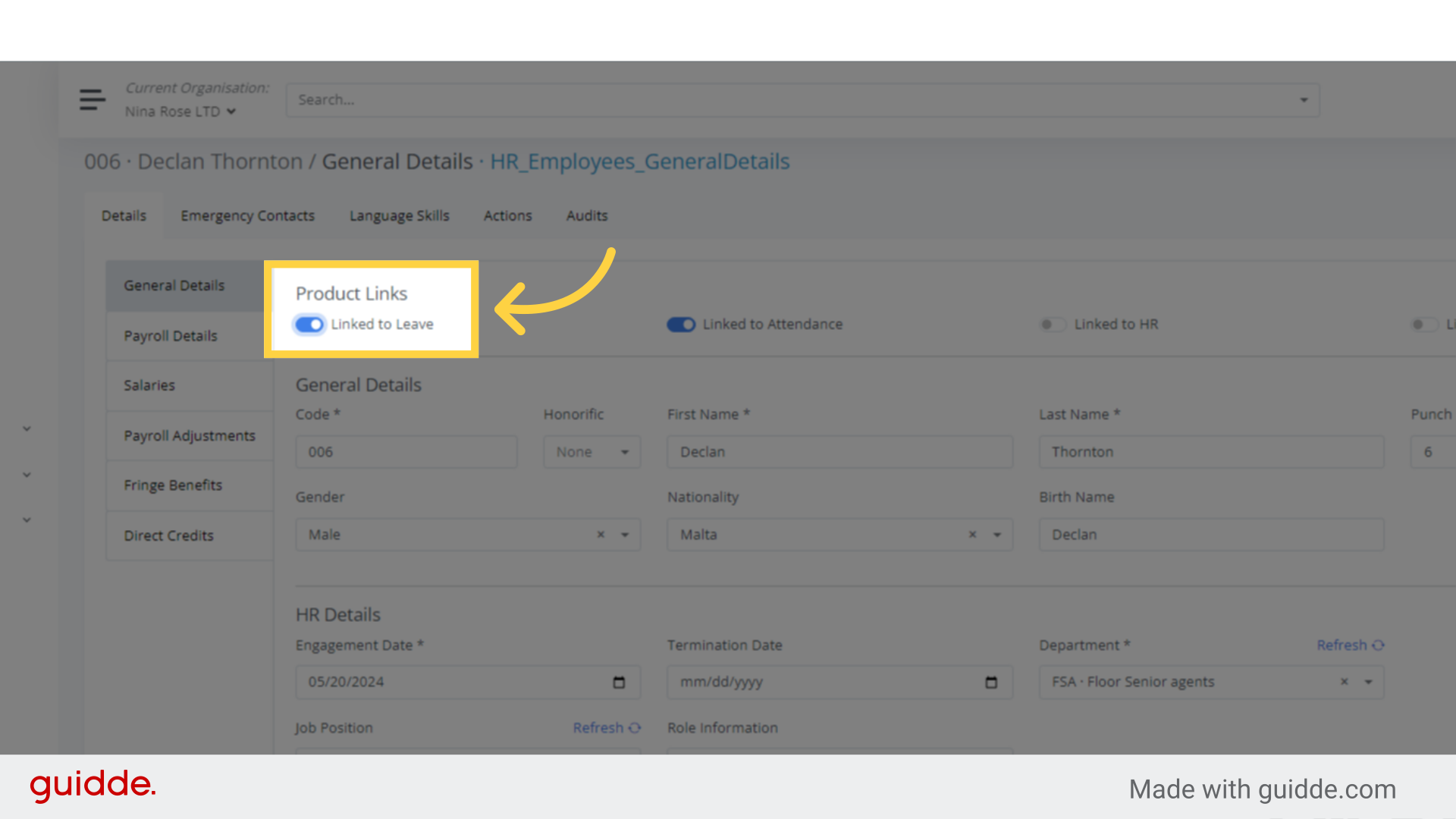
Upon accessing the employee’s profile, activate the Leave function to link the employee with the leave category, as shown in the image.