
Table of Contents
This guide will walk you through updating your password in Bitkode. #
Follow the steps below to change your password securely and efficiently. #
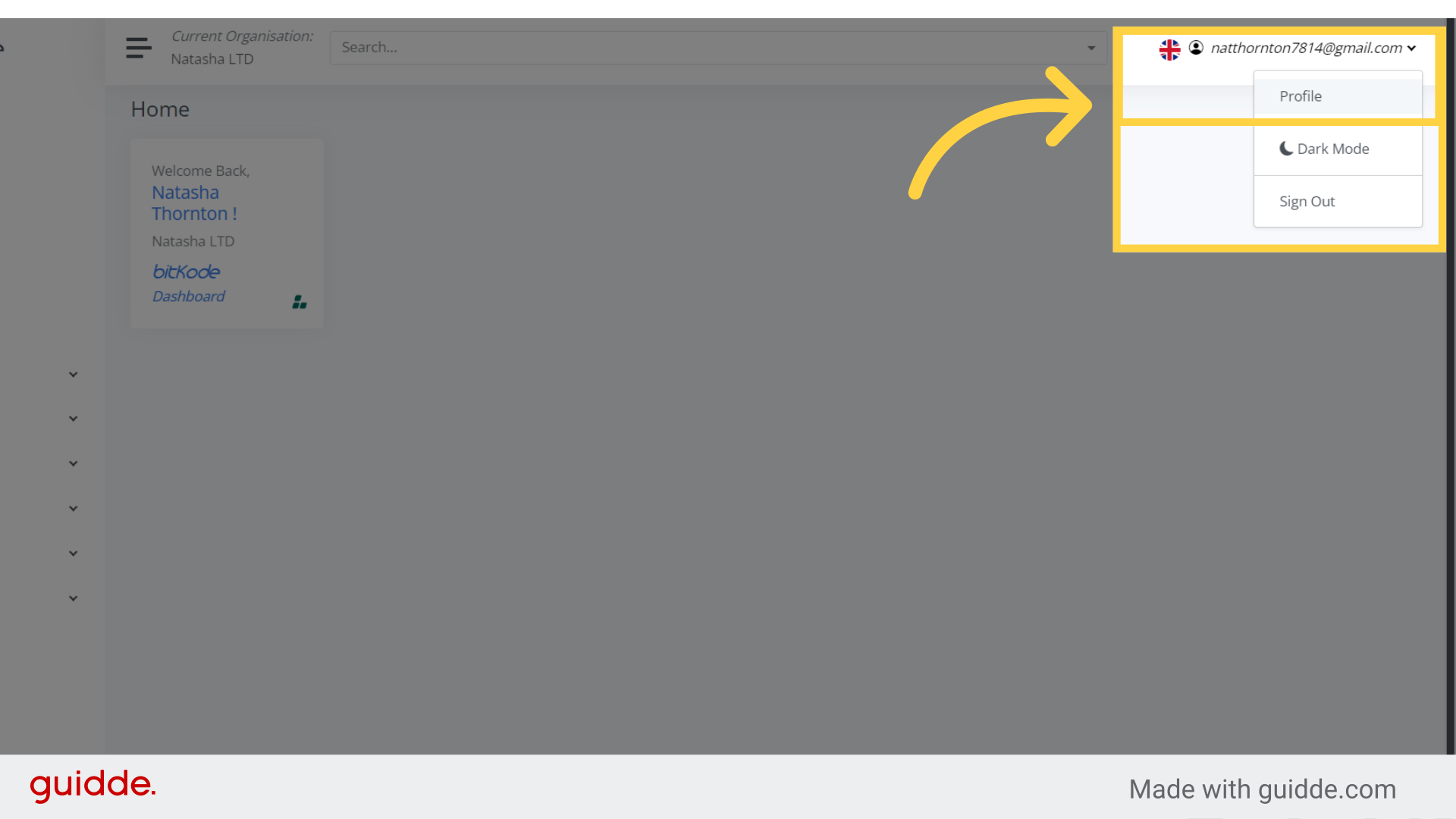
Step 1. Click “Profile” #
Once you’re logged into your account, and wish to change your password, simply click the drop down arrow, next to your email address on the right-hand side, and select, Profile.
Step 2. Click “Current Password” #
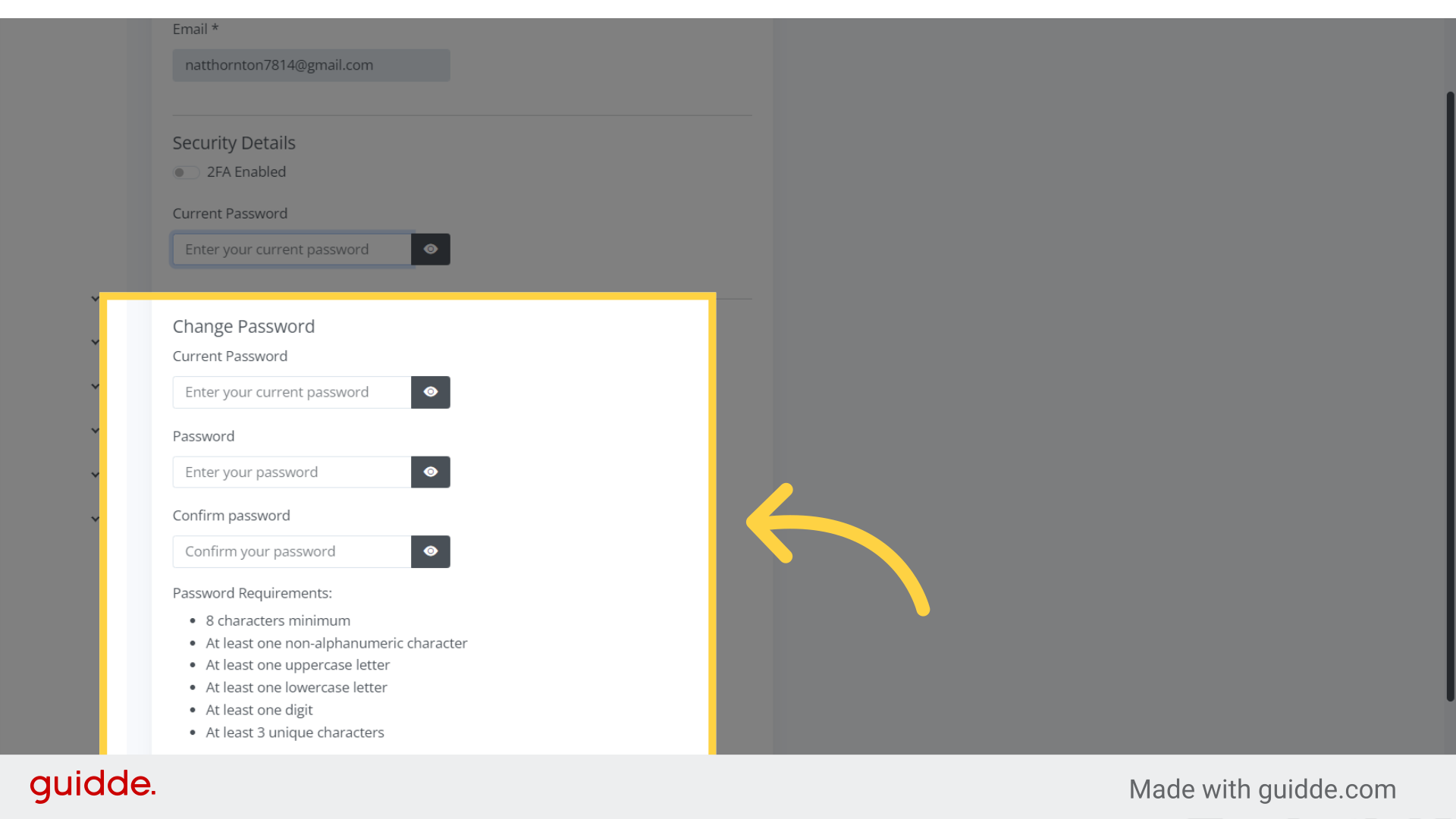
Once you access the profile feature, you will be prompted with a page where you need to enter your current password, your new password, and confirm the new password.It’s important to always follow the password requirements.
Step 3. Click “Confirm password” #
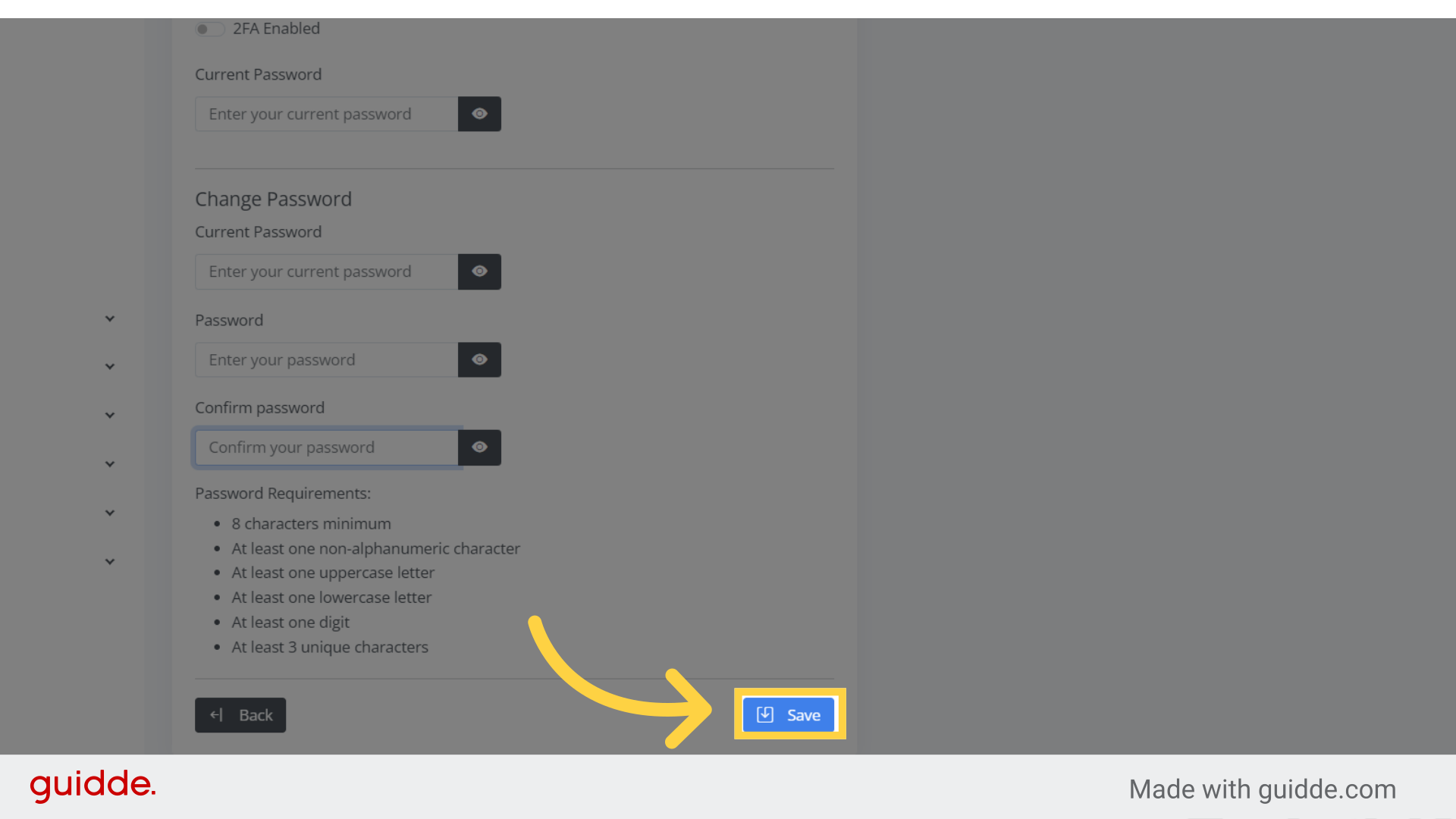
Once you have entered the required passwords, simply click Save or press Enter on your keyboard to apply the changes.
The guide covered the process of updating your password in Bitkode, ensuring that you can easily and confidently change your account credentials.


