
Table of Contents
Learn how to efficiently remove a user from the system. Follow these straightforward instructions to streamline user management on bitKode. #
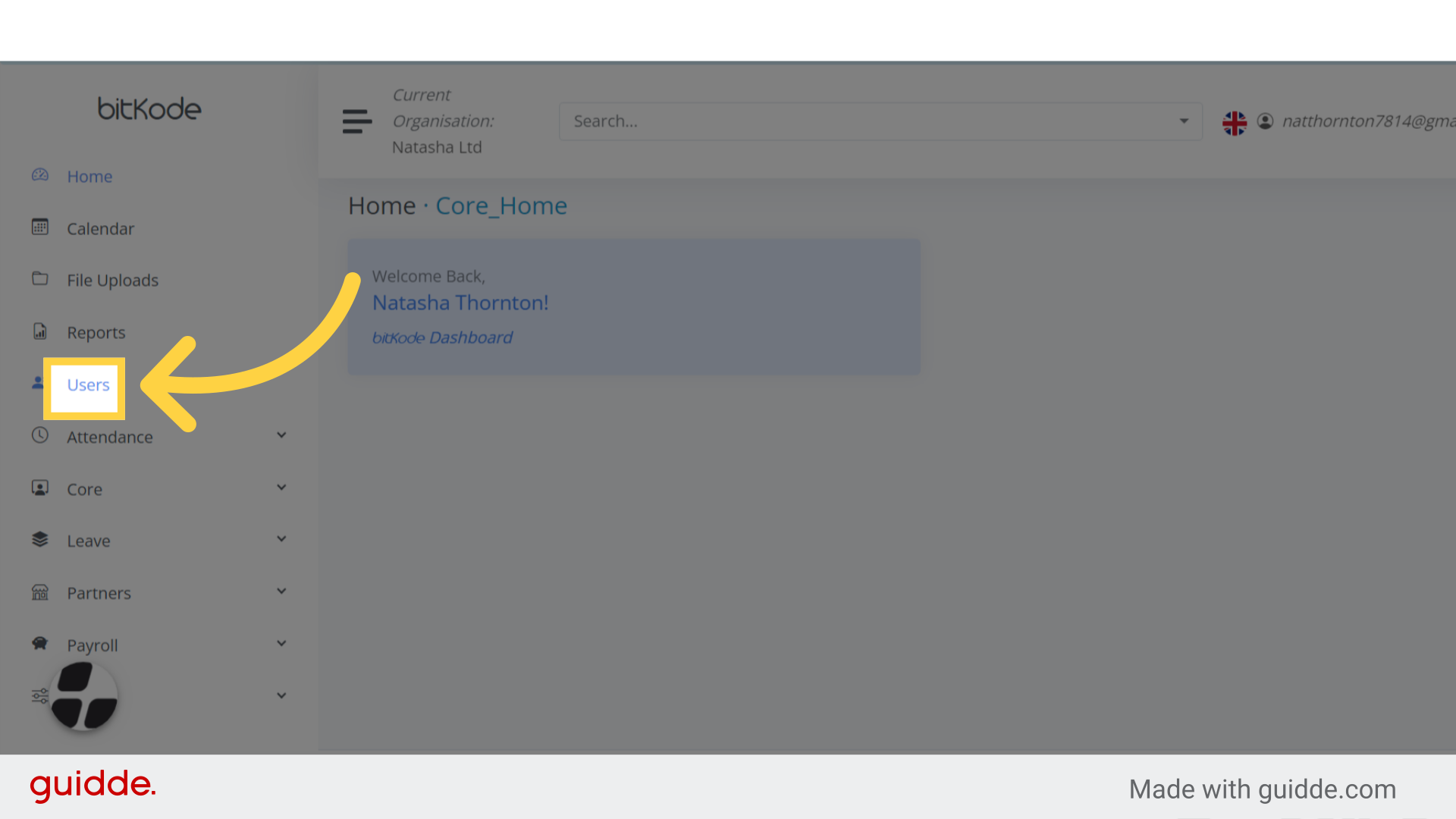
Step 1. Click “Users” #
To remove a user, start by clicking on the Users section in the left-hand menu on your bitKode home page.
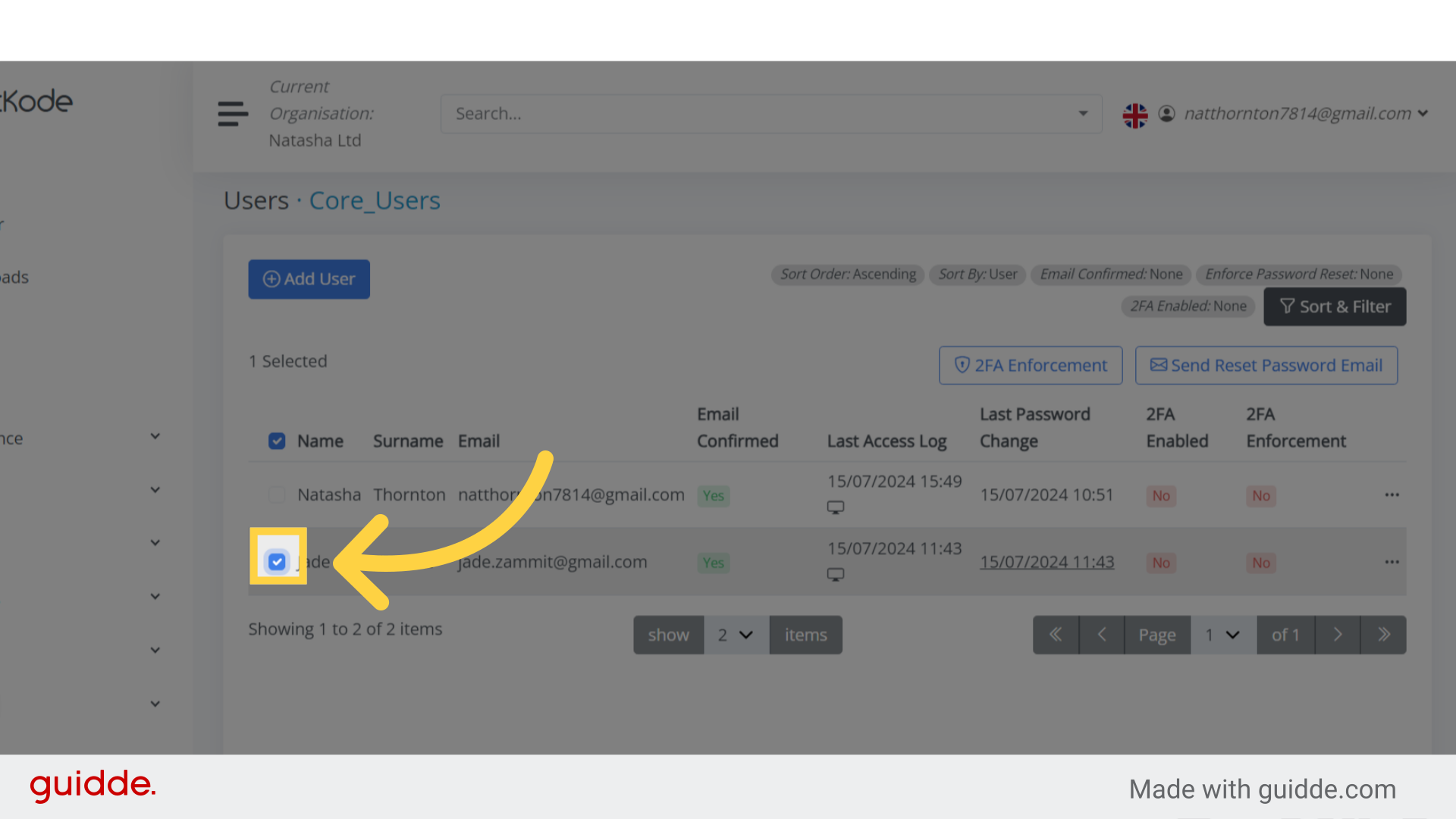
Step 2. Fill “on” #
Upon clicking Users, you’ll see a list of users; simply select the user you want to remove.
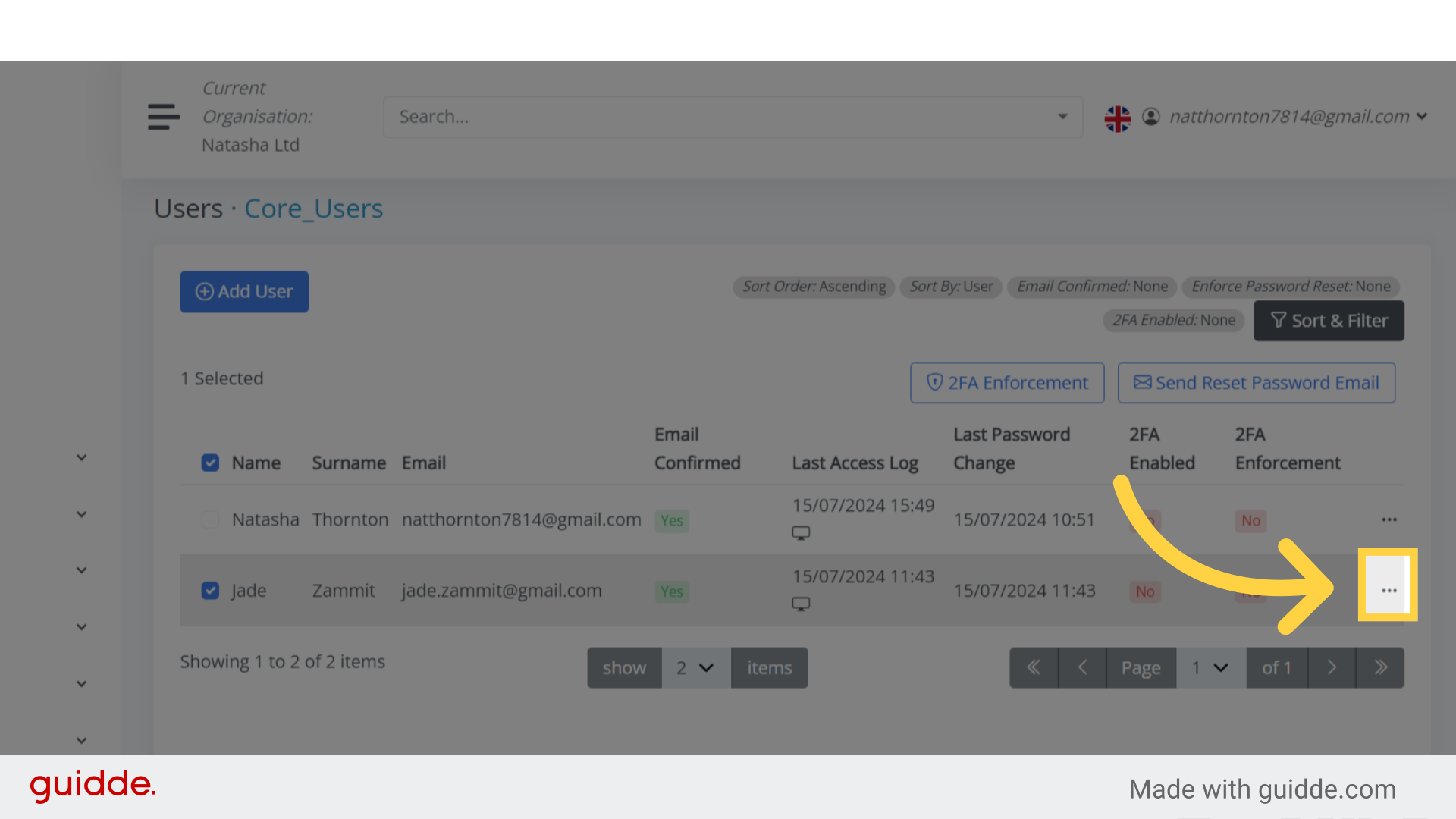
Step 3. Click “View / Update #
The next step is to click on the three dots next to the user.
This will reveal additional options related to that user.
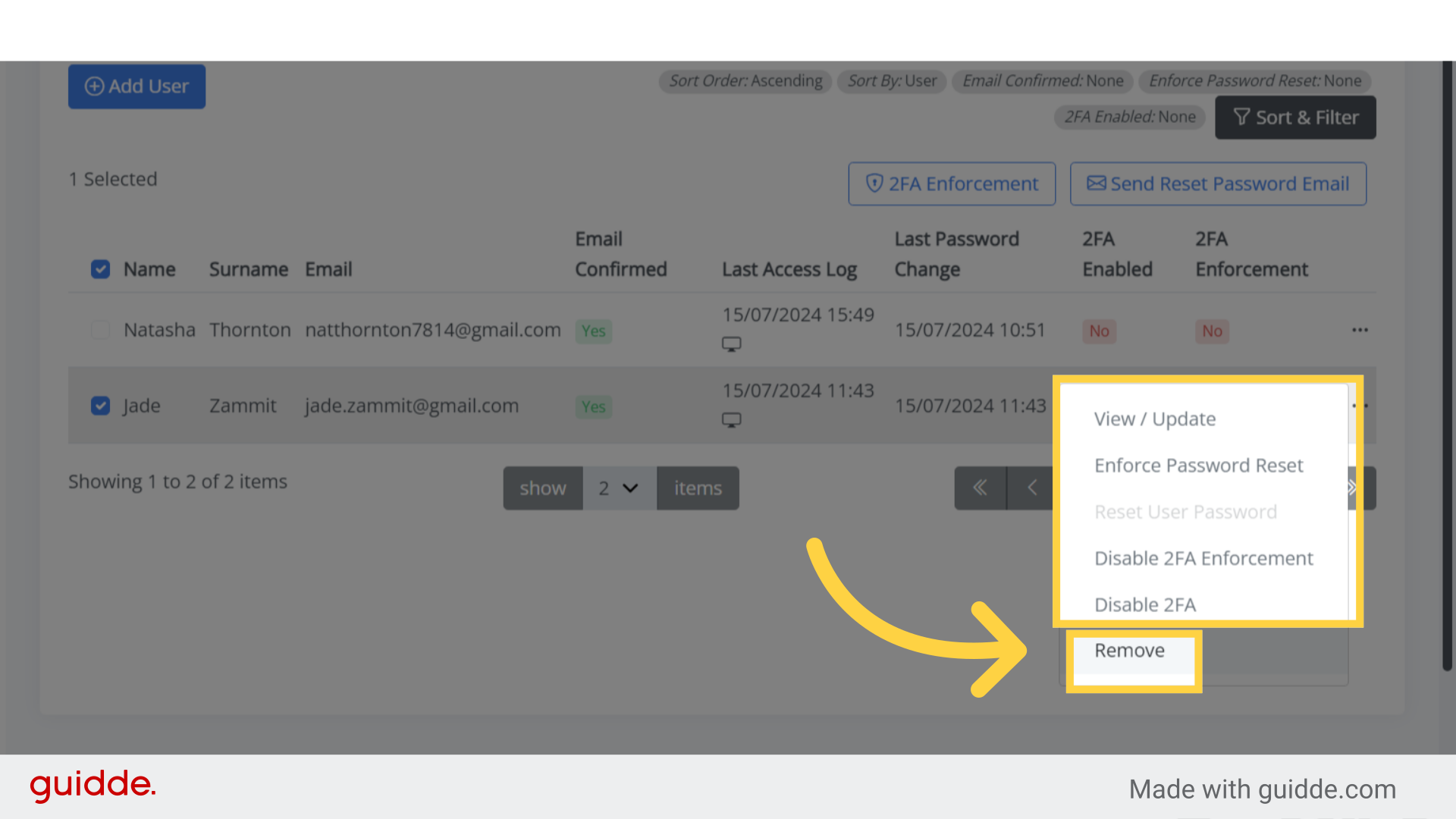
Step 4. Click “Remove” #
After clicking on the three dots, a dropdown list will appear.
Simply select the Remove option to delete the user.
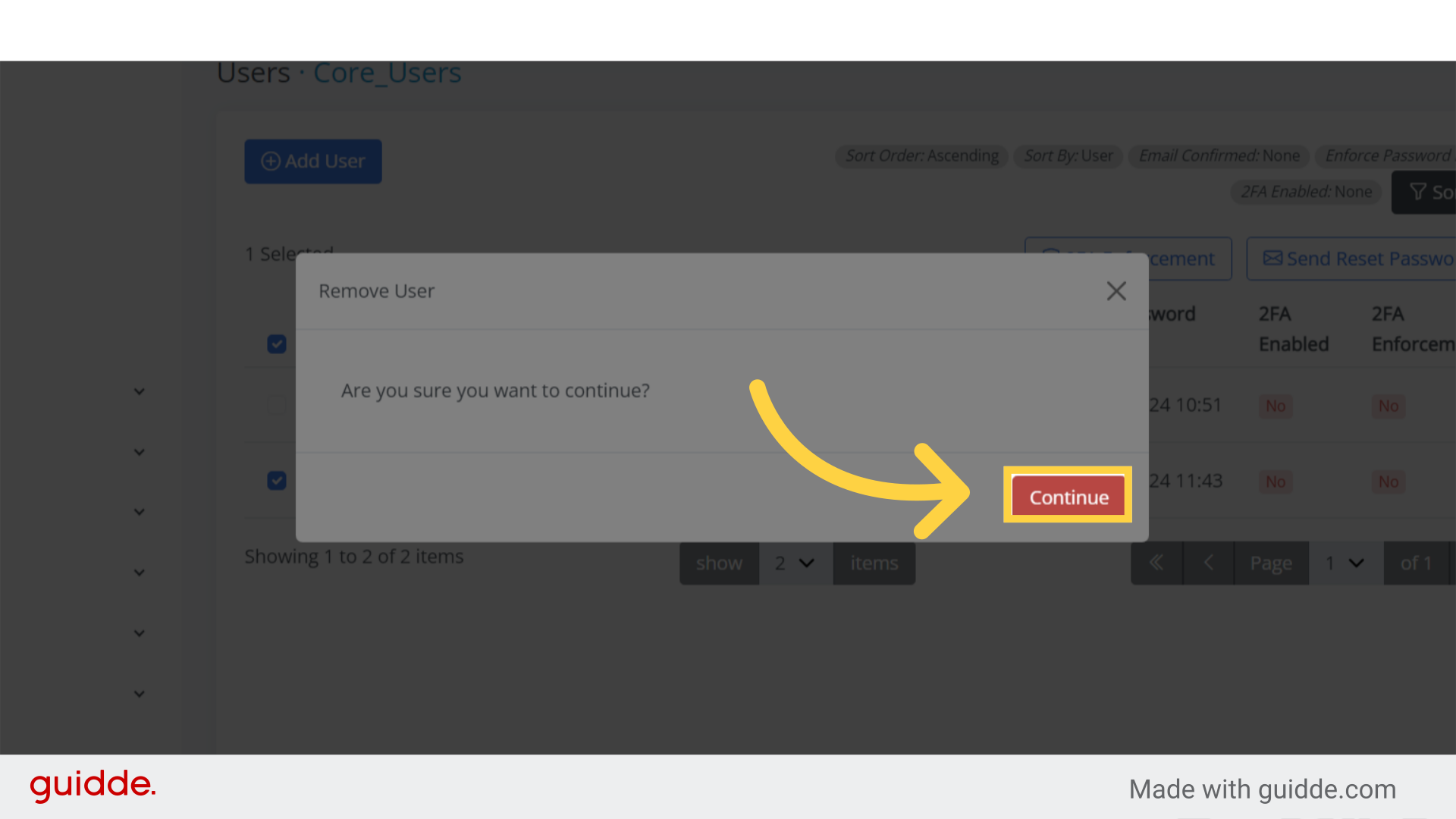
Step 5. Click “Continue” #
Once you click Remove, a notification will appear, asking you to confirm whether you want to delete the user.
If you’re certain, simply click the Continue button, and the user will be deleted.
This guide walks you through the process of removing a user on Bitkode.


