
Table of Contents
This guide will walk you through enforcing a password reset for a user in Bitkode. #
From accessing user profiles to confirming password reset actions, follow these steps to enhance security measures and ensure compliance with password policies.
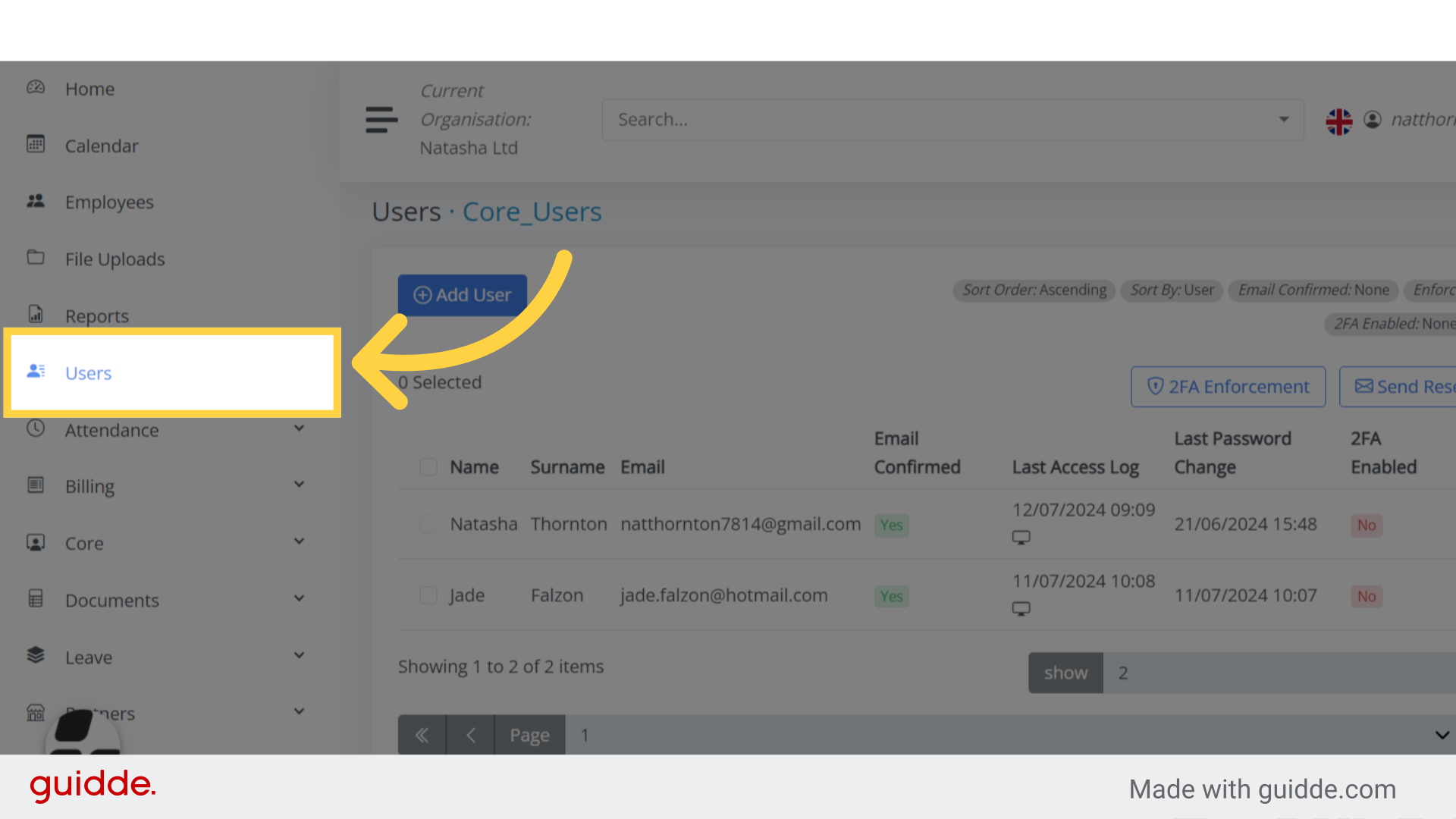
Step 1. Click “Users” #
Begin by clicking on the users feature.
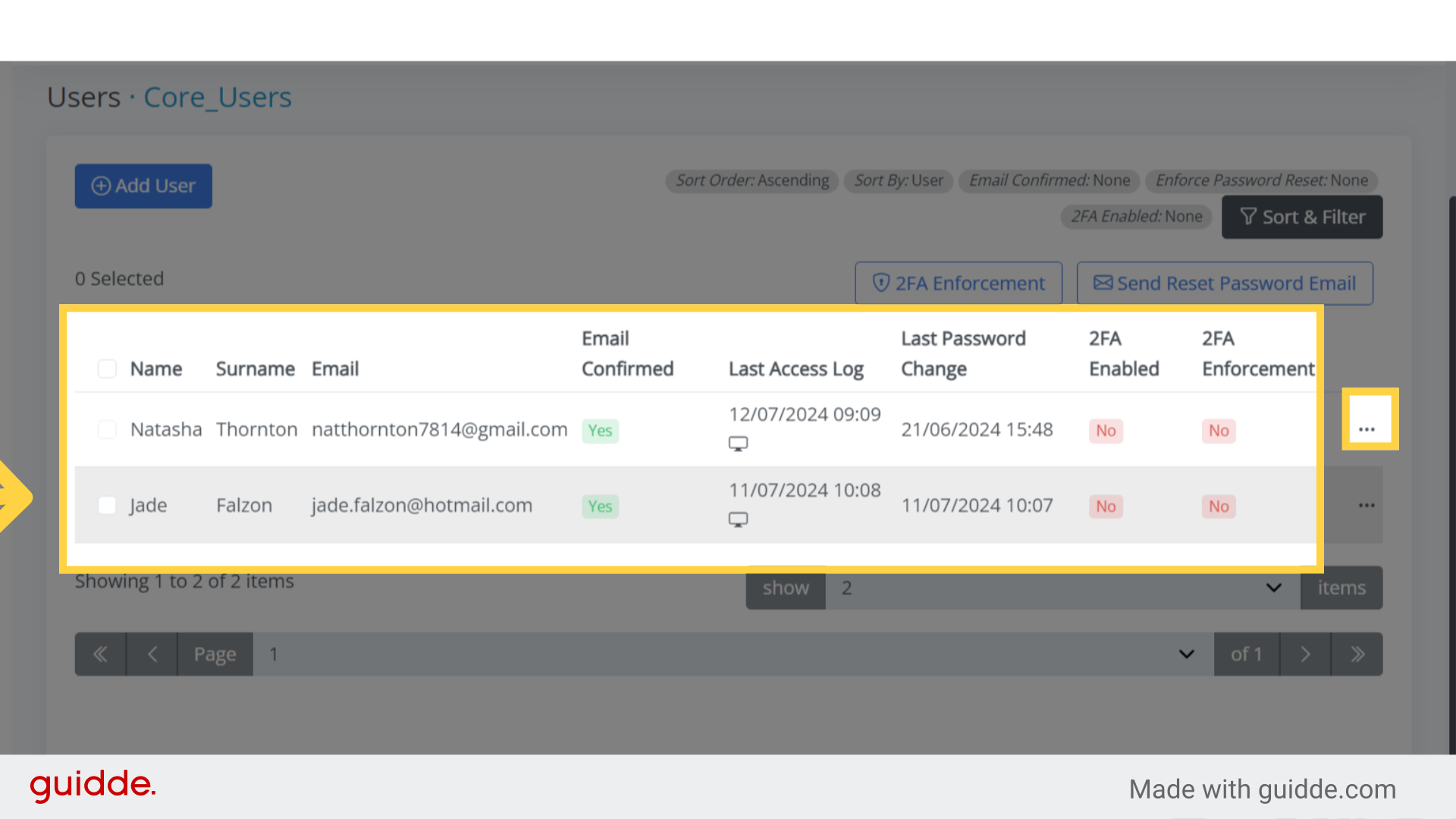
Step 2. Click here #
Choose either all users or a specific one, and then click on the three dots visible on the right side of the screen.
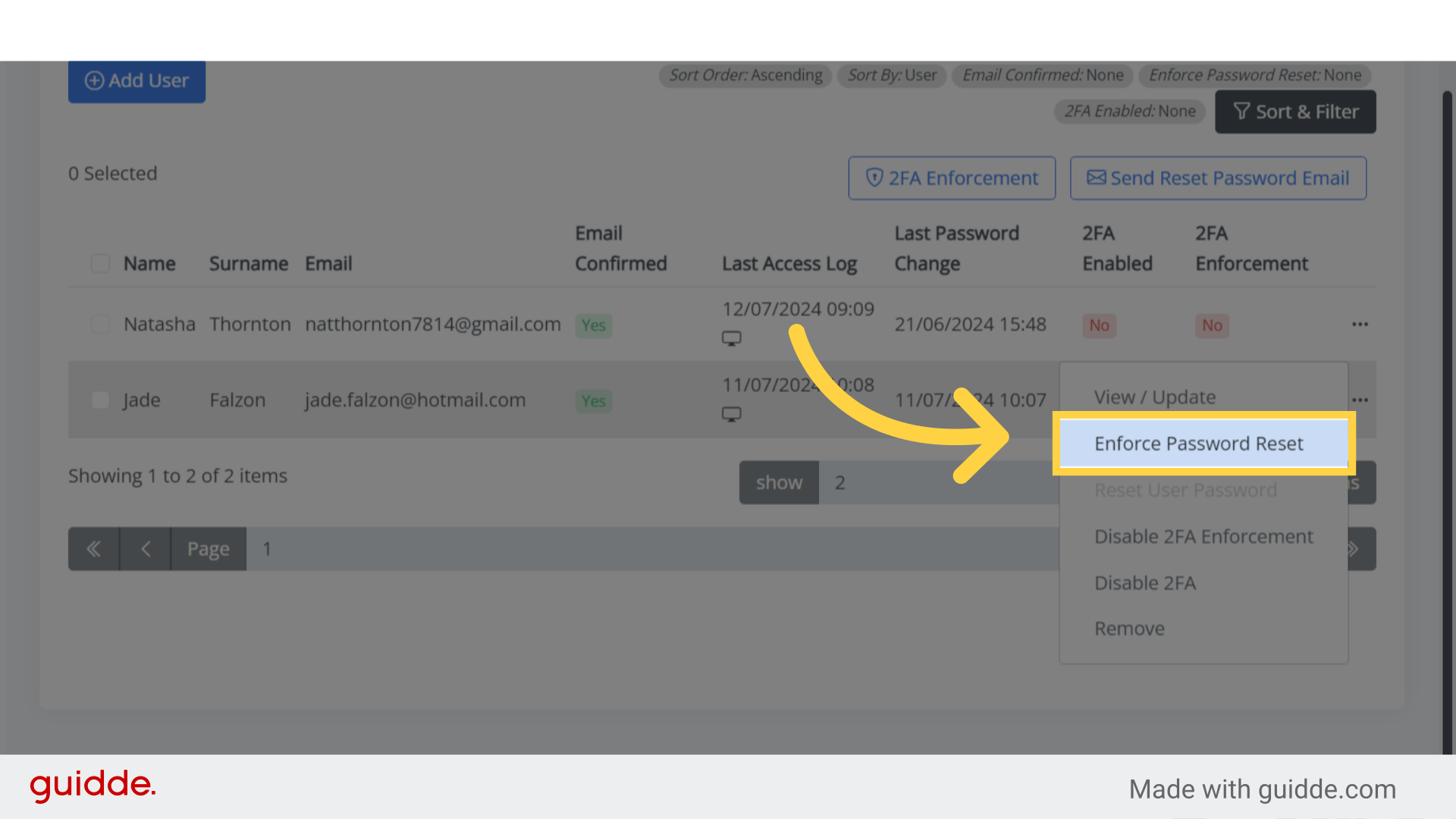
Step 3. Click “Enforce Password Reset” #
In the dropdown menu, select Enforce password reset, which will trigger email notifications for users whenever their password is about to expire.
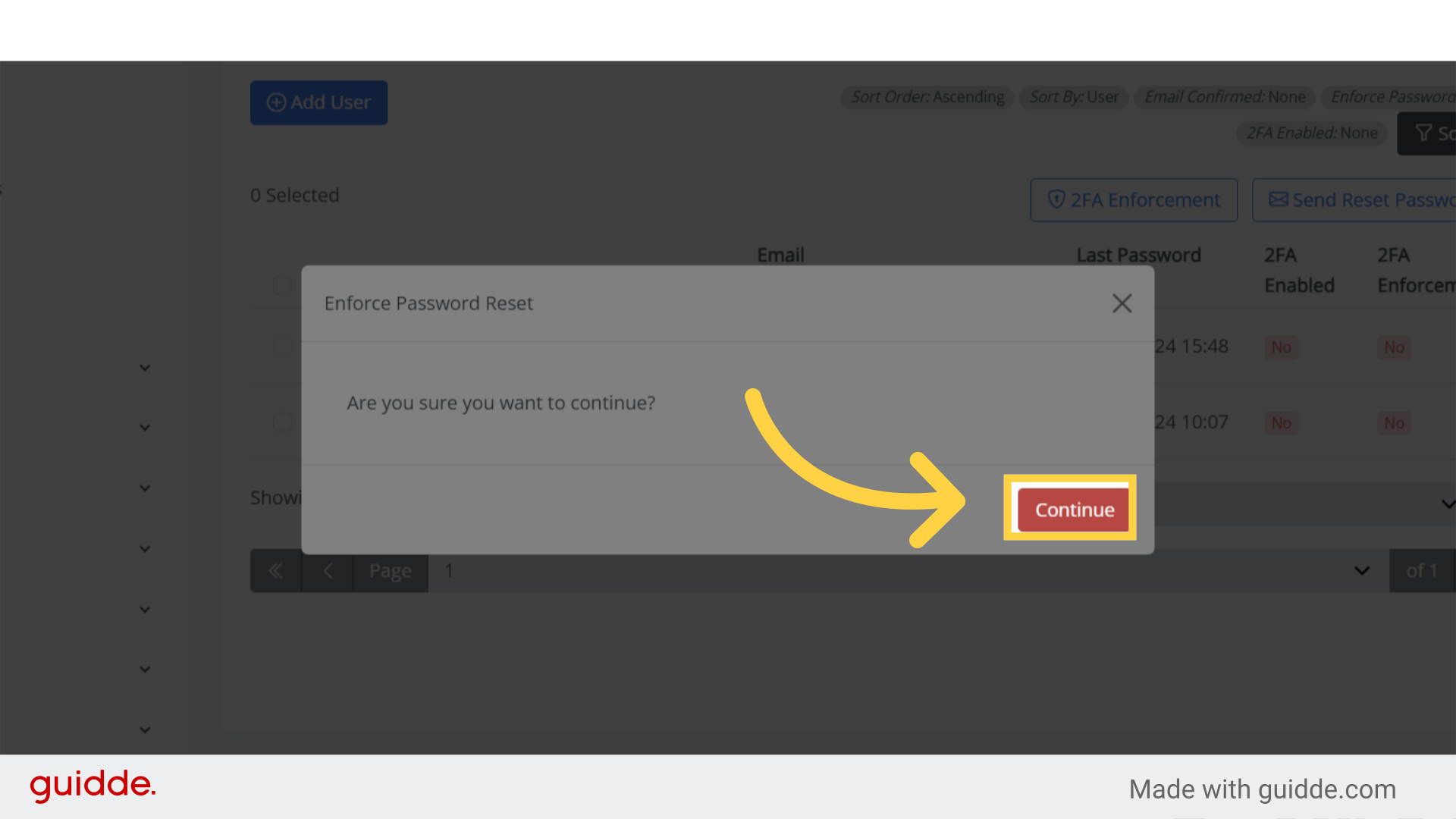
Step 4. Click “Continue” #
Once you’ve chosen the Enforce password reset icon, a new dialog box will appear.
Click Continue to proceed.
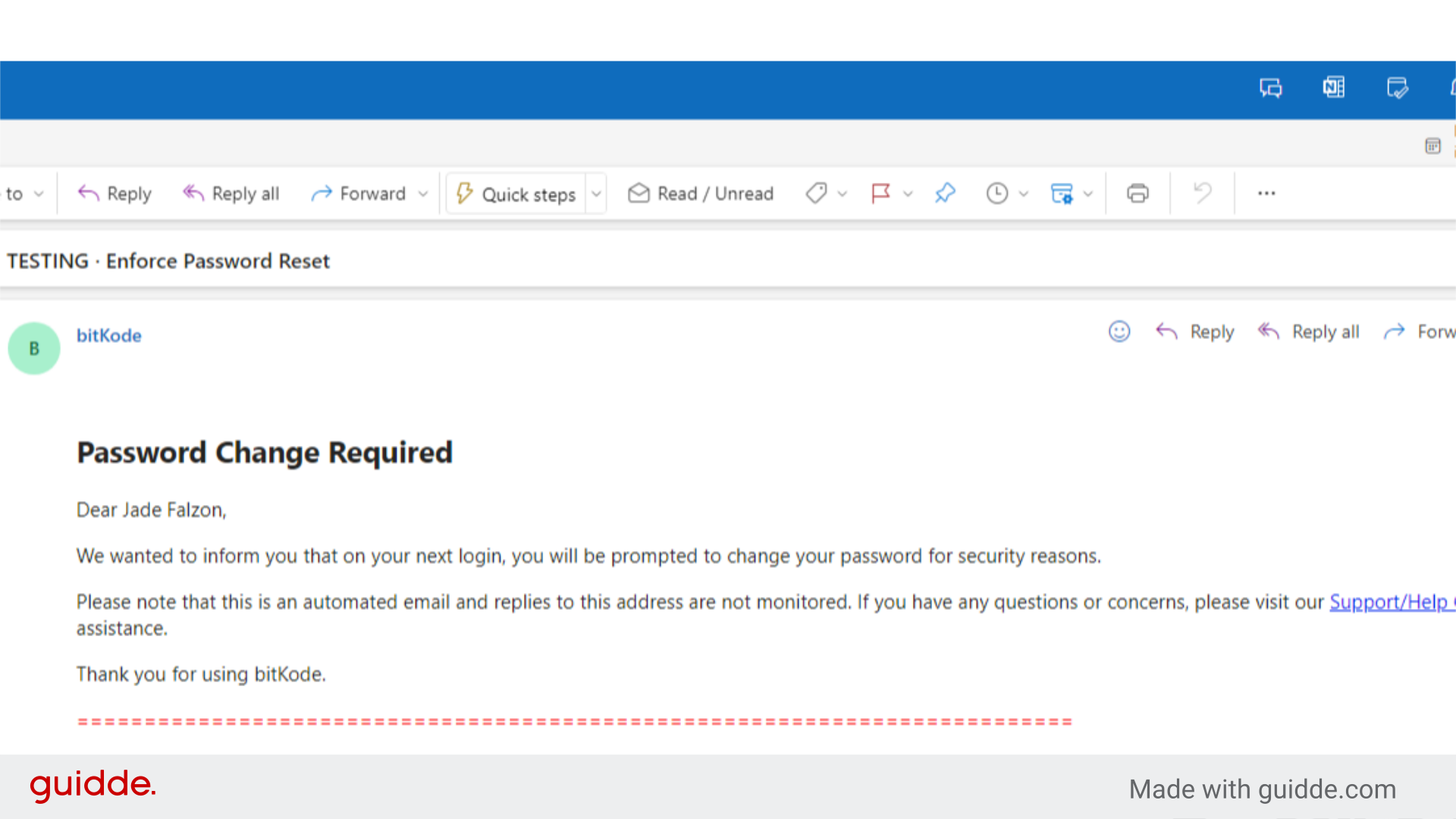
Step 5. Email received #
A sample notification email to inform users that they must change their password for security reasons upon their next login.
This guide covered the process of enforcing a password reset for a user in Bitkode.


