
Table of Contents
Explore how to access employee audits in Bitkode with this guide. Follow the concise steps to view specific employee records effortlessly. #
Step 1. Click “Employees” #
System audit is an independent and systematic examination of an organization’s information technology infrastructure.
It evaluates the design and implementation of internal controls, such as segregation of duties, access controls, and change management processes.
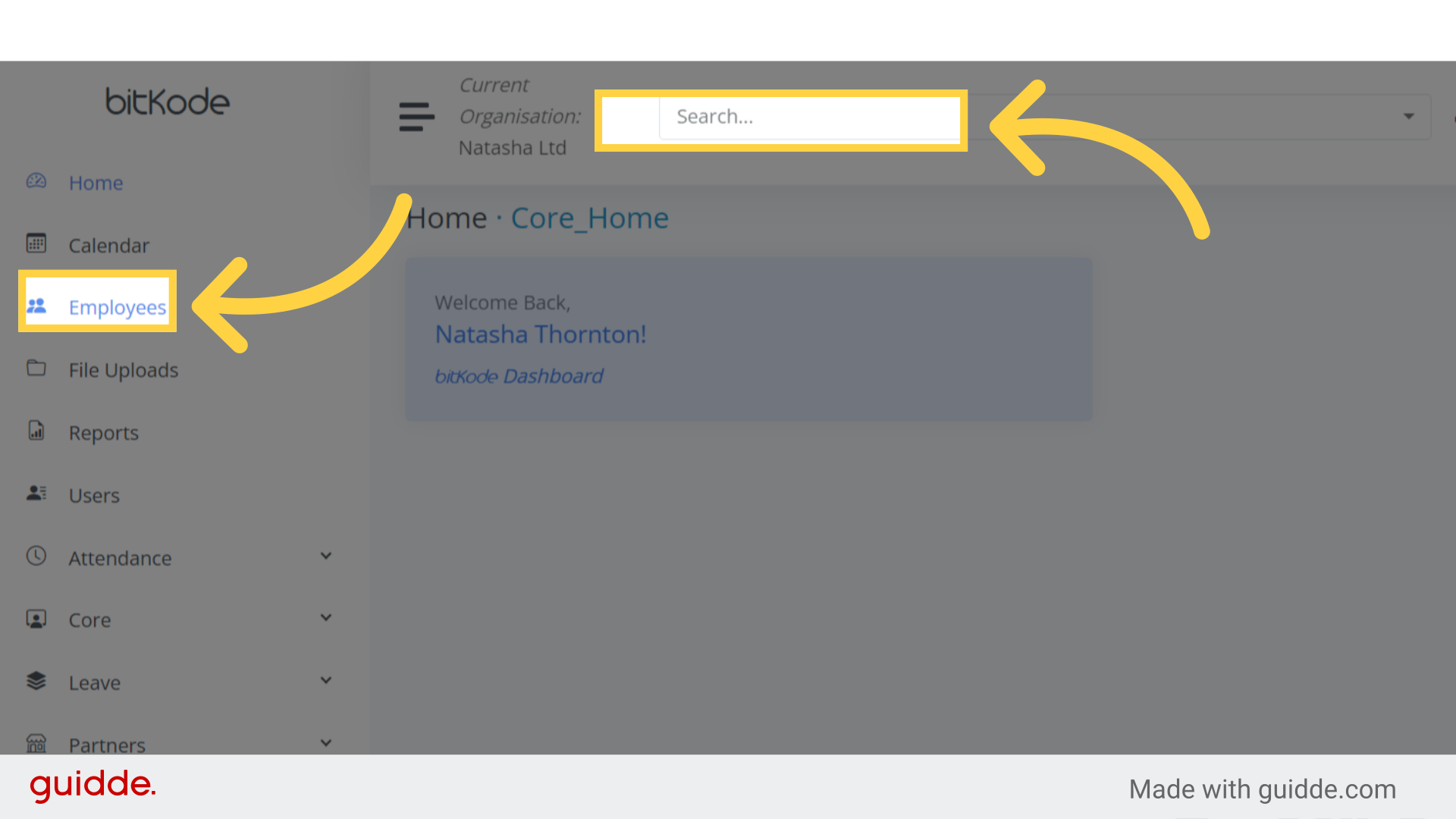
To begin, access the employees’ profiles by either clicking on the Employees section or utilizing the global search option.
This will allow you to manage and view employee information effectively.
Step 2. Click on the employee #
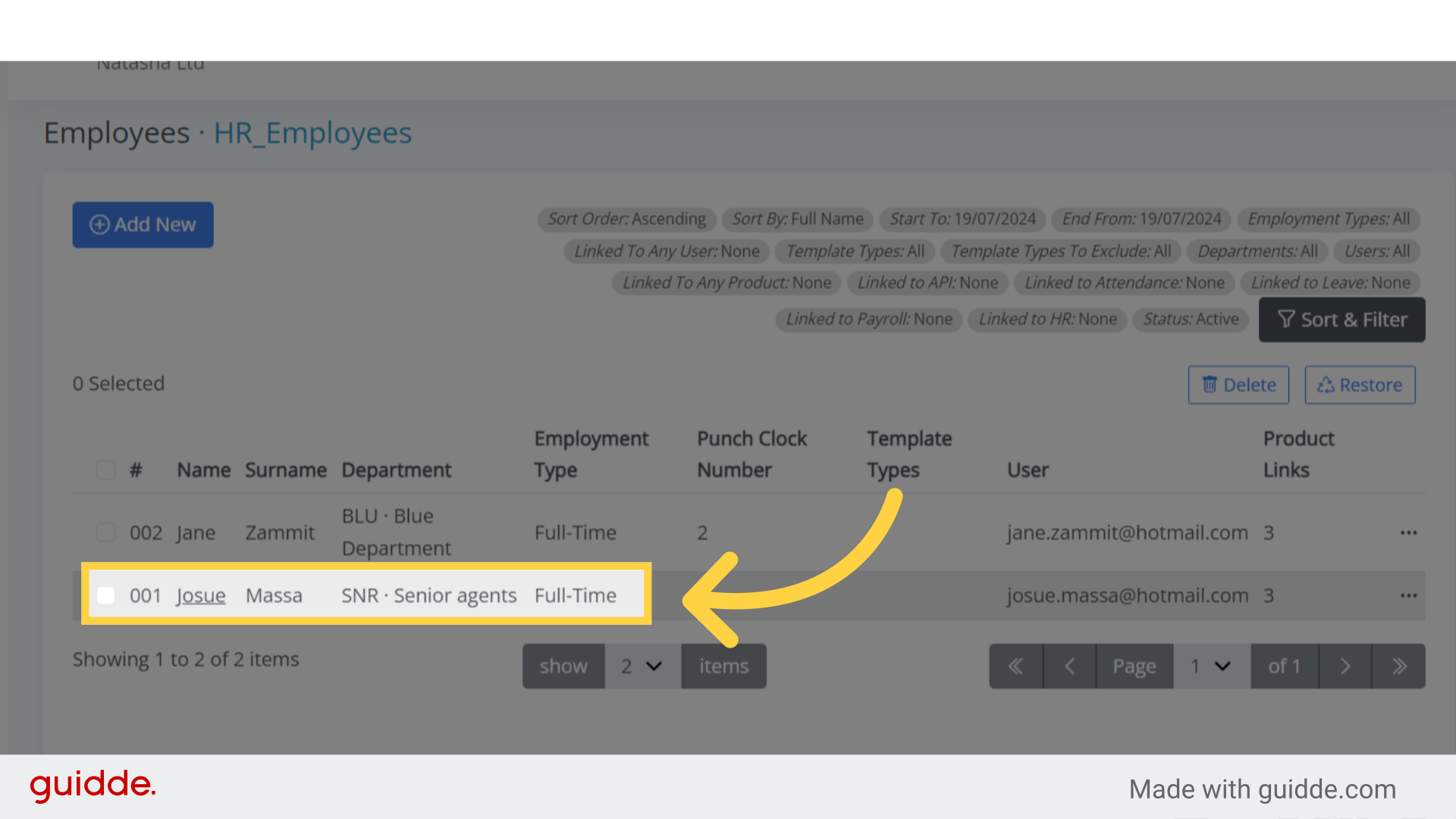
Continue by, selecting the specific employee.
Step 3. Click “Audits” #
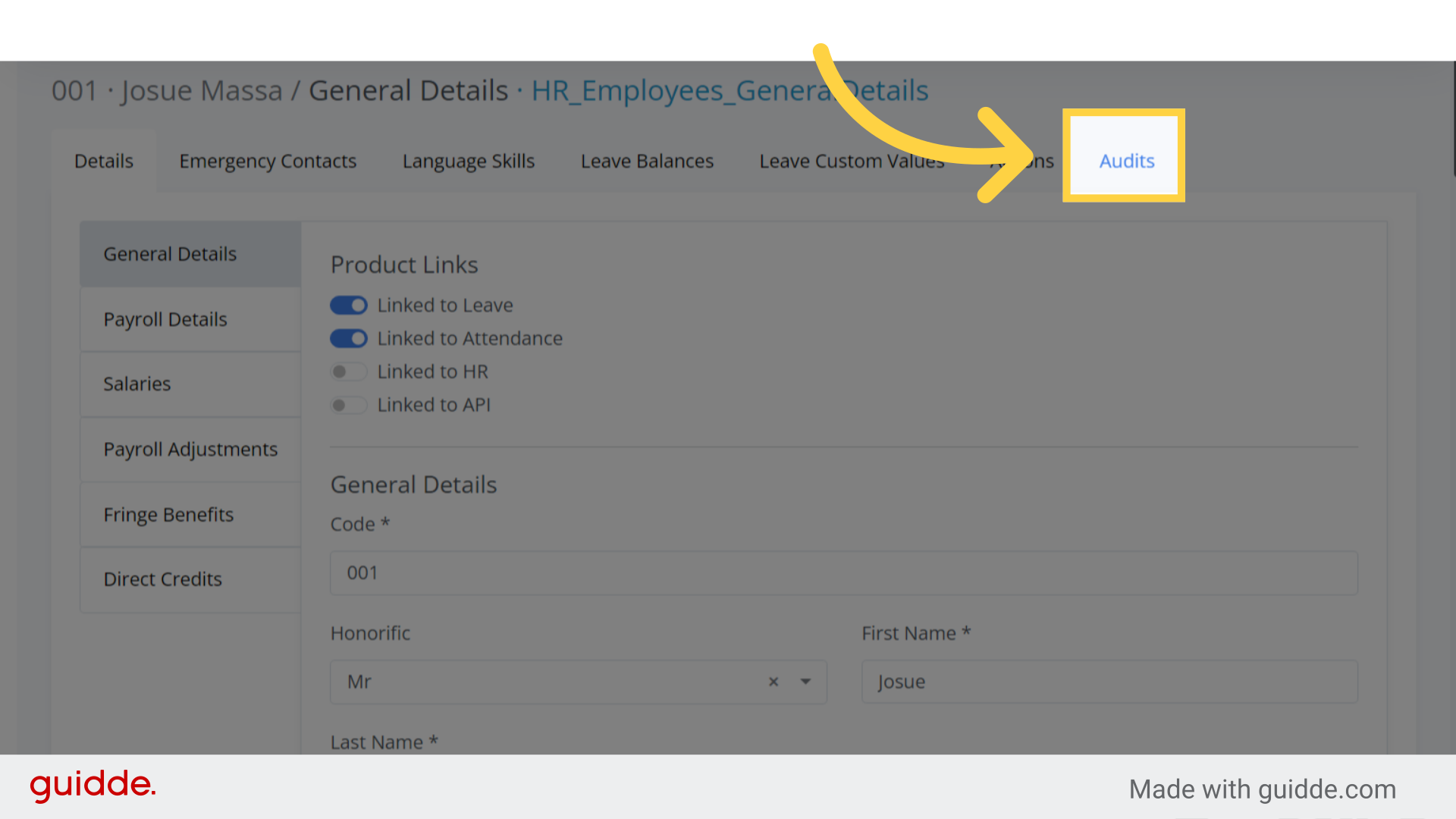
Once you’re in the employee profile, you’ll find the Audits feature.
Clicking on it will redirect you to a log of all changes made to the employee’s record, along with the user responsible for those changes.
Step 4. Click “Sort & Filter” #
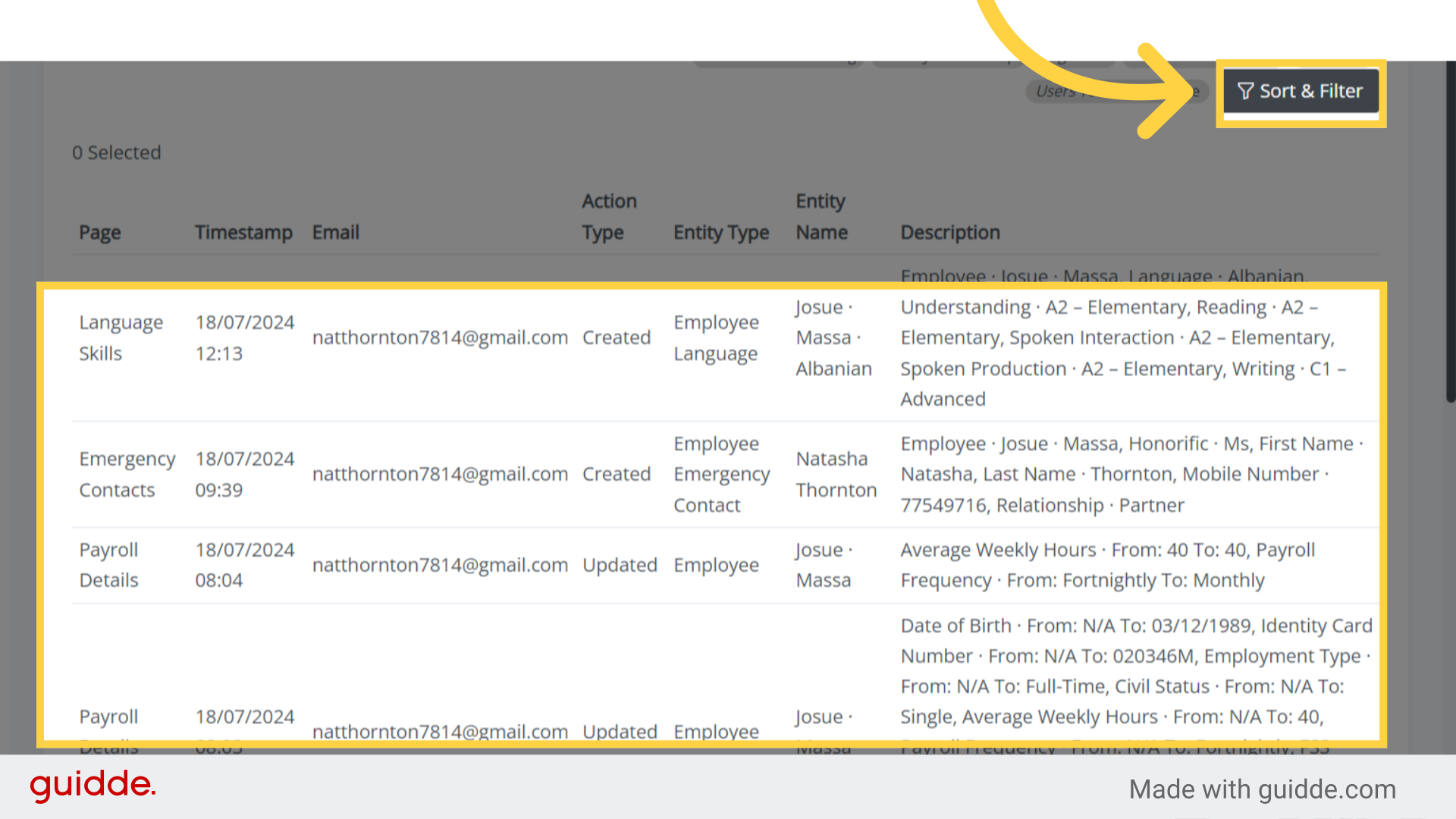
In addition to viewing the list of audits detailing changes and their associated users, you can further refine your search by sorting and filtering based on specific dates.
This allows you to focus on the relevant changes within a desired timeframe.
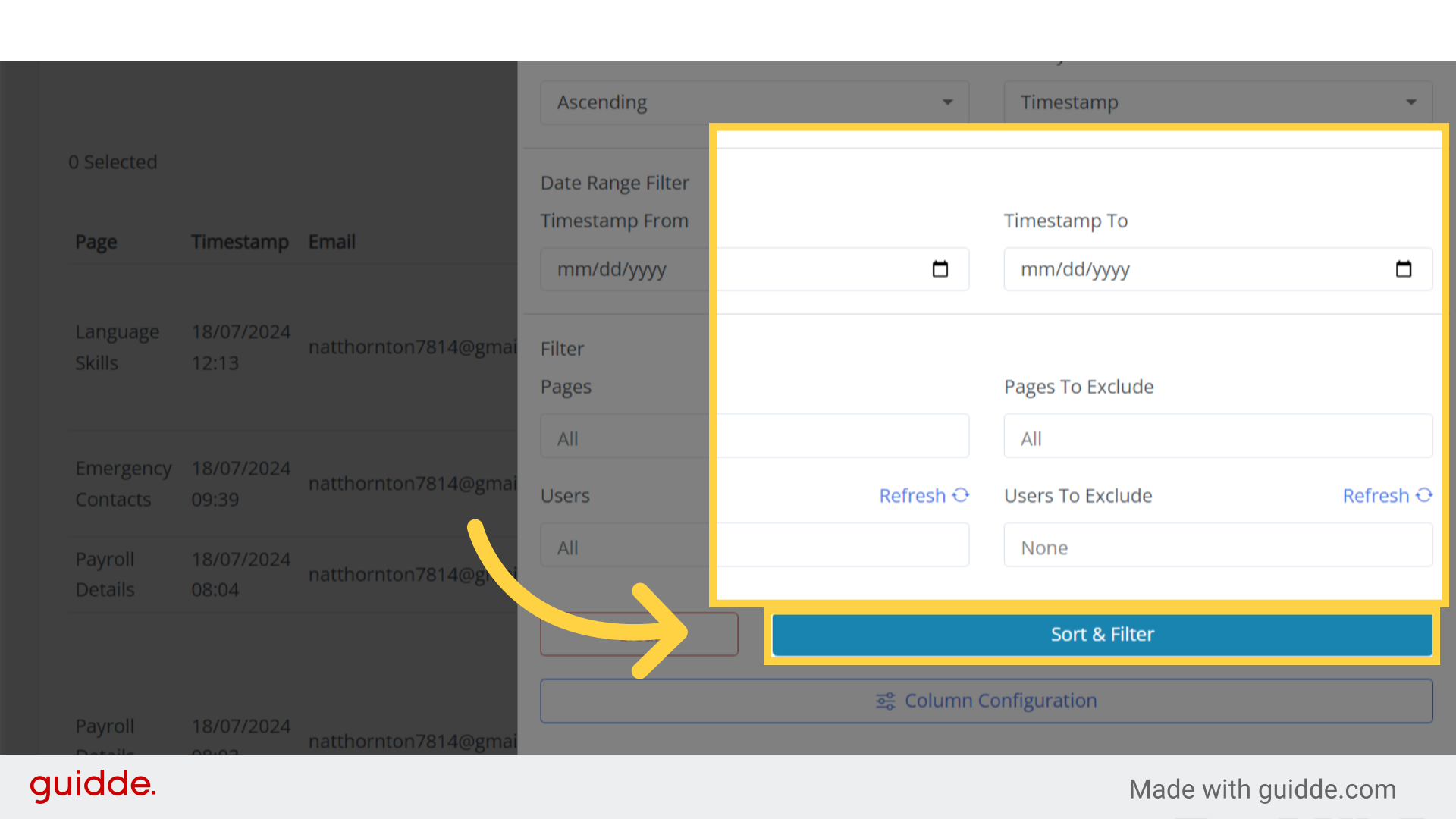
Step 5. Click “Sort & Filter” #
Once you’ve set the desired date ranges for sorting and filtering, click on the Sort and Filter button.
This action will apply your chosen criteria and display the relevant audit information.
This guide in Bitkode simplifies the process of viewing employee audit records.


