
Table of Contents
- In this guide, you will learn how to create job positions in Bitkode, by navigating through the Setup and HR sections, adding a new job position, and filling in the necessary details like the job code and name.
- Step 1. Click "Setup/HR"
- Step 2. Click "Job Positions"
- Step 3. Click "Add New"
- Step 4. Click "Save"
In this guide, you will learn how to create job positions in Bitkode, by navigating through the Setup and HR sections, adding a new job position, and filling in the necessary details like the job code and name. #
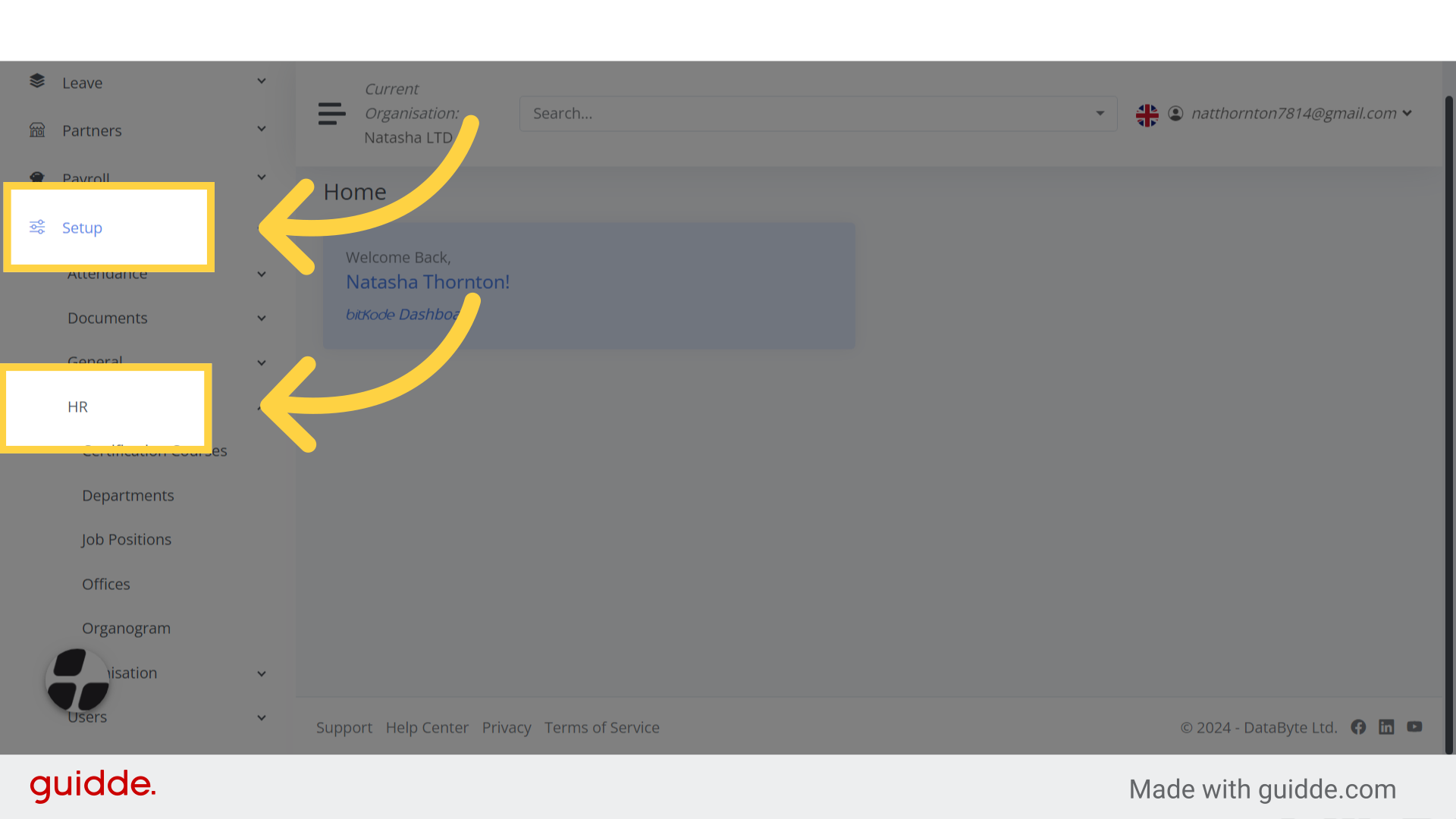
Step 1. Click “Setup/HR” #
To create job positions before adding employees, follow these steps:
- Log in to your home page.
- Click on Setup.
- From the list of options, select HR referred for Human Resources.
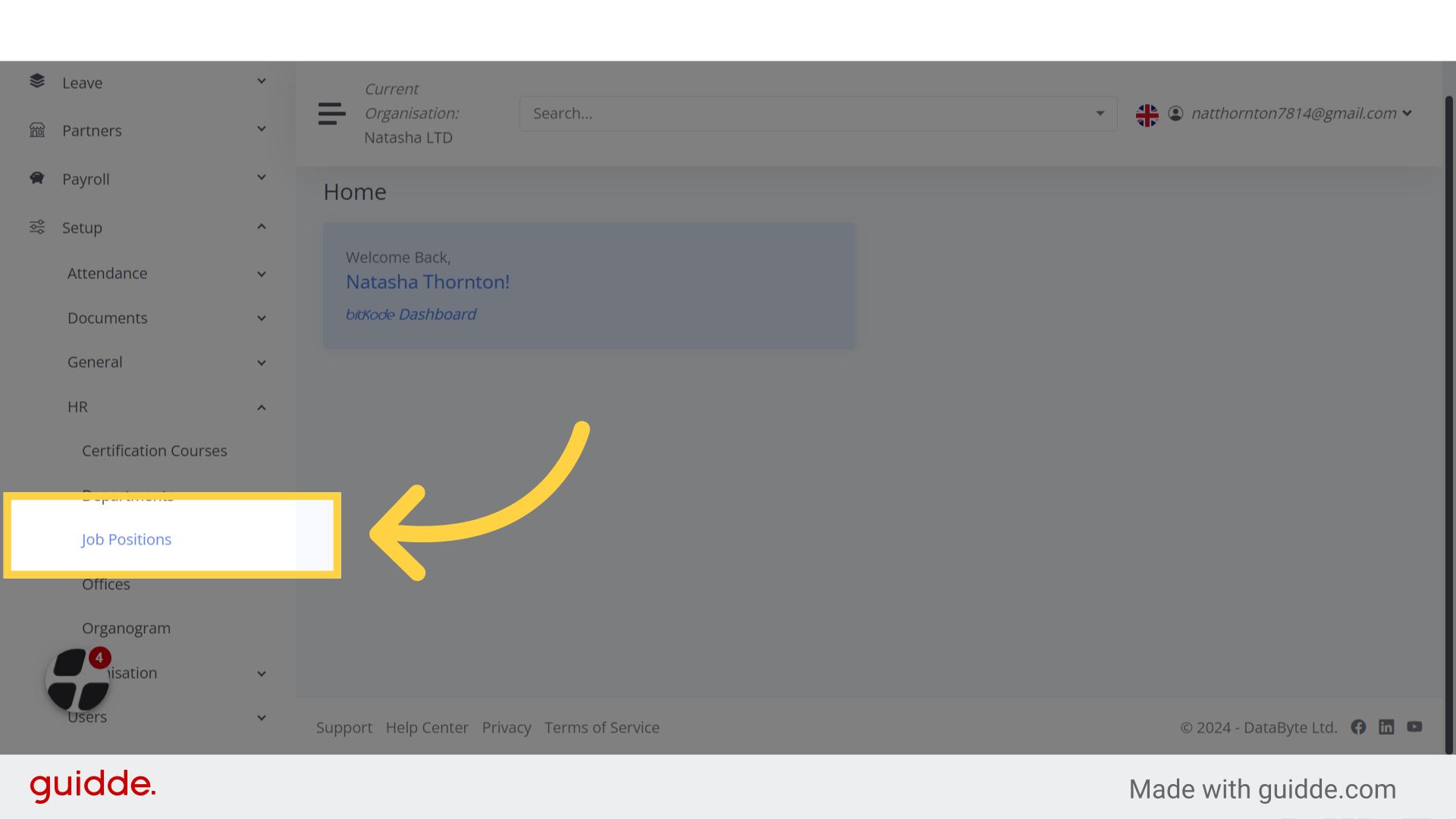
Step 2. Click “Job Positions” #
After selecting the HR field, you’ll be presented with another list where you are to choose the job positions.
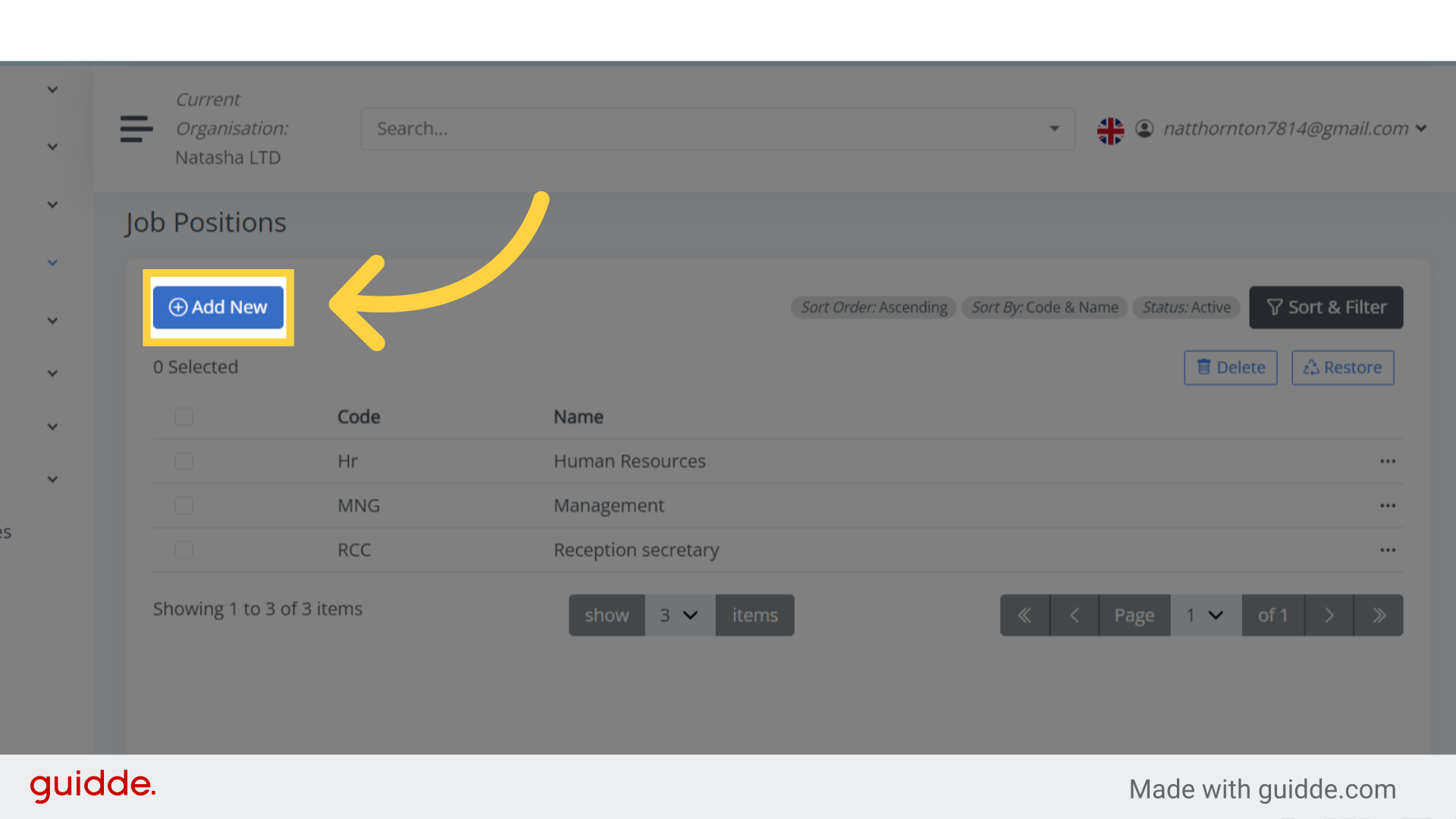
Step 3. Click “Add New” #
To begin adding new job positions in bitKode, click on the Add New Field option.
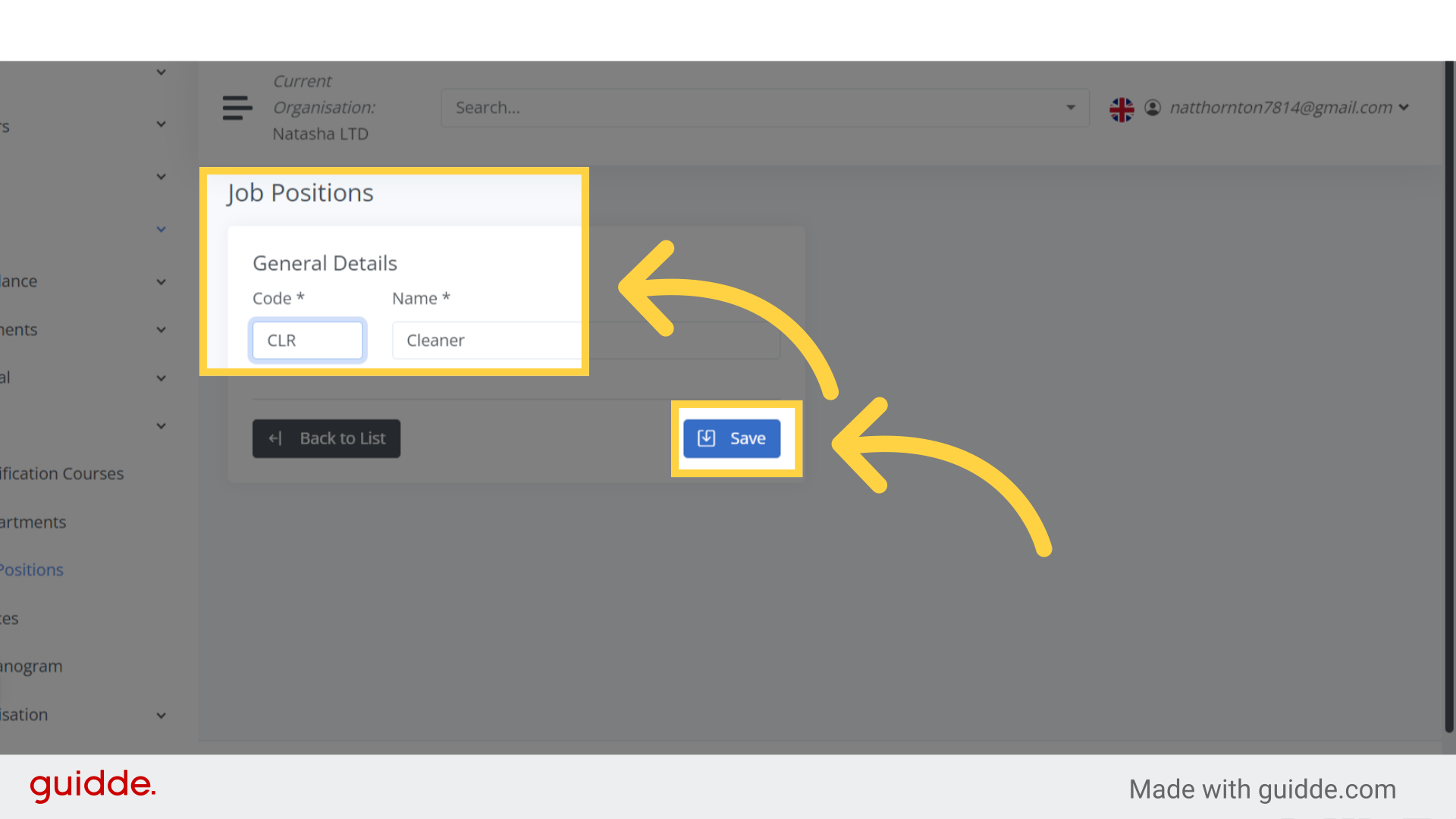
Step 4. Click “Save” #
Start by assigning a code and providing the job position name.
For instance, use CLR to refer to the position of a cleaner.
Click Save to save the newly created job position.
Before creating an employee, ensure that you’ve already created the corresponding job position.
This step allows you to choose a job position when adding an employee.
To note that, listing job positions is mandatory, especially if you have a payroll license.
The job positions will appear on employees payslips as required by law.
This guide covered the process of creating job positions in Bitkode.


