
Table of Contents
Incorporate or update emergency contacts for employees effortlessly with Bitkode. #
Follow these clear and concise instructions to manage crucial contact information efficiently. #
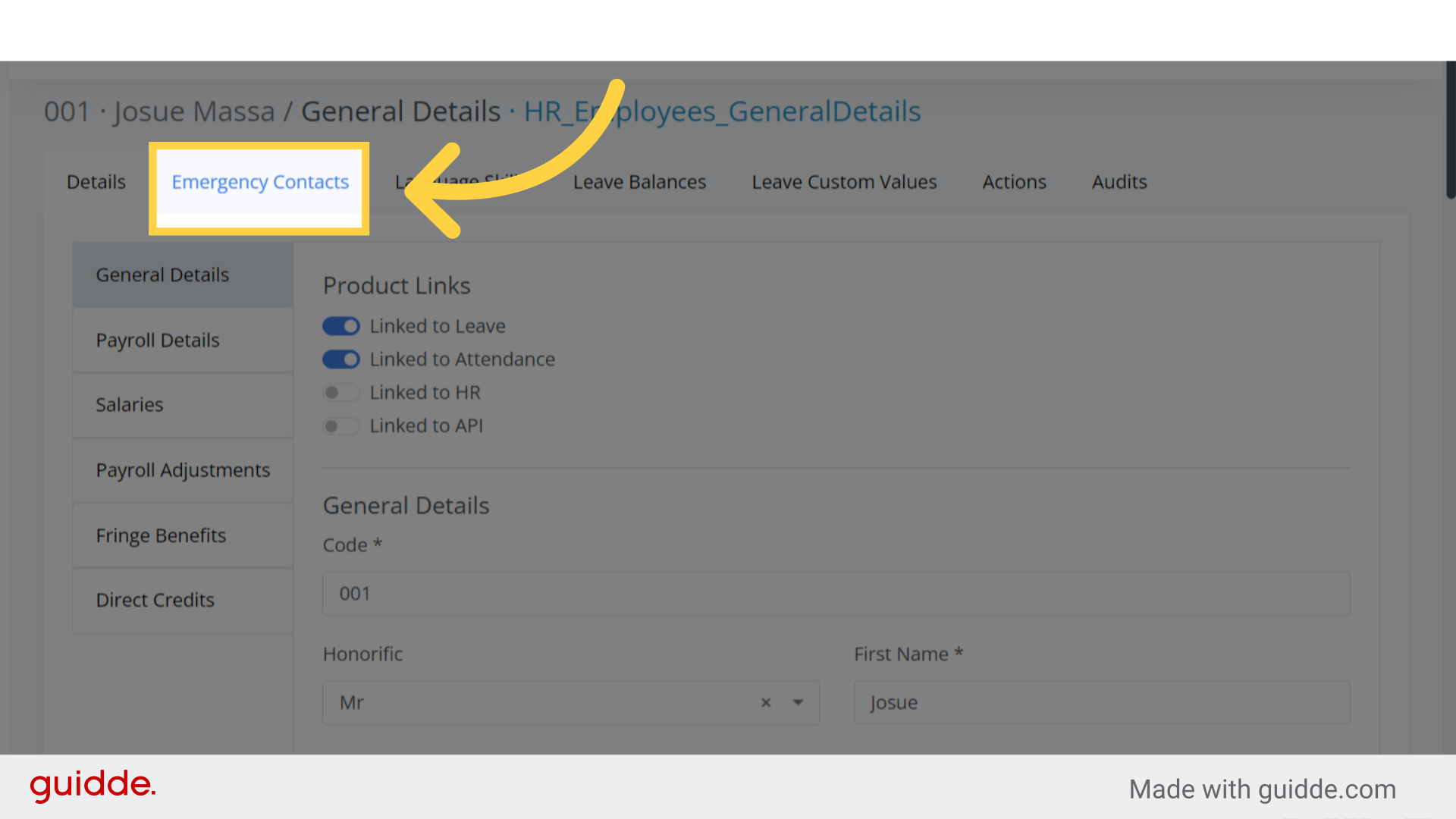
Step 1. Click “Emergency Contacts” #
After accessing the employee’s profile, you can add emergency contacts by clicking on the ‘Emergency Contacts field.
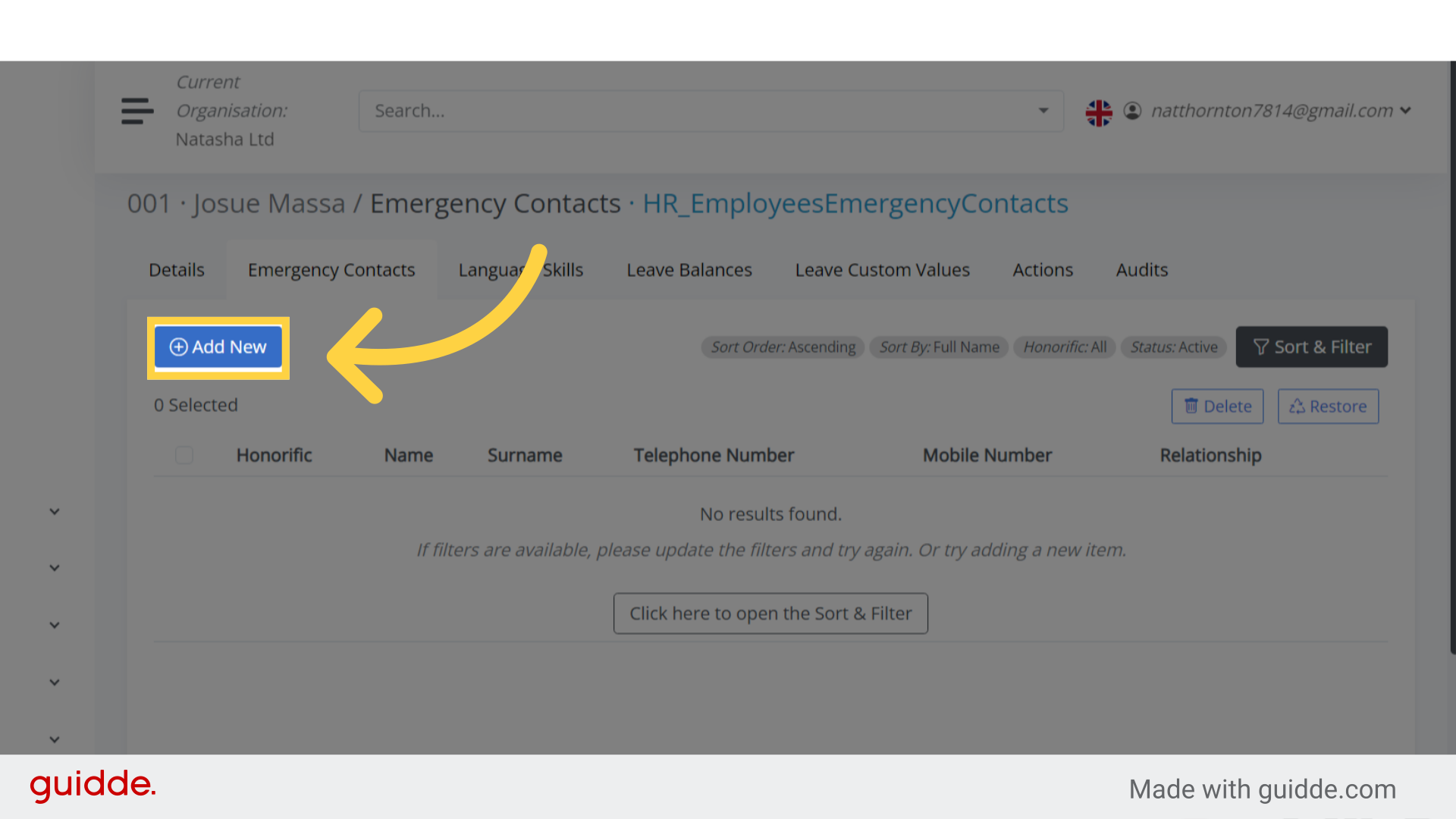
Step 2. Click “Add New” #
Once you’ve reviewed the emergency contact field, simply click on “Add New” to include additional fields.
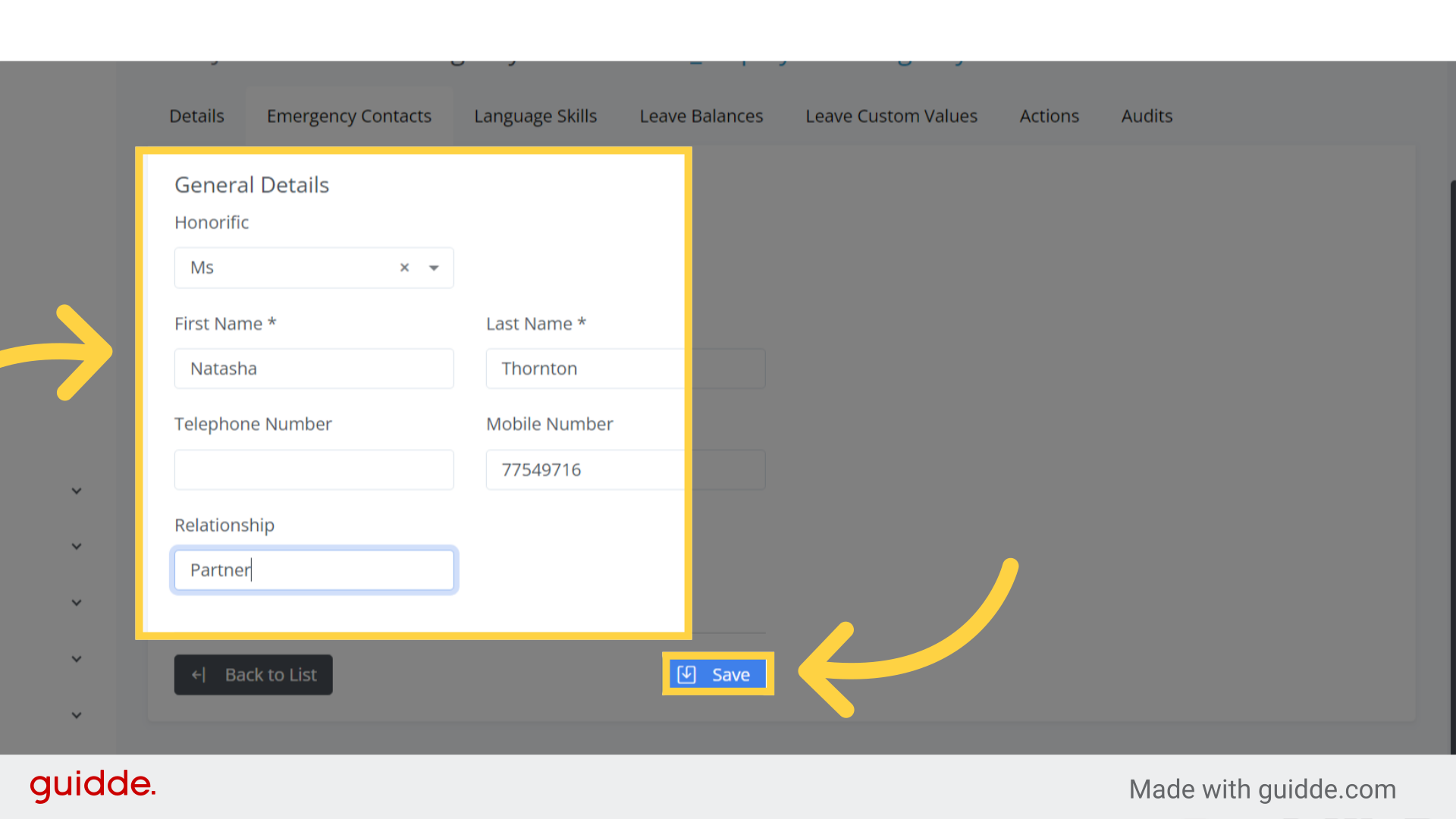
Step 3. General details #
Once you click on Add New, you’ll be prompted to fill in the details and specify the relationship with the employee.
Include all necessary information, including the contact number.
Finally, click Save.
This guide walked you through the process of adding or updating emergency contacts for employees in Bitkode, ensuring that essential contact details are readily available.


