
Table of Contents
This guide will walk you through the process of granting an employee portal access to an uploaded file in Bitkode. #
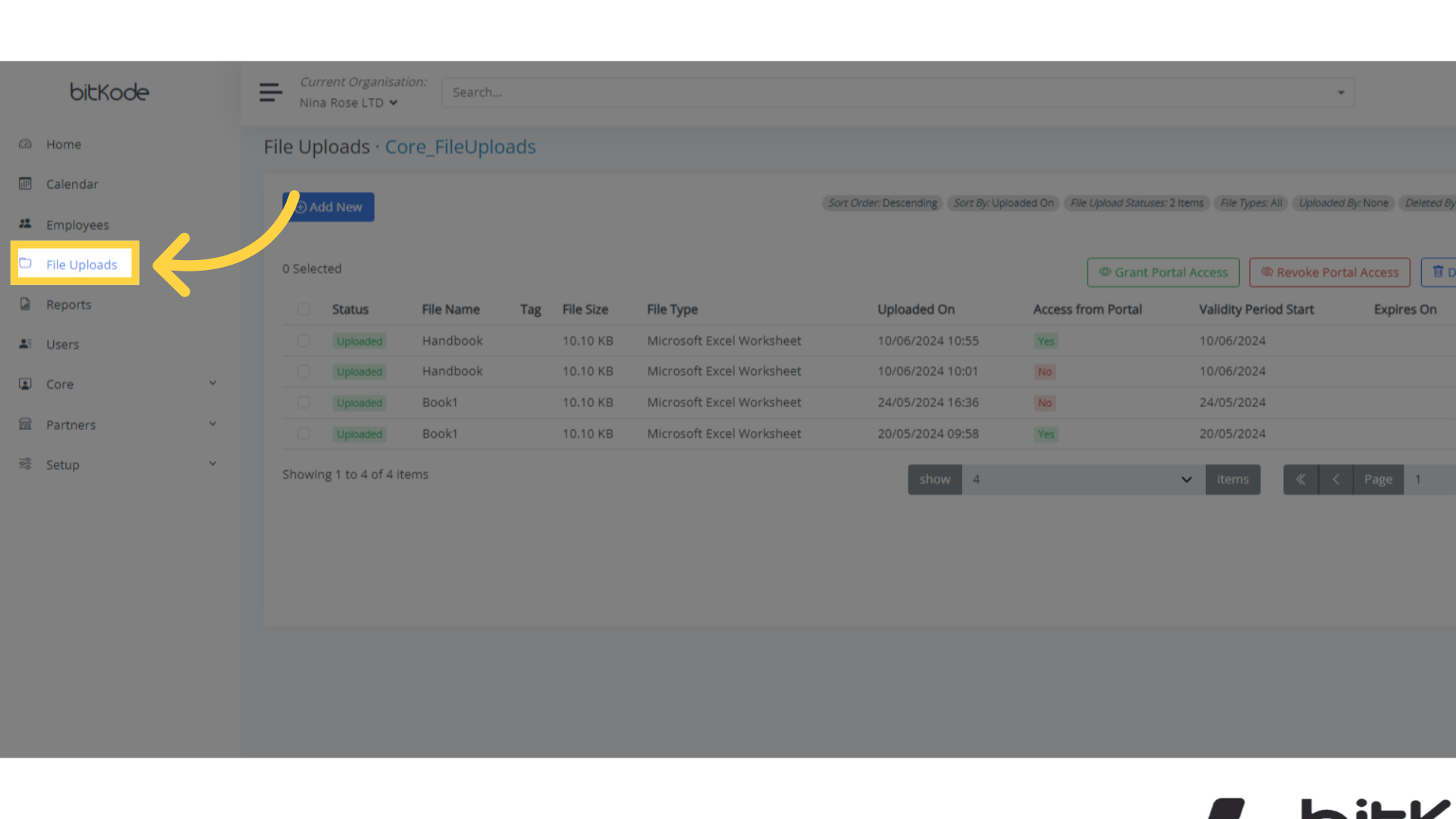
Step 1. Click “File Uploads” #
After logging into Bitkode, you can find the file uploads section to proceed with further actions.
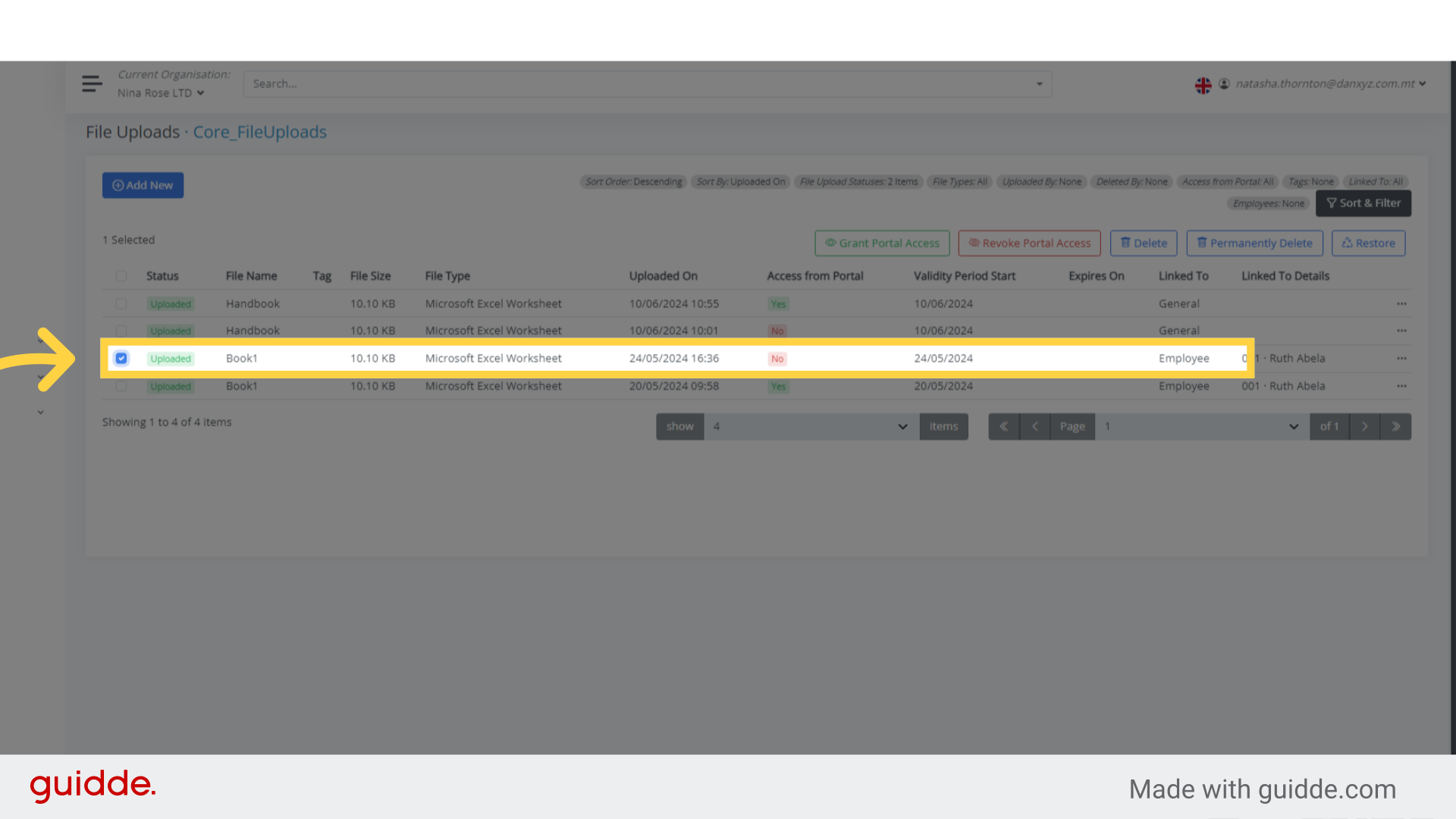
Step 2. Turn on #
Find the desired file from the list.
Switch it on to proceed with your intended actions.
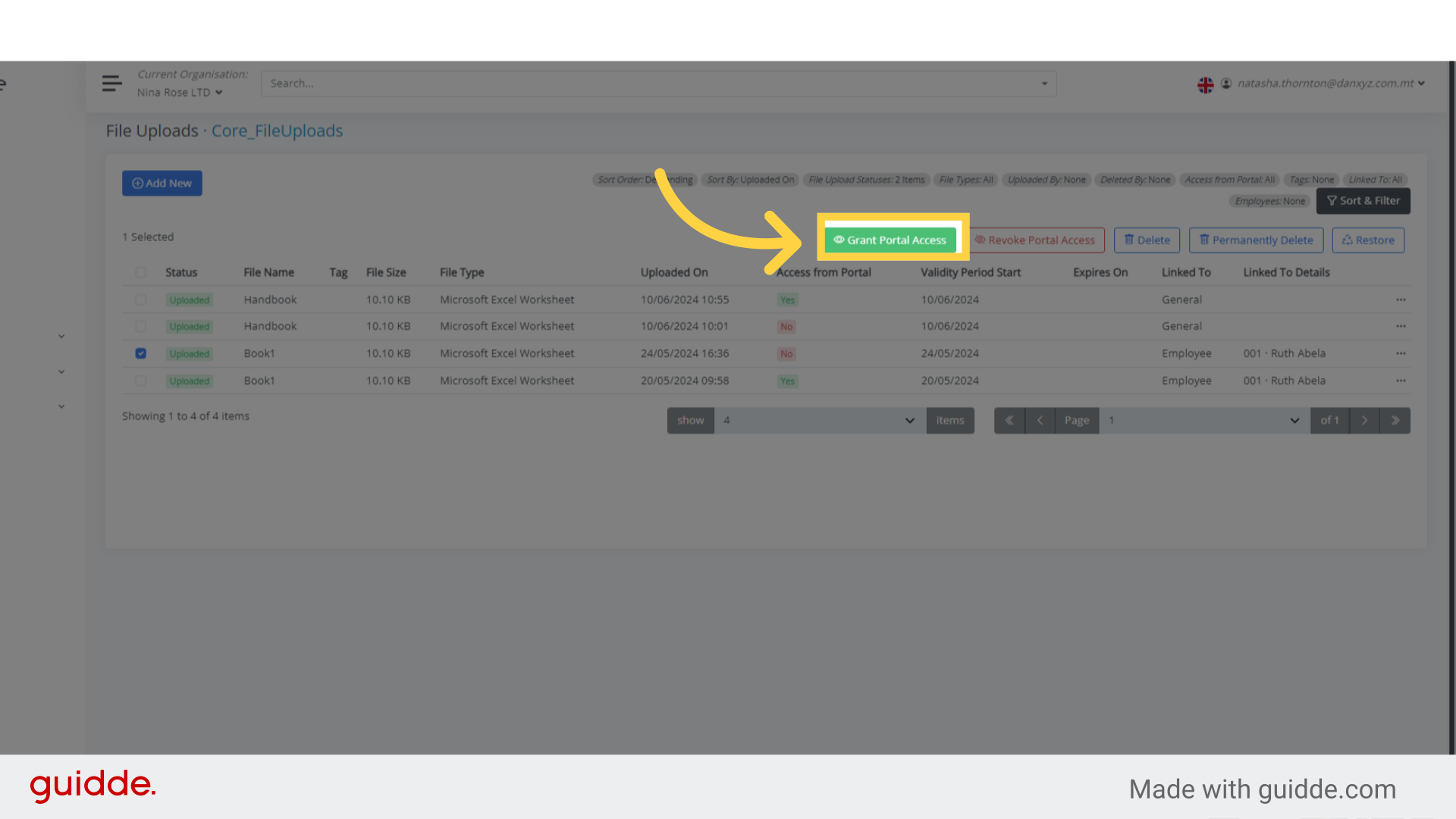
Step 3. Click “Grant Portal Access” #
Authorize portal access for the employee.
Thank you.


