
Table of Contents
This guide will walk you through utilizing the Sort and Filter feature in the Bitkode application to efficiently manage employee data. #
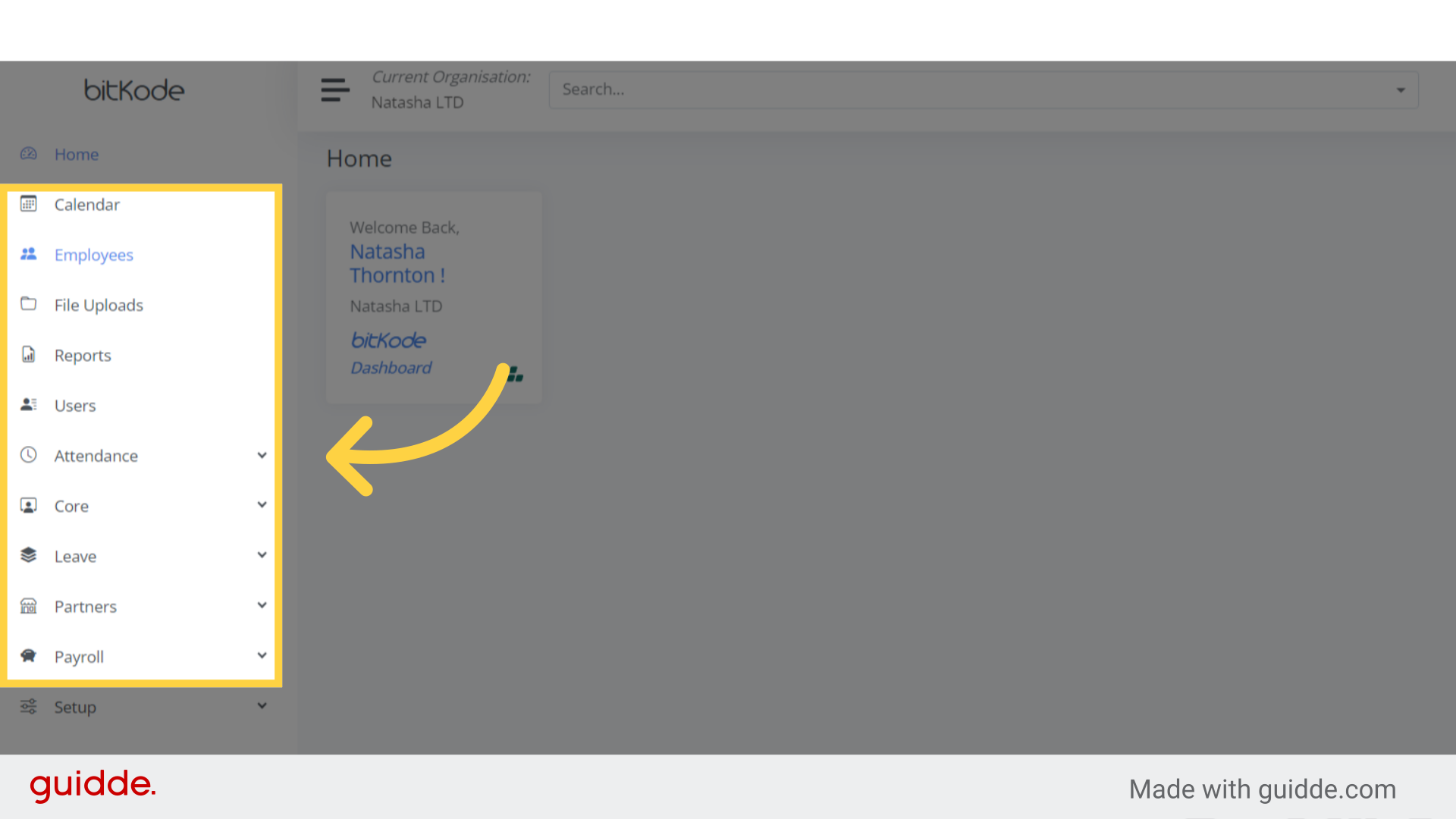
Step 1. Click “Employees” #
On every page you access, you’ll find the sort and filter feature.
This allows you to easily organize and refine the information displayed to suit your needs.
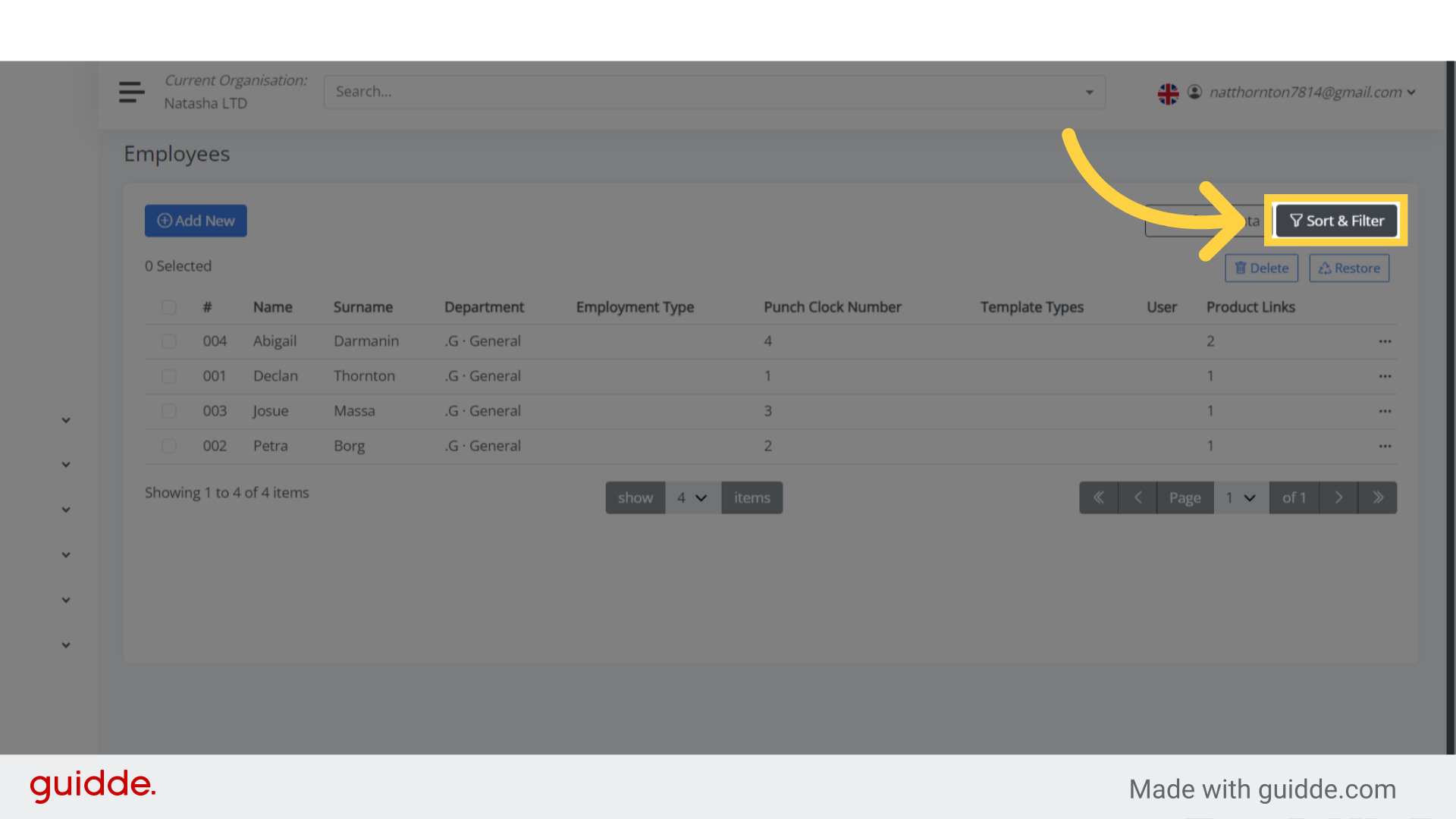
Step 2. Click “Sort & Filter” #
The sort and filter feature becomes visible after you access the page you want.
You can see it clearly, as shown in the image.
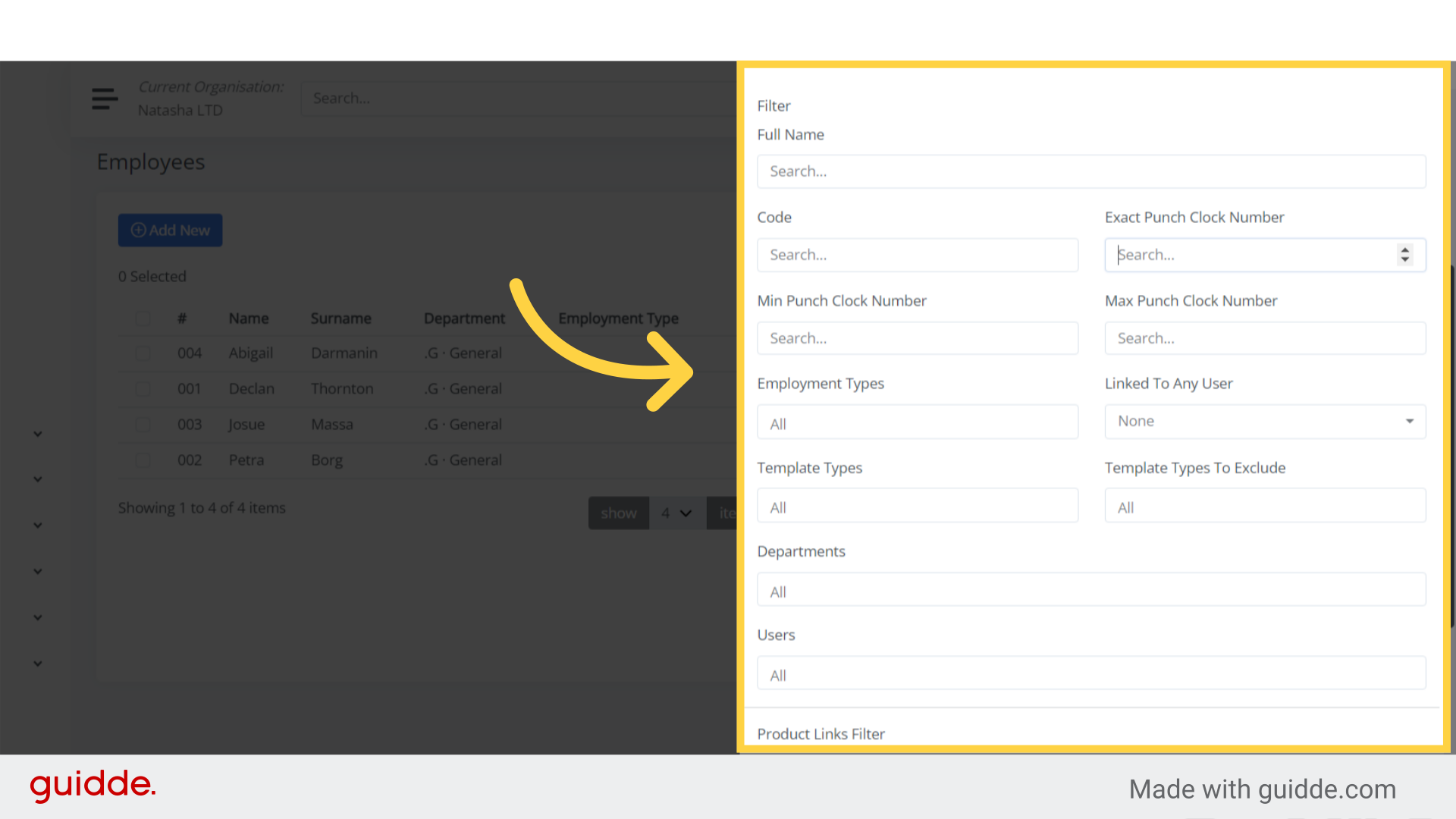
Step 3. Click “Search…” #
Once you’ve accessed the desired page and clicked on the sort and filter option, a list of sorting and filtering criteria will be displayed for you to choose from.
This allows you to customize how the information is presented, making it easier to find exactly what you need.
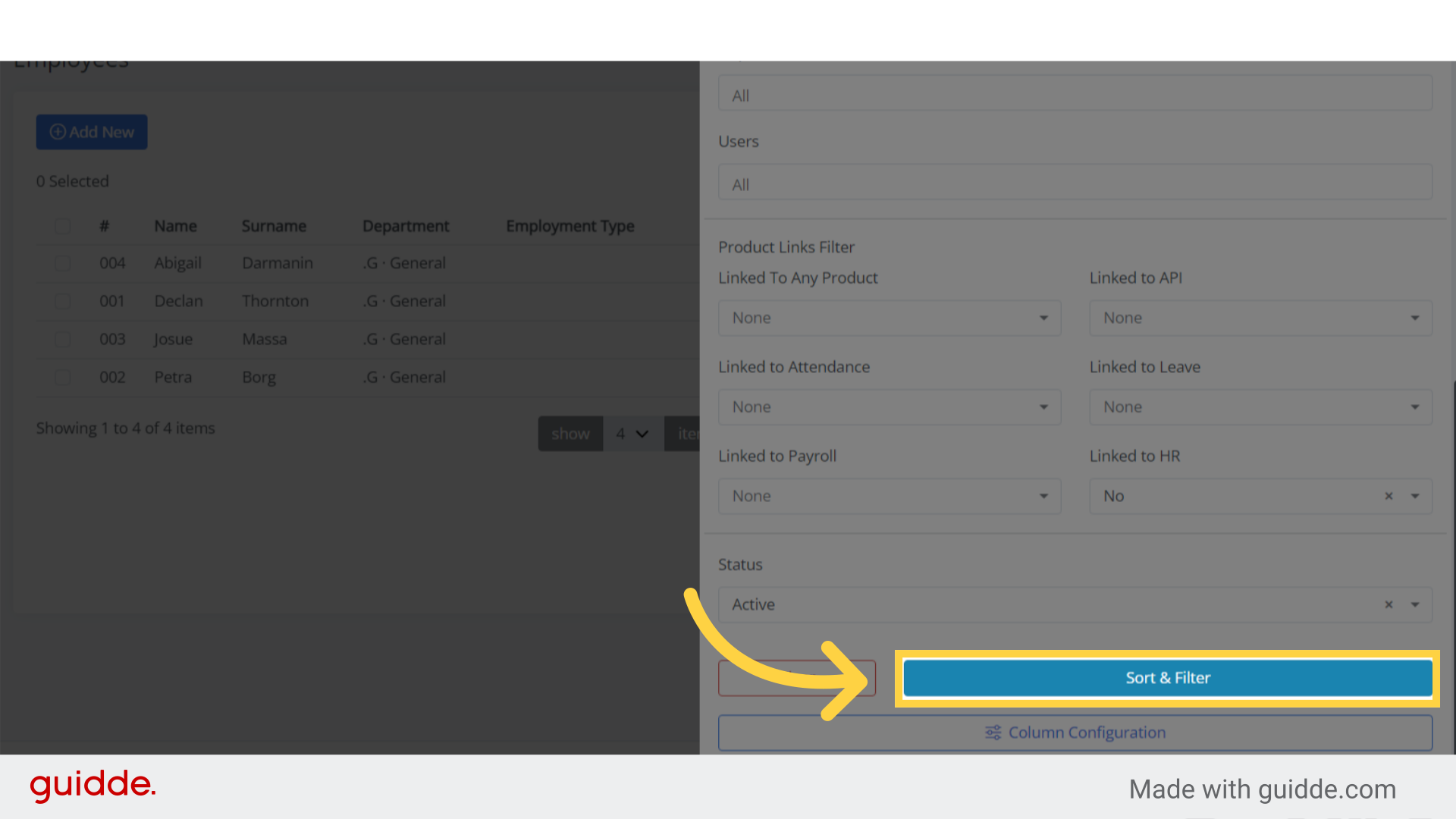
Step 4. Click “Sort & Filter” #
After you’ve chosen the criteria for sorting and filtering, simply click on the sort and filter button.
This will display the list according to your selected criteria, making it easier to find the information you need.
The guide covered utilizing the Sort and Filter feature, refining searches, applying filters, and managing displayed items in the Bitkode application.


