Table of Contents
This guide is designed for bitKode users looking to enhance their brand identity by updating their company logo.
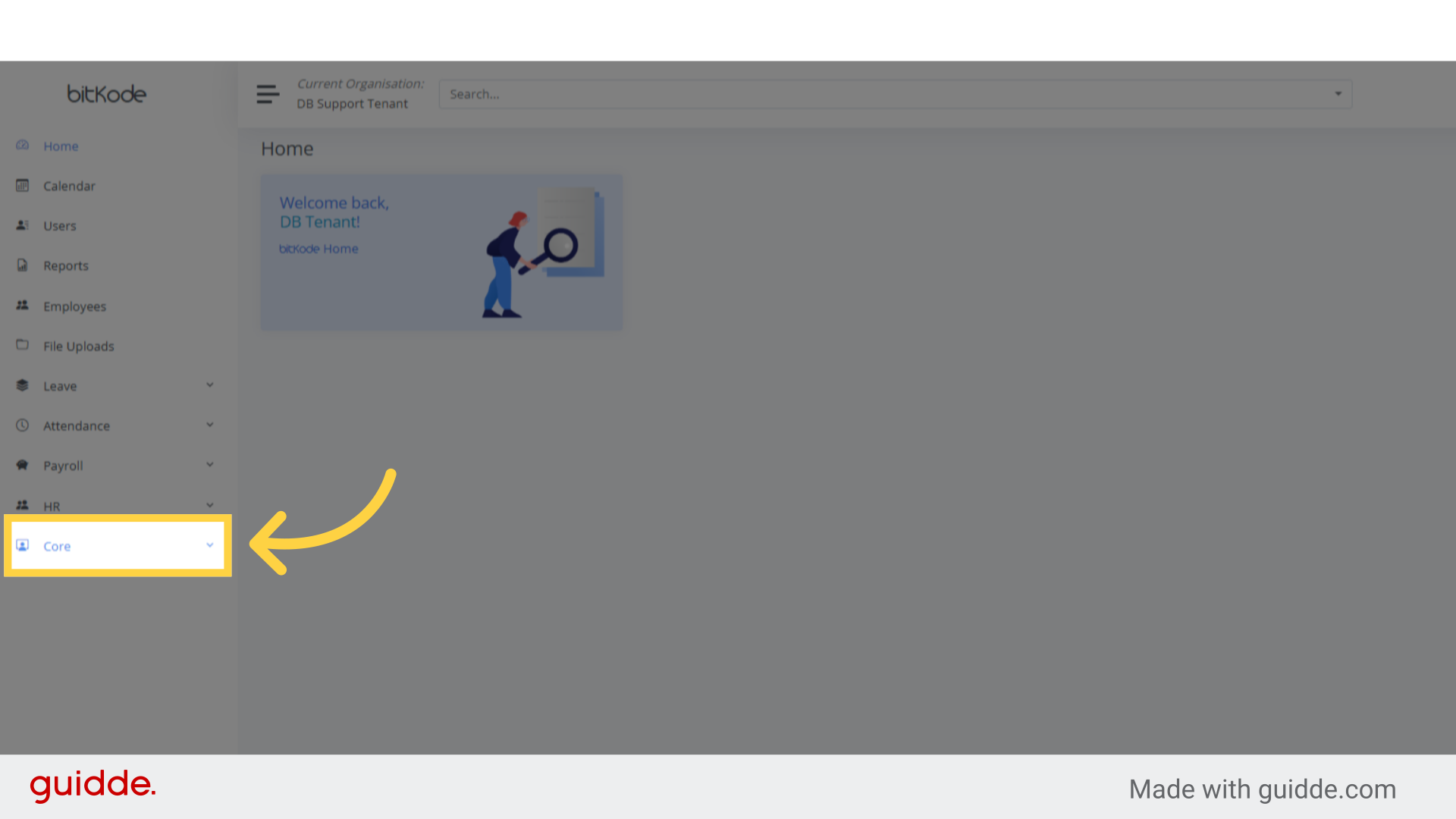
Step 1. Click “Core” #
Access the core from your home page.
Step 2. Click “Organisation Details” #
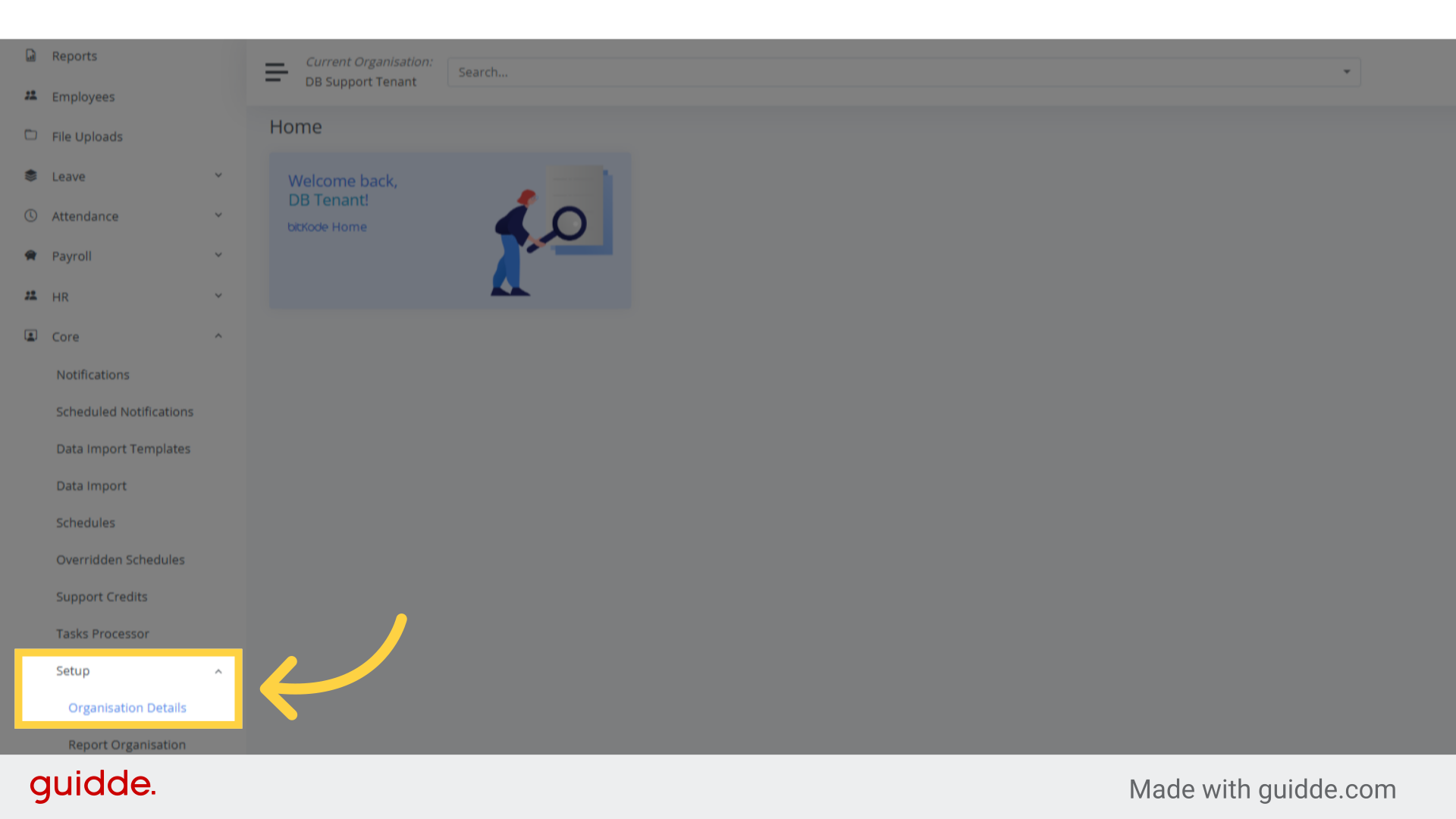
To locate your organisation’s details, click on “Setup” and “Organisation details”.
Step 3. Click “Upload Logo” #
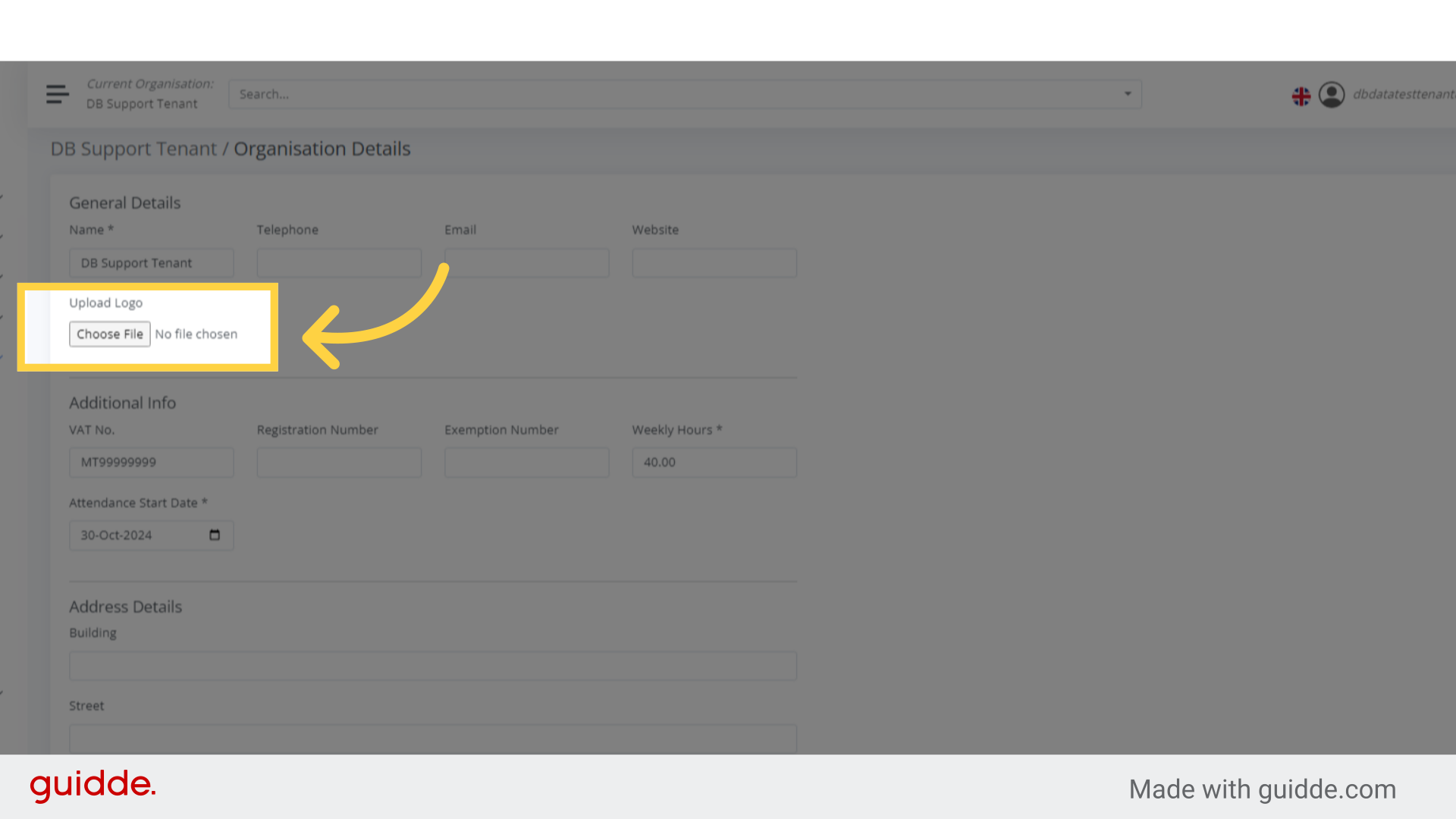
Upload your logo as indicated in the image.
The logo will be visible on every payslip issued.