
Table of Contents
Explore the various levels of access available in bitKode’s Attendance feature through a series of straightforward actions. #
This article explains how to grant users access to bitKode Attendance and outlines the various access levels available.
Ensure that your users have been invited to bitKode before proceeding.
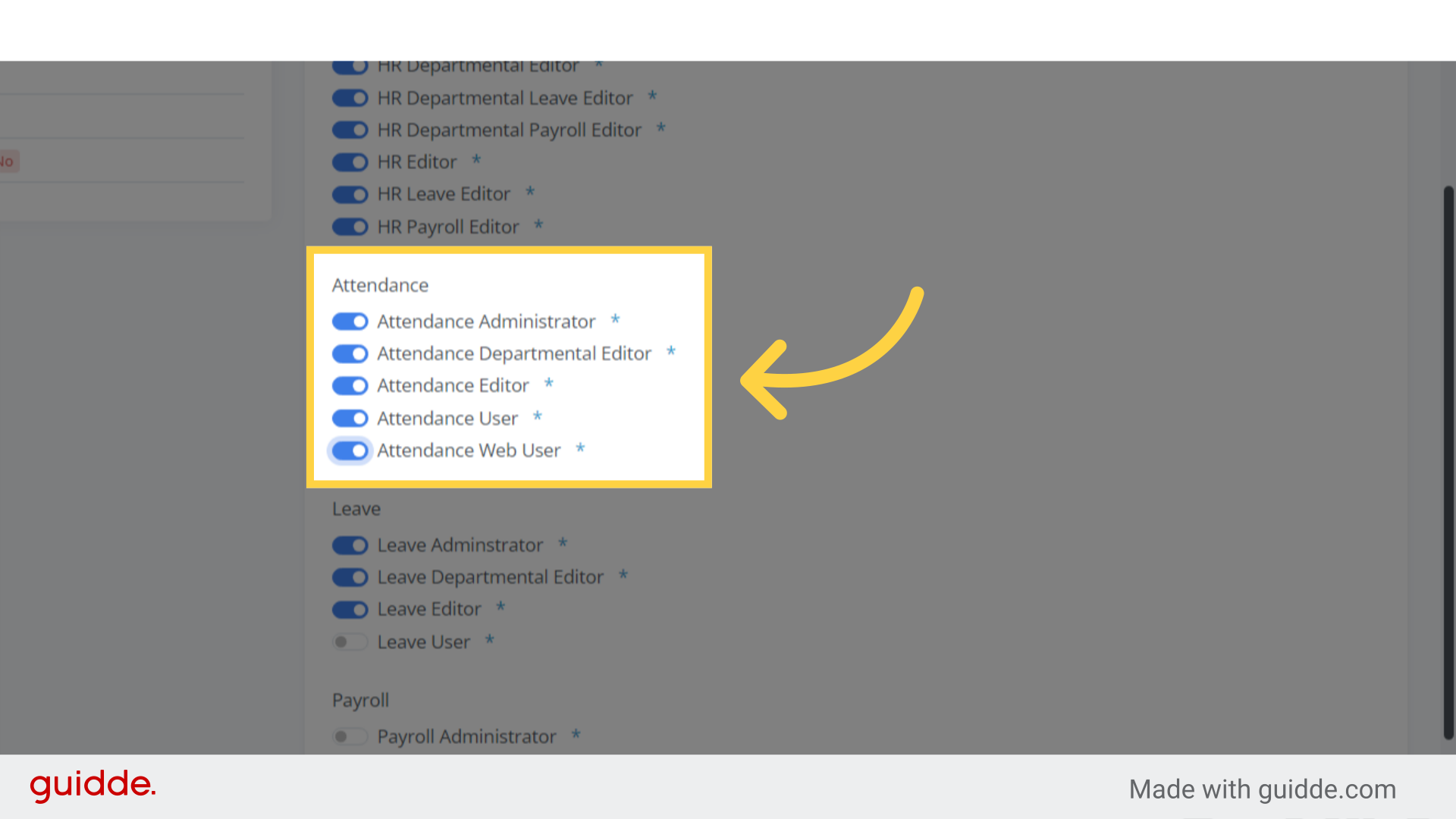
User Role Groups define the set of permissions that a user can access.
Attendance Administrator: #
- View the punch clocks’ health status.
- Process employees’ punches.
- Approve employees’ punches.
- Lock approved periods.
- View clocking lists for all employees.
- Upload attendance logs from the punch clock via USB.
- Punch in/out remotely from the web app.
- Access all attendance-related settings.
- View the dashboard for project statistics.
- Generate all reports for all employees.
Attendance Departmental Editor:
- Process employees’ punches for their supervised team.
- Approve employees’ punches for their supervised team.
- View clocking lists for supervised employees.
- Access all attendance-related settings.
- Generate all reports for their supervised teams.
Attendance Editor:
- Same as Departmental Editor, but for all departments.
Attendance User:
- View their own punches.
Attendance Web User:
- Punch in/out from the Android application.
- Punch in/out from the web application.
Related article;


