
Table of Contents
This guide will walk you through the process of deleting and restoring manual punches done on behalf of an employee using bitKode. #
Through the clocking list, you can view employees’ clocking records.
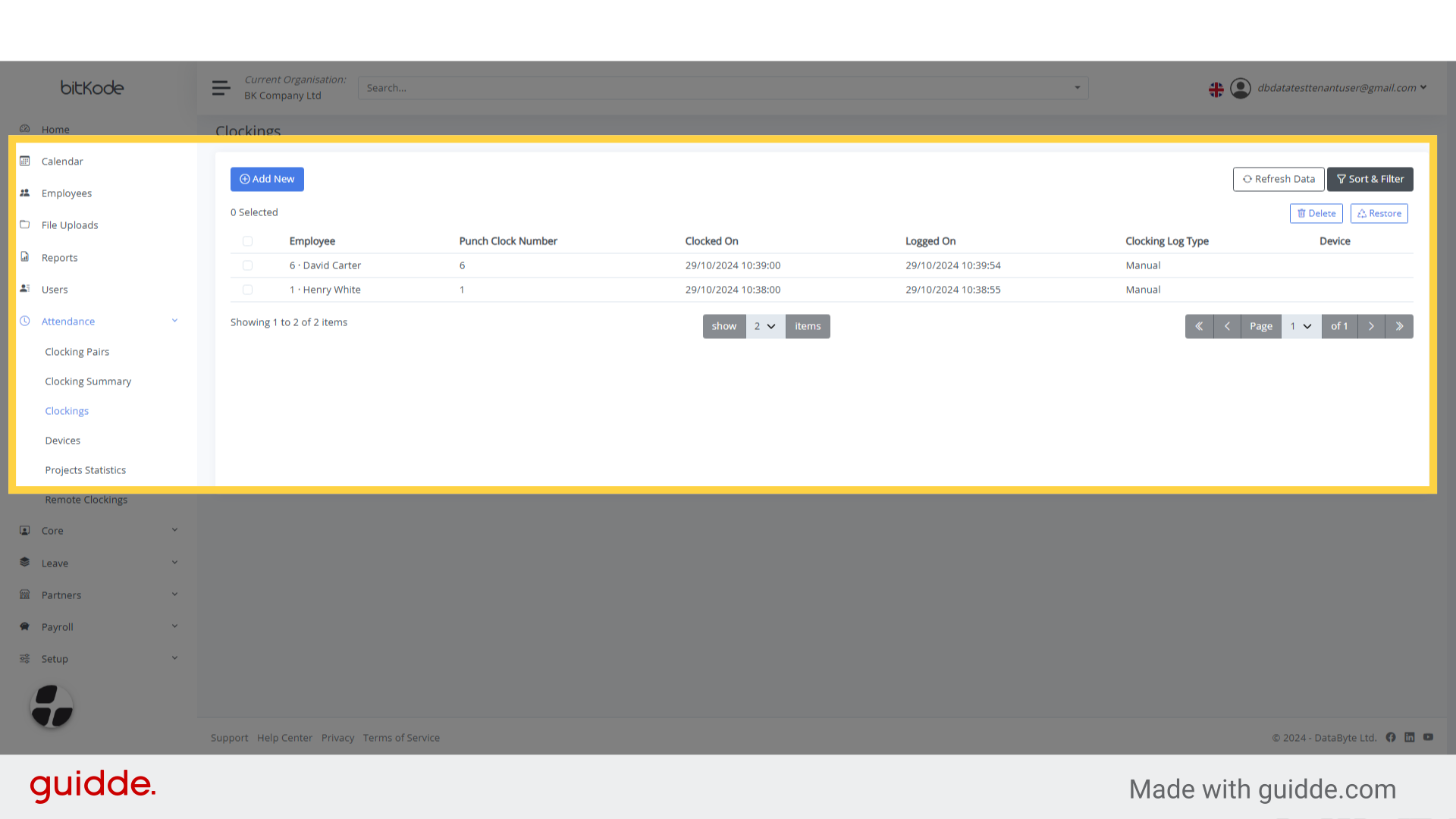
Step 1. Deleting a manual clocking #
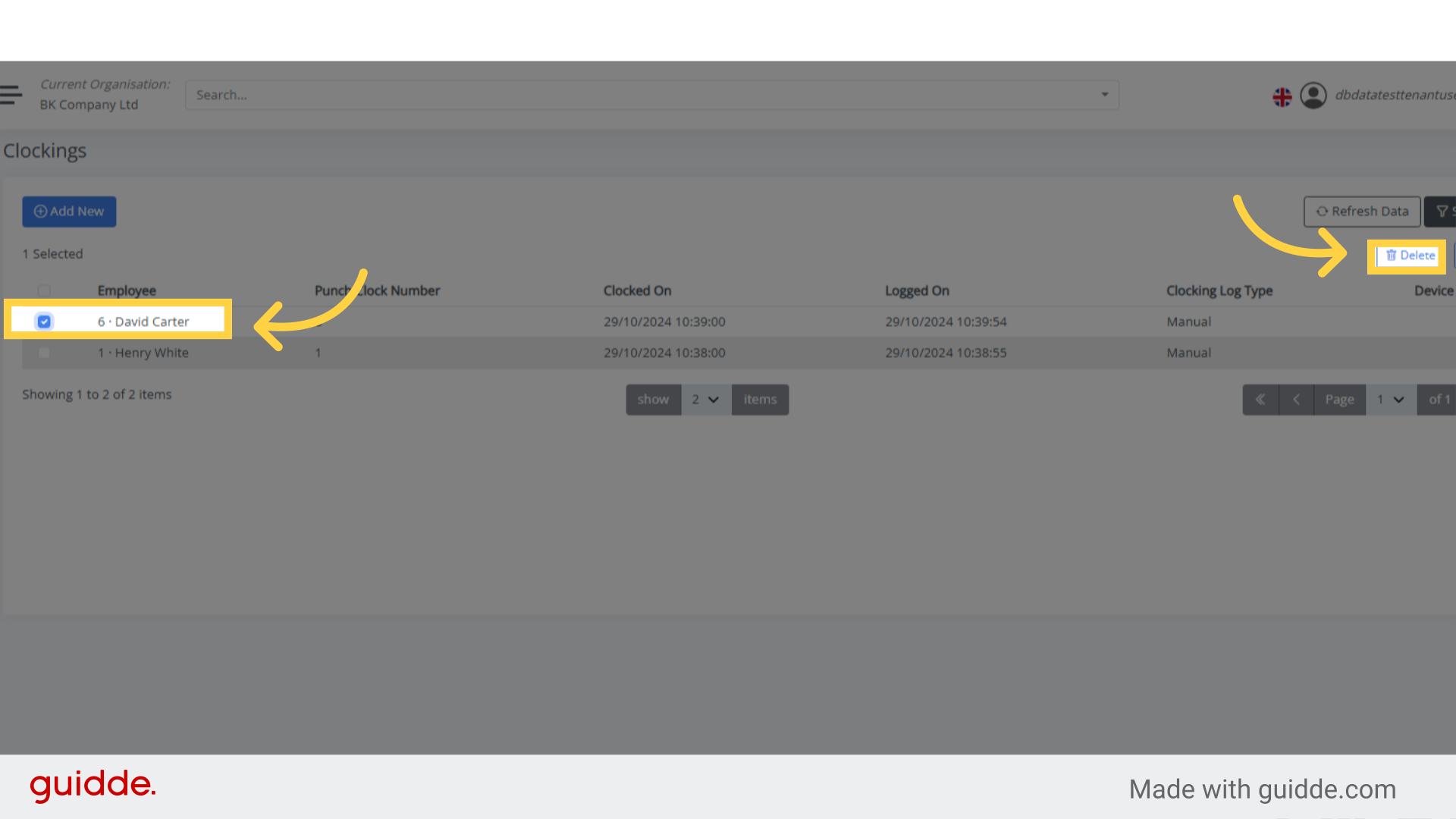
To delete a manual clocking, simply select the employee and click on the Delete field.
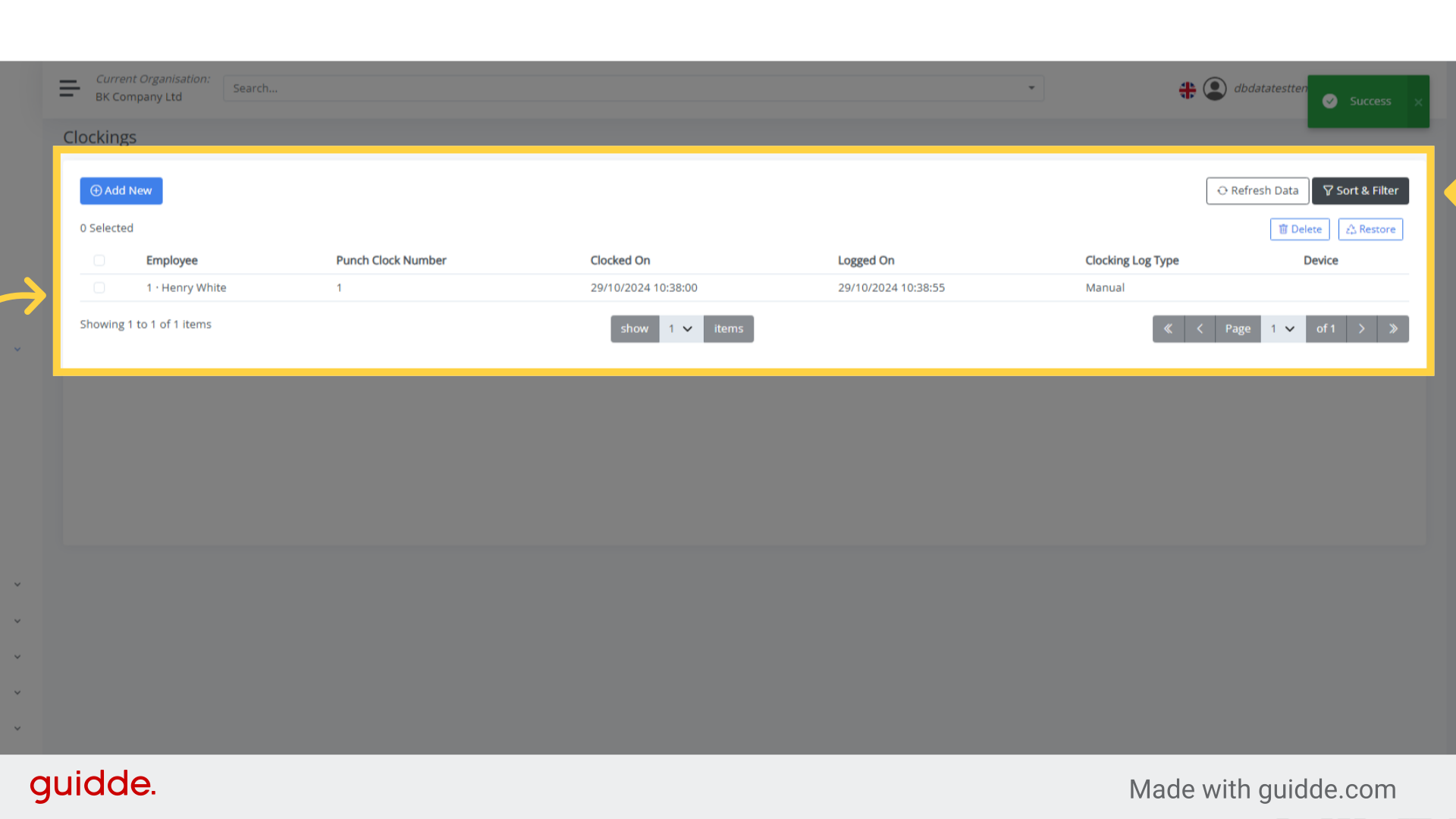
Step 2. Click “Sort & Filter” #
As you can see, the clocking type for the employee has been deleted and removed from the list.
However, this does not mean it cannot be retrieved.
To restore it, you need to access the sort and filter option.
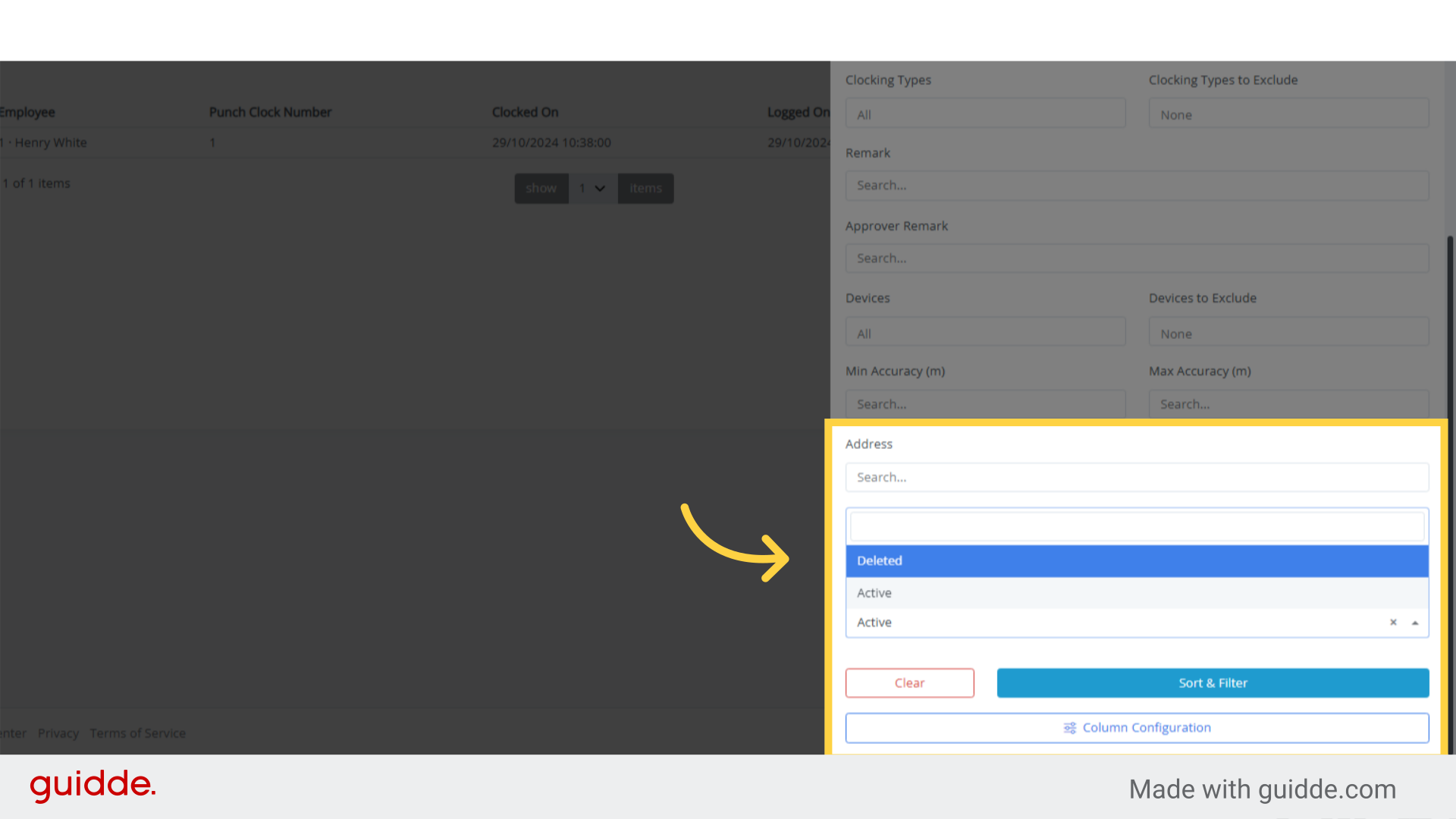
Step 3. Click “Deleted” #
You can sort and filter with various options, but in this particular case, you just need to sort and filter by Deleted.
This will enable you to see the list of deleted punches, where you can then restore the deleted clocking’s.
After selecting Deleted, click on Sort and Filter for the list of deleted clocking’s to appear.
Step 4. Fill “on” #
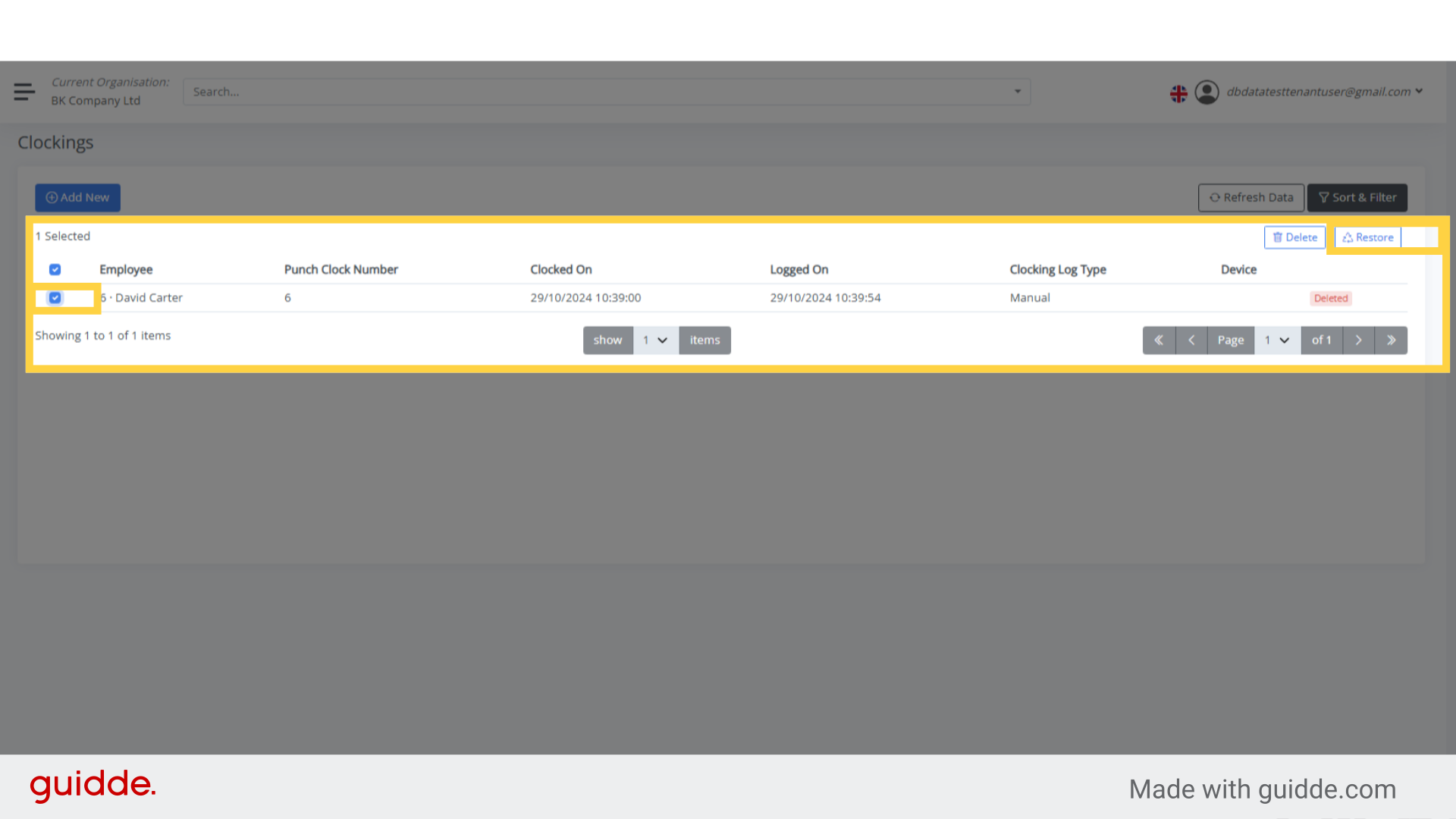
As you can see, the deleted clocking’s are now visible.
To restore them, simply select the employee and click on the “Restore” field.
Step 5. Click “Manual” #
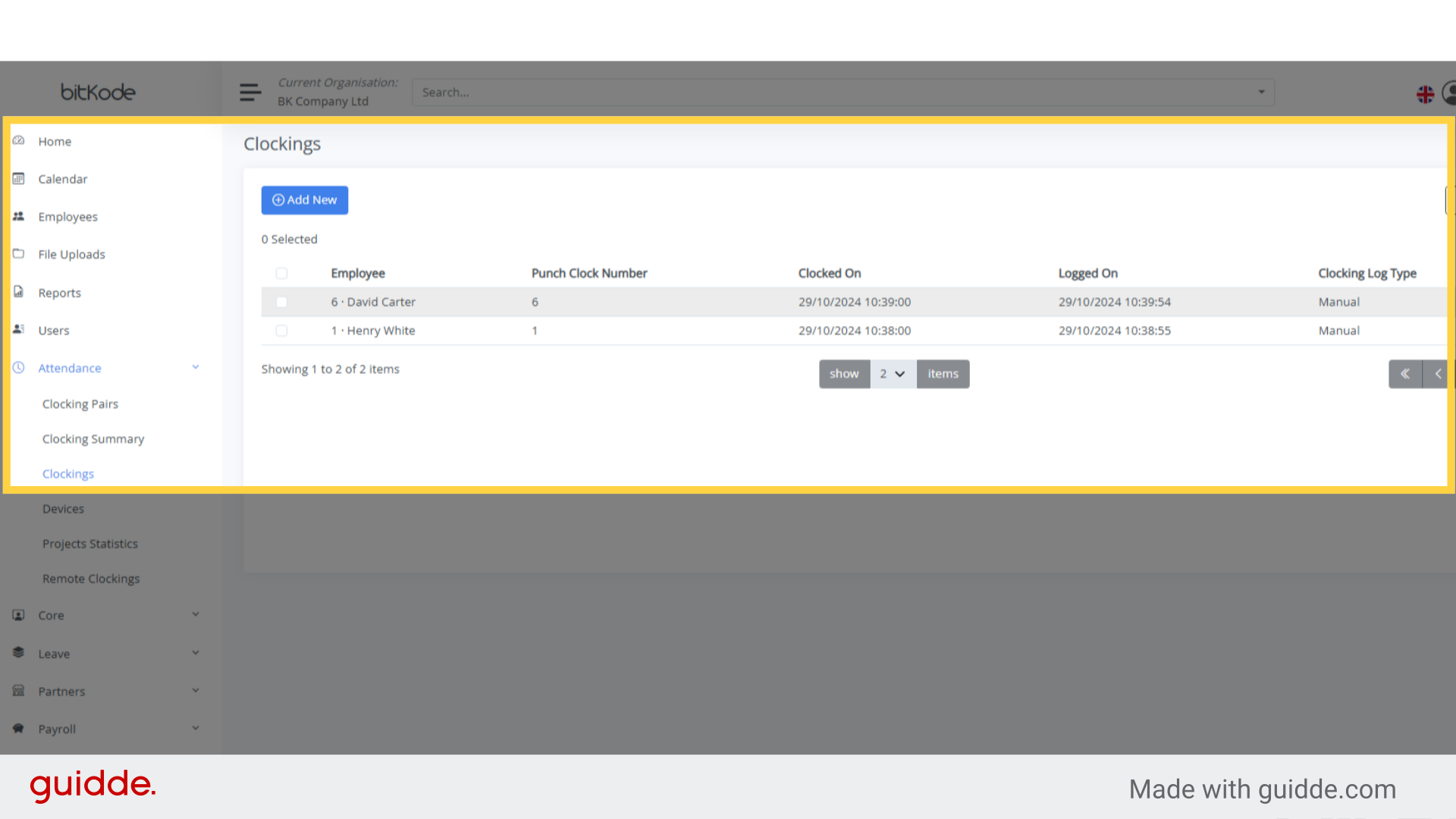
Go back to the clocking list, and as you can see, the clocking type has been restored and is back in the list.
This guide covered the essential steps to delete and restore manual punches in bitKode.


