
Table of Contents
This guide will walk you through the process of linking an employee to the HR subscription after their creation on bitKode. #
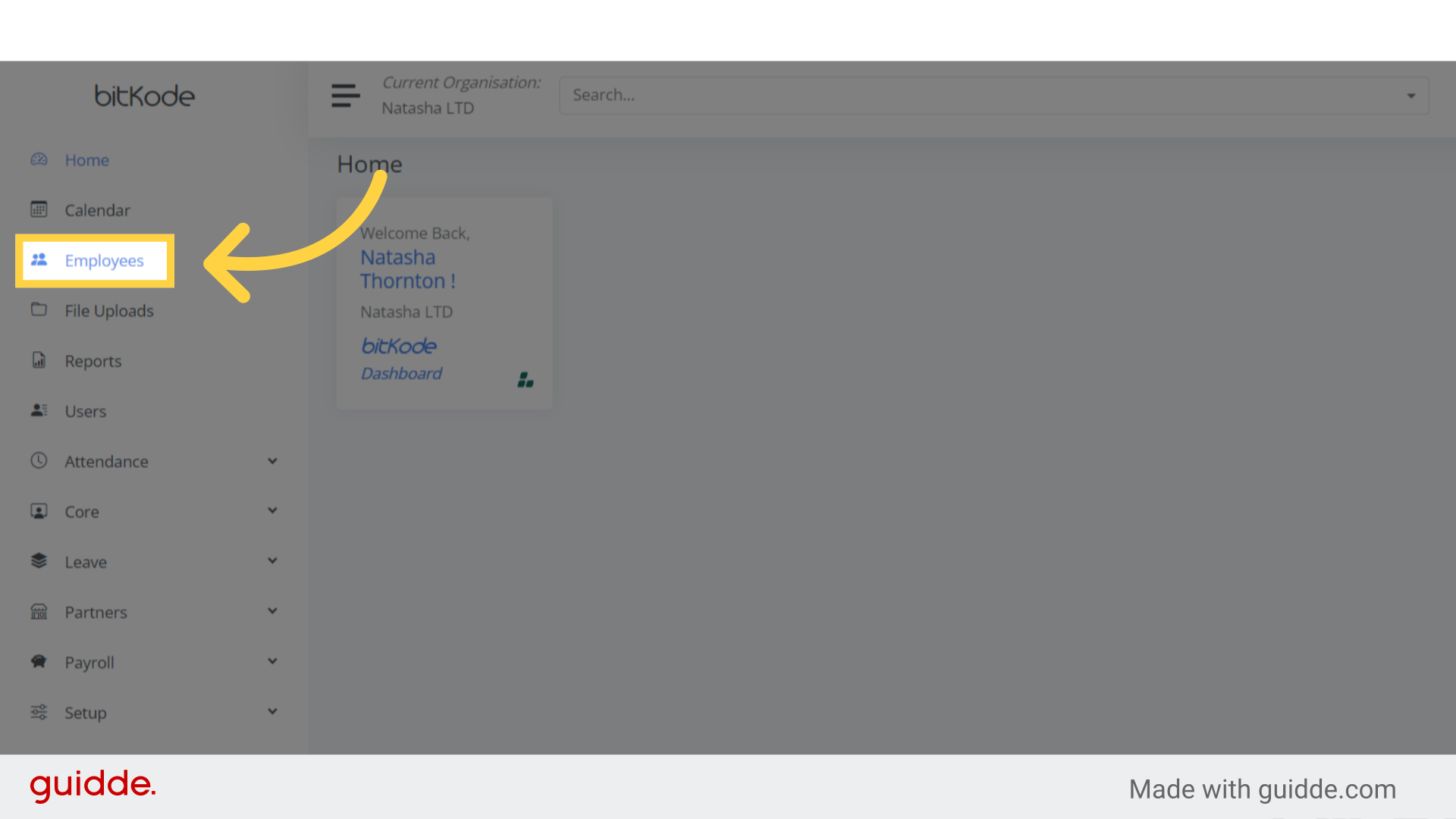
Step 1. Click “Employees”. #
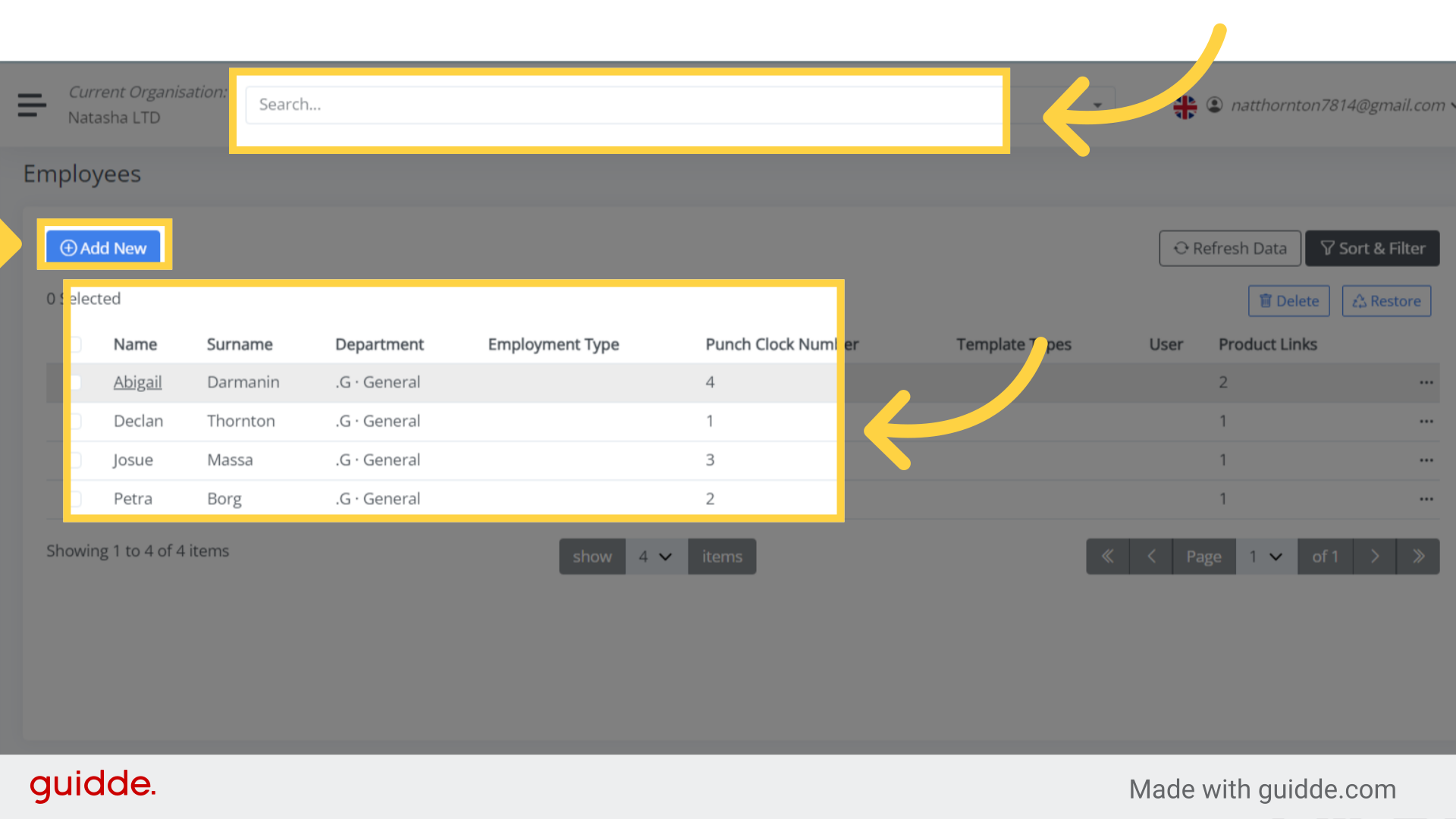
Step 2. “Add new” #
If the employee has not yet been created, simply click on Add New to create the employee.If the employee has already been created, you can select them from the list, or, use the global search to find the employee you wish to link to the HR module.
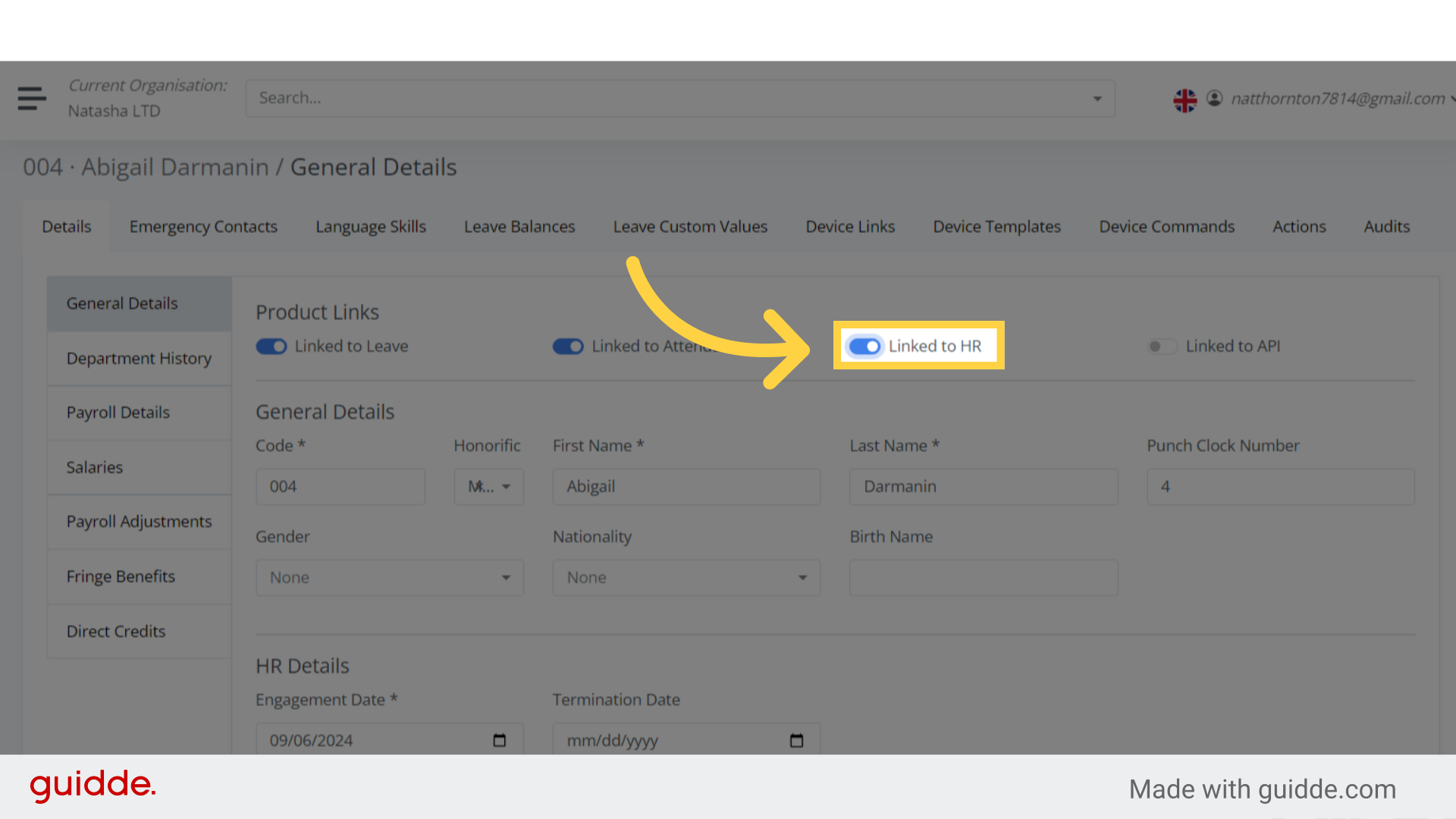
Step 3. “turn on toggle”. #
Once you’re in the employee’s profile, simply turn on the toggle to link the employee to the HR module.
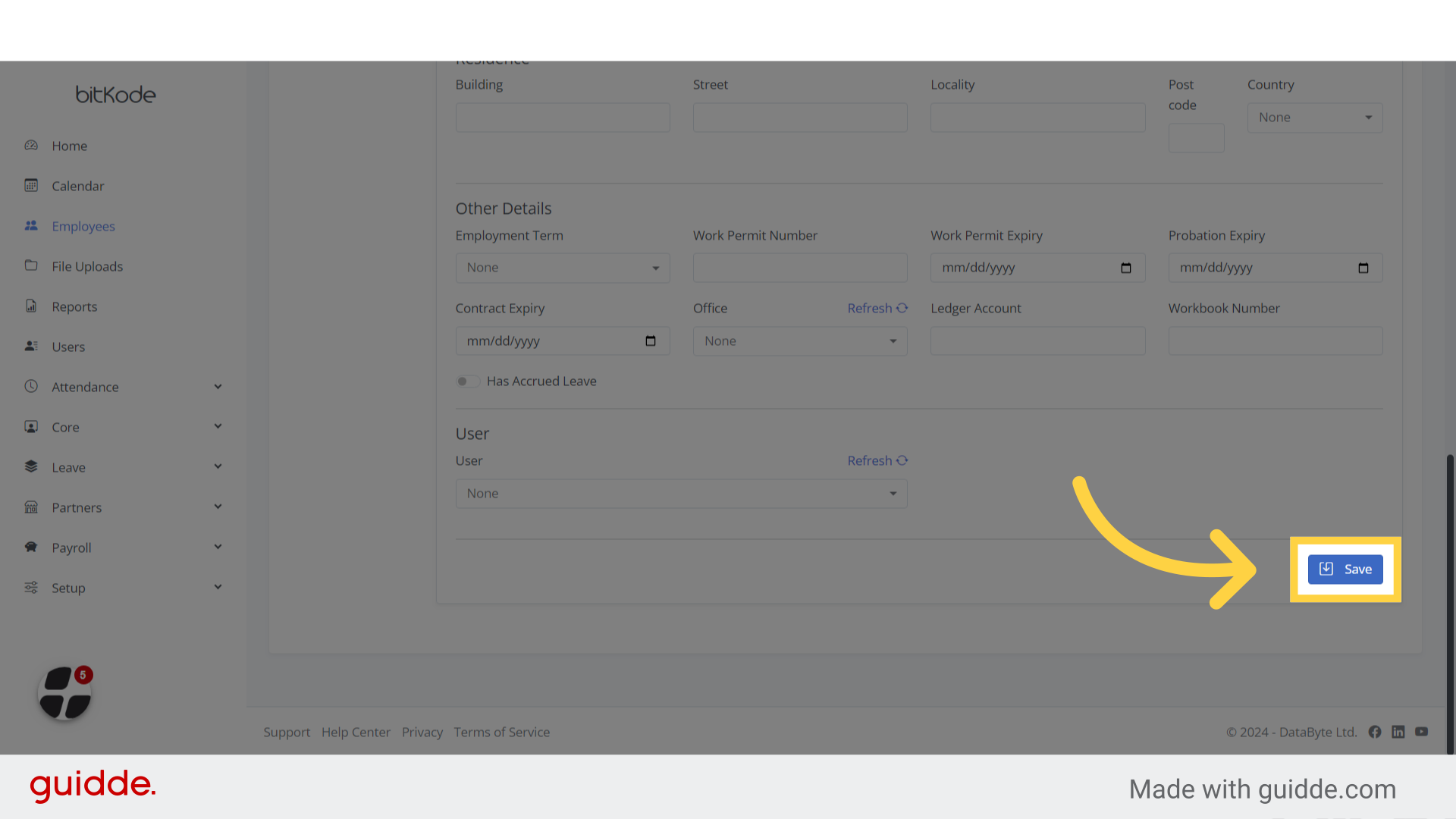
Step 4. “Save changes”. #
After linking the employee to the HR module, simply click Save or, press Enter on your keyboard to save the changes.
This guide covered the steps to link an employee to HR in Bitkode.
Thank you.


